Program interface Control Station Duetto
104 2.0/0518
Function menu: Firmware update
In this menu, the DUETTO device firmware can be updated via an active Internet connection.
Tap on the button in the function menu in order to start the update of the DUETTO device firm-
ware.
Call app
In the call app, it is possible to initiate calls to Intercom and SIP subscribers either by selecting an entry
in the address book or sidebar keypad or by dialling the call number.
User interface “call app”
Tap on the receiver button 1 in the main menu bar, or
lift the handset (if connected) to switch to the call app.
For initiating Intercom and SIP calls, a numerical and alphanumerical keypad (see page 104), a key-
board (see page 105) and the classic Intercom user interface (see page 106) are available in the call app.
Numerical and alphanumerical keypads
The numerical and alphanumerical keypads differ only in the layout, not in their functionality.
In the Web interface, select the desired keypad layout at Customization, tab: Call Interface (see
page 53).
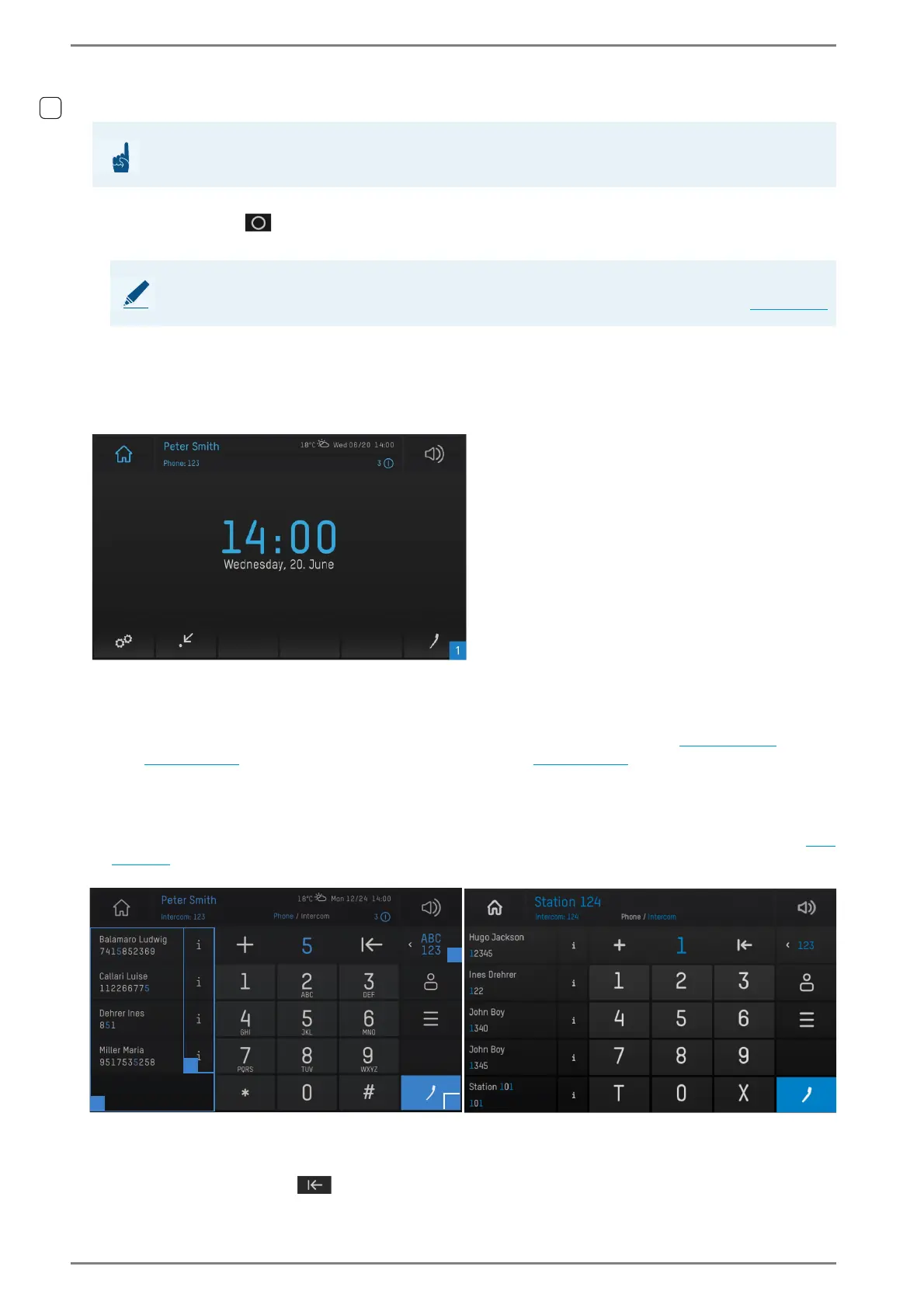
Depending on the selected layout, one of the following screens appears:
User interface “numerical alphanumerical keypad”
Enter the call number of the desired subscriber via the keypad and tap on the blue receiver button
2 in order to initiate a call to the dialled number.
Delete last entry:
Quickdial: When a number is entered, the list to the left of the keypad 3 shows all address book
ATTENTION: Internet connection required
For the following function, an active Internet connection is required!
NOTE: Downgrade only in web interface
A downgrade of the DUETTO device firmware can only be carried out in the web interface (see page 94).



 To Next Page