Control Station Duetto Web interface – System
2.0/0518 89
Services
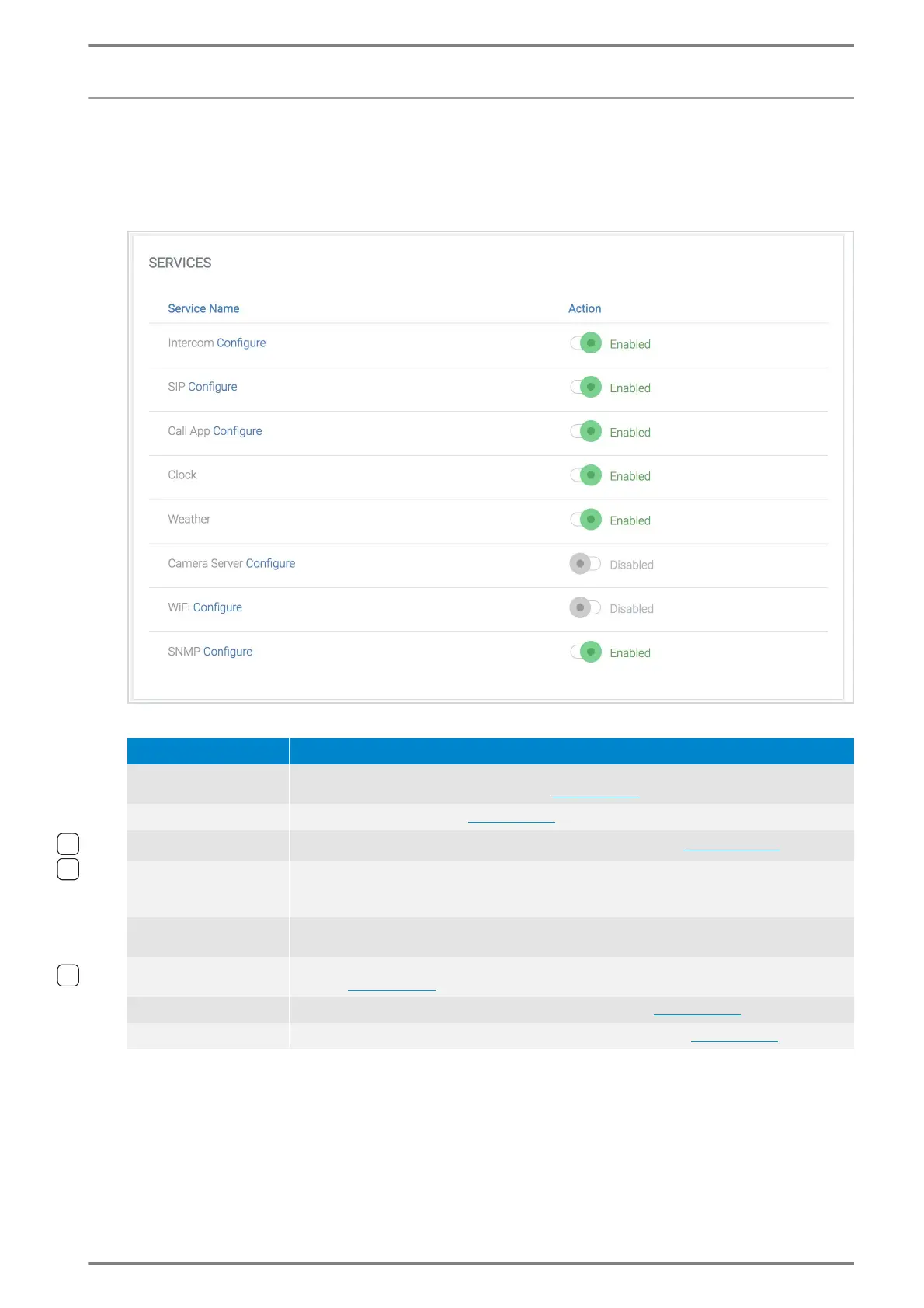
In this section, all available services of the DUETTO device can be managed.
DUETTO > SYSTEM > SERVICES
Services
Service Name: Shows the name of all services. The following services are available:
Service Name: To configure a service, click on the respective button Configure. You will be
forwarded to the respective site in the configuration.
Action: Click on the respective toggle button to change the state of the desired service. De-
pending on the service state, the following functions are available:
Enabled: Start the service (restart of the device might be required).
Disabled: Deactivate the service.
Service Description
Intercom
Intercom service of DUETTO. This service is enabled automatically if the DUETTO de-
vice is configured via IP Station Config (see page 16).
SIP Phone service of DUETTO (see page 32).
Call App
Use of the call management screen on the DUETTO device (see page 104).
Weather
Weather information will be displayed automatically on the status bar when an active
Internet connection is available. The displayed weather information is based on the IP
geolocation of the device. The function can be deactivated with the toggle button.
Clock
Time indication in the middle of the DUETTO screen. This is only shown if DUETTO has
received a valid time from an NTP server.
Wi-Fi
DUETTO device can be connected to a Wi-Fi network (e.g. for data or speech signal
transfer; see page 29).
SNMP SNMP protocol for surveillance of the DUETTO device (see page 90).
Camera Server
1)
Camera server to retrieve video of the built-in video camera (see page 43).
1)
Only for EE 980CM and SIP-EE 980CM.



 To Next Page