Web interface – System Control Station Duetto
88 2.0/0518
Import the bct CA certificate in the web browser through which the web interface will be accessed
with a secure HTTPS connection.
When accessing the web interface of the DUETTO device, a secure HTTPS connection is now set
up between the web browser and the web interface without a prompt asking about the trustwor
-
thiness of the server certificate.
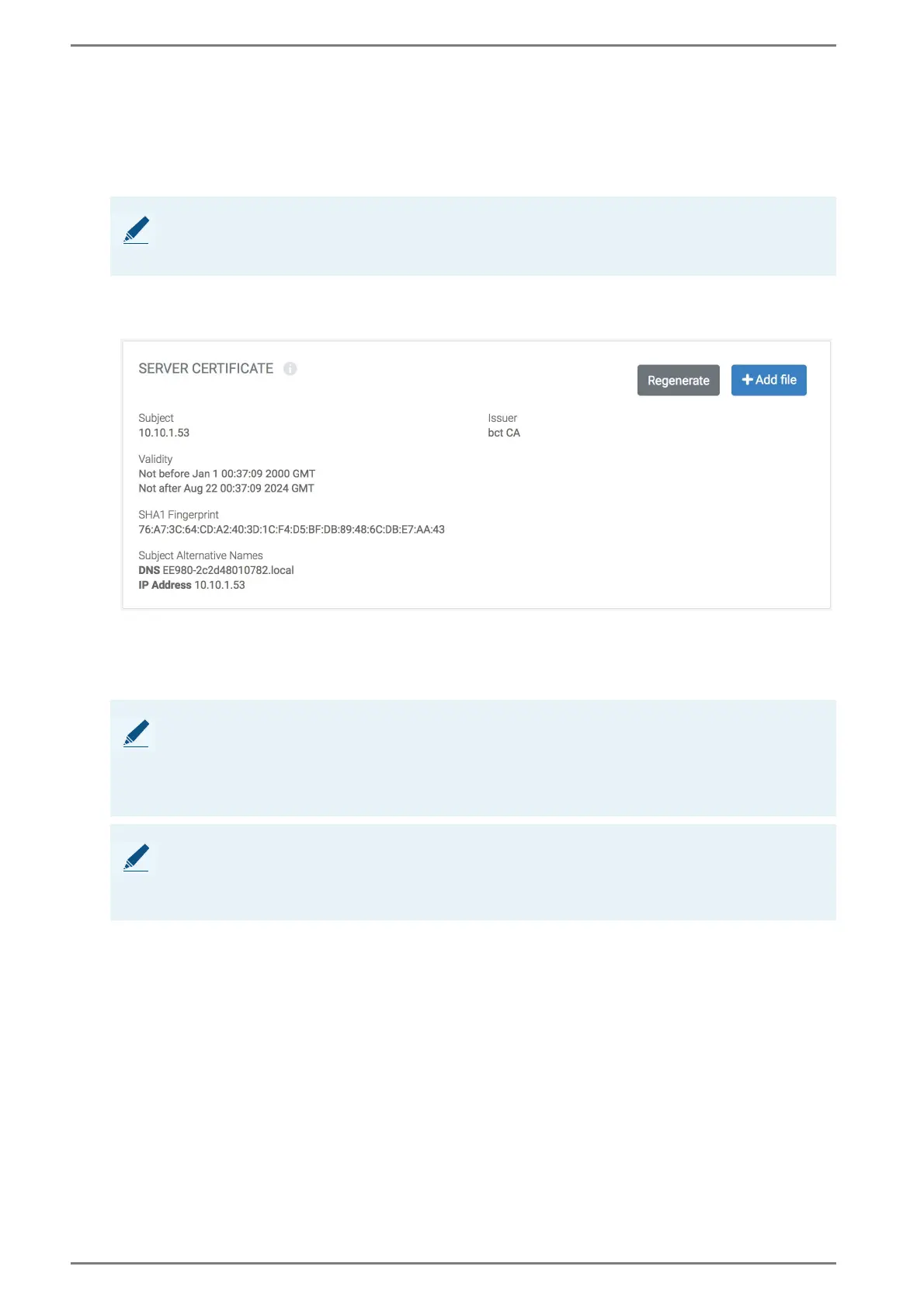
Server Certificate
In this area, a new server certificate can be generated or a custom server certificate can be uploaded.
Add file: Click on the button Add file, select the desired server certificate file and click on the but-
ton UPLOAD. The currently used server certificate will be deleted and replaced by the uploaded
certificate.
Regenerate: Click on the button Regenerate to generate a new server certificate for the DUETTO
device using the bct CA certificate. The currently used server certificate will be deleted and re
-
placed by the new server certificate.
NOTE: Support only default server certificates
The bct CA certificate supports only server certificates that are generated on the DUETTO device. It
is recommended to import the corresponding CA certificate into the web browser.
NOTE: Restrictions
Consider the following restrictions for the server certificate to be uploaded:
The server certificate must be based on the x.509v3 standard (defined in RFC 5280).
Only the data type “PEM” is supported. The PEM file must contain the certificate and the private
key.
NOTE: Support of bct CA certificate will expire
When using a custom server certificate, the bct CA certificate is no longer used to guarantee a trusted
identity of the DUETTO device. It is recommended to import the corresponding CA certificate into
the web browser.



 To Next Page