Web interface – System Control Station Duetto
80 2.0/0518
Off: The status LEDs are deactivated.
Communication
Default service: In this drop-down list, the default communication service of DUETTO can be
selected.
➥ Click on the button Save to save the settings.
User management
DUETTO > SYSTEM > USER MANAGEMENT
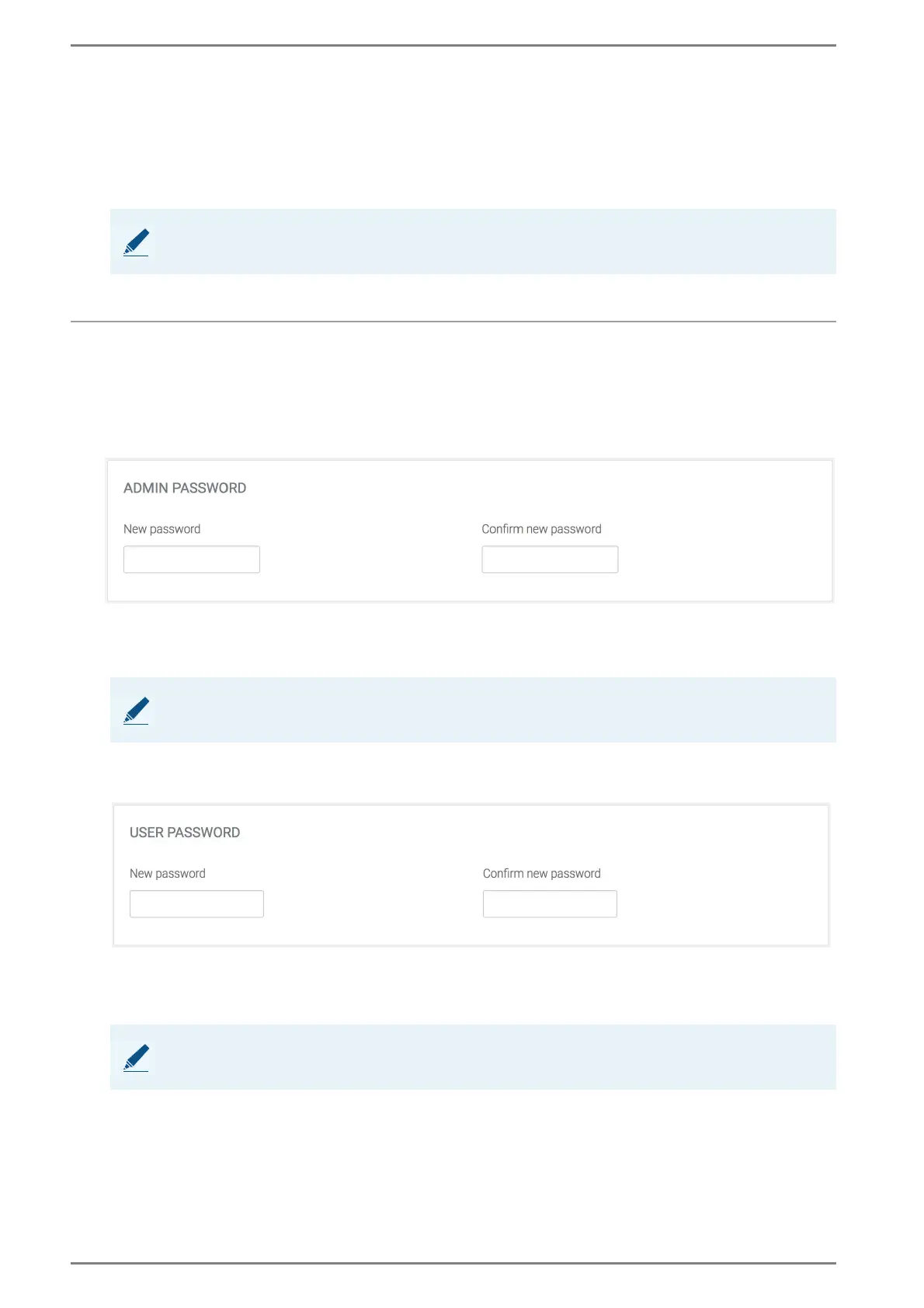
In this section, the password for the admin and user account of the web interface can be configured.
Admin Password.
New password: In this field, enter a new password.
Confirm new password: Confirm the password, which has been entered in the field New
password.
➥ Click on the button Save to save the settings.
User Password.
New password: In this field, enter a new password.
Confirm new password: Confirm the password, which has been entered in the field New
password.
➥ Click on the button Save to save the settings.
NOTE: Restart required
In order to apply the changed settings, the DUETTO device has to be rebooted.
NOTE: Password can only be changed by admin
The admin password can only be changed by the admin.
NOTE: Password can be changed by admin and user
The user password can be changed either by the user or the admin.



 To Next Page