Control Station Duetto Web interface – Network
2.0/0518 29
Wi-Fi Configuration
In this section, the settings to access a Wi-Fi network with the DUETTO device can be provisioned.
These provisioning settings are independent of the Wi-Fi configuration on the DUETTO device and are
only applied when the DUETTO device has not been connected to a Wi-Fi network (fallback settings)
.
DUETTO > NETWORK > WIFI
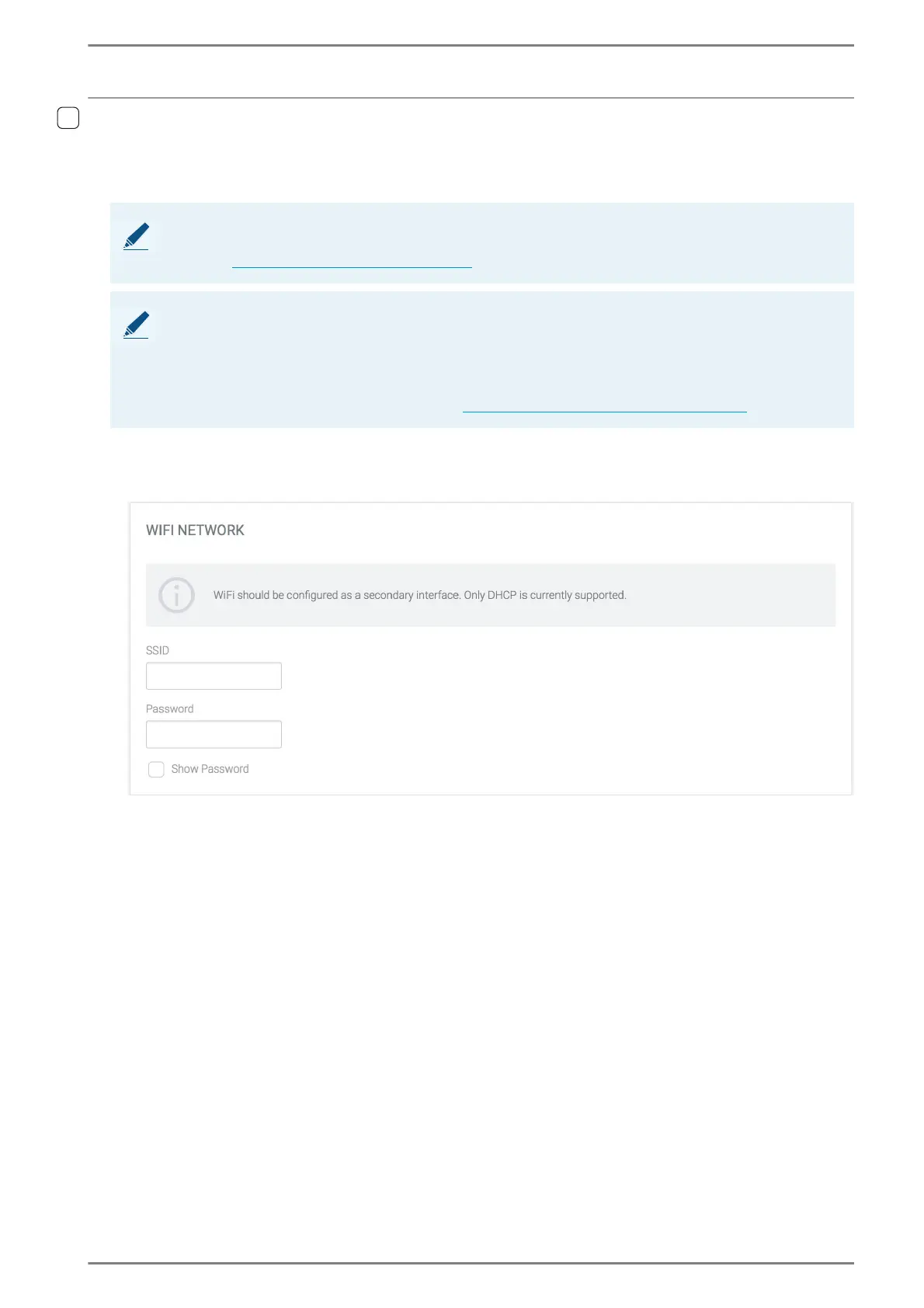
WiFi Network
SSID: In this field, the name of the Wi-Fi network can be entered to which DUETTO will be con-
nected.
Password: In this field, the password required to access the Wi-Fi network can be entered.
Show password: Activate this checkbox to show the entered characters entered in the field
Password.
➥ Click on the button Save to save the changes.
NOTE: Service has to be enabled in the web interface
In order to enable this section in the web interface, the service “Wi-Fi” has to be activated in System >
Services (see ”System > Services” on page 89).
NOTES: Wi-Fi
For the Wi-Fi network configuration, only “DHCP” is currently supported.
It is recommended to use the Wi-Fi function exclusively as a secondary interface in order to ensure a
proper operation of the DUETTO device.
Changes made in this section are used for provisioning only. These settings are not applied to any
Wi-Fi configuration on the DUETTO device (siehe „
Function menu: Wi-Fi” auf Seite 102).



 To Next Page