Appendix – Examples Control Station Duetto
142 2.0/0518
Example: Configuration of HTTP POSTS
An IoIP camera (e.g. WSTM 50P) is integrated into a SIP-based help station. Pushing the call button au-
tomatically activates the IoIP camera. By means of the HTTP POST method the video image of the IoIP
camera can be displayed on the DUETTO device. See the following illustration:
WSTM 50P remote control via HTTP POST
HTTP POST: Show video
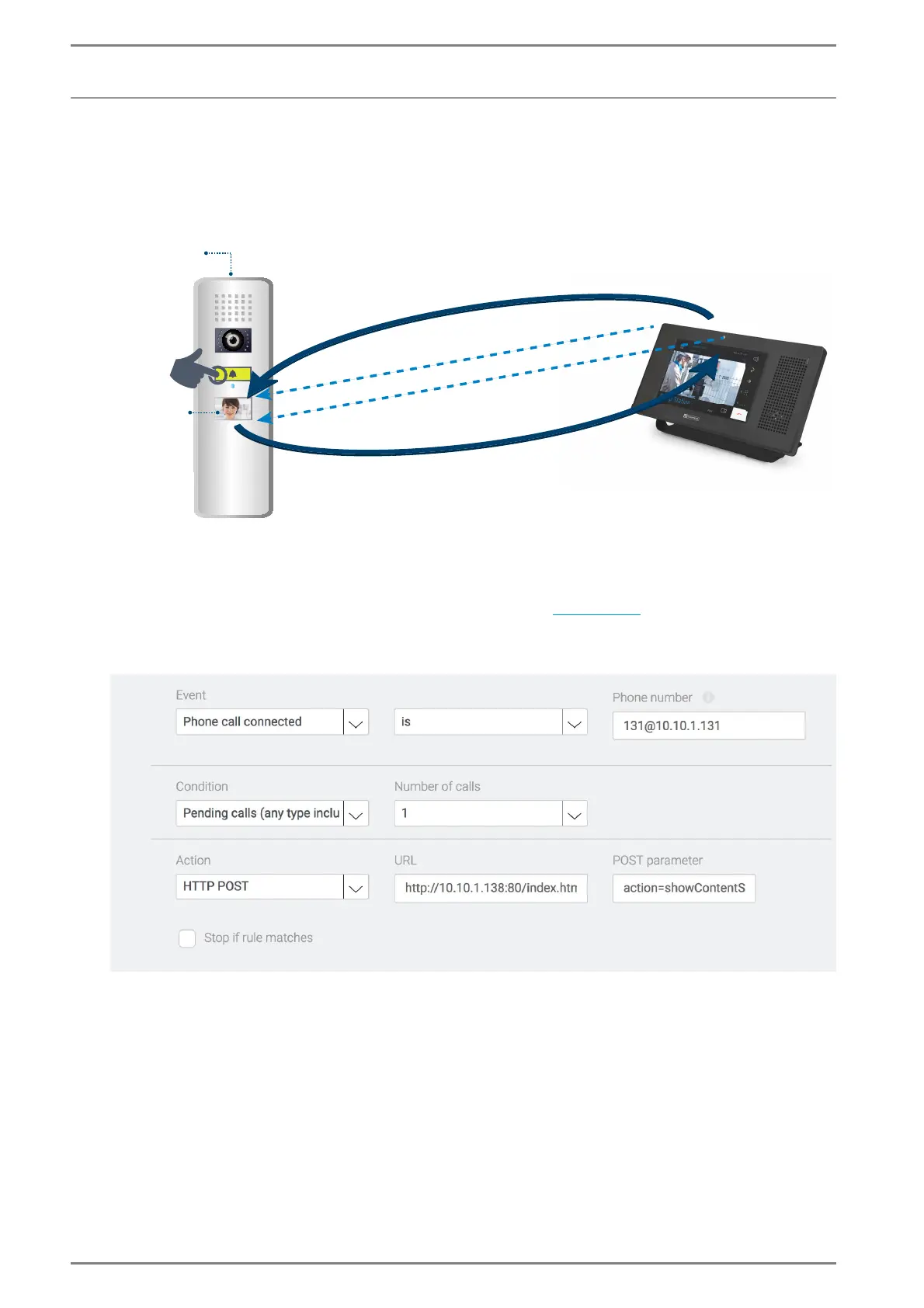
Go to: Customization > Logic Rules in the web interface (see page 66).
Add a new logic rule: When a connection is established with a specified phone number, the HTTP
POST “show video” is sent to the destination defined in the field URL
. See the following screenshot:
HTTP POST “Show Video”
Select the event “Phone call connected”.
In the field phone number enter the URI of the SIP device.
In the drop-down list Condition, select “pending calls”.
In the drop-down list Number of calls, select the entry “1”. Thus, the selected event is only fulfilled
if the pending call is active.
Select the action “HTTP Post”.
In the field URL, enter the destination address of the video broadcast.
SIP station
Display
(e.g. WSTM 50P)
IP: 10.10.1.138/16
IP: 10.10.1.131/16
IP: 10.10.1.102/16
3. HTTP stream including MJPEG video
1. HTTP POST including
camera HTTP GET
DUETTO
sip:117@10.10.1.102
sip:131@10.10.1.131
2. HTTP GET



 To Next Page