Program interface Control Station Duetto
116 2.0/0518
Create a new contact 5: Tap on the button next to the search bar to open an empty contact form
(
see page 116).
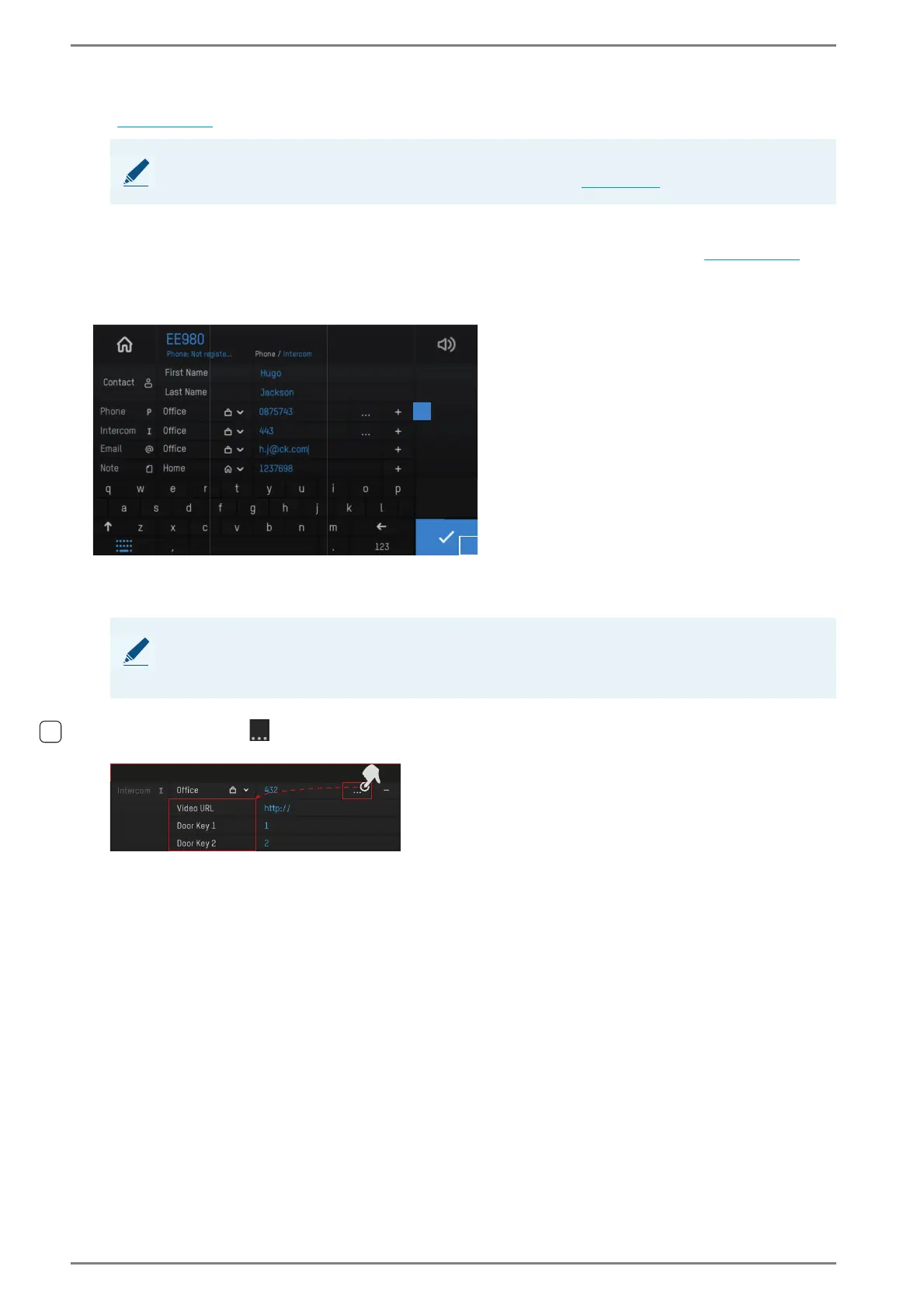
Contact form
With the functions “edit a contact” and “create a new contact” in the address book (see page 115), the
contact form will be displayed. In the contact form, contact details (name, call number) of existing
contacts can be edited or new contacts can be created.
User interface “contact form”
Tap on the desired input field and enter the name or call number via the keyboard.
Tap on the plus button 1 in order to add an additional call number.
Tap on the button in order to add door key and video functions.
Tap on the blue button 2 to save the input.
NOTE: Import contacts via web interface
Intercom and SIP contacts can be imported in the web interface (see page 77).
NOTE: Synchronised Intercom contacts cannot be edited
Call numbers and names of Intercom contacts that have been received by the Intercom contacts cannot
be edited.
2
1



 To Next Page