Web interface – Device Control Station Duetto
44 2.0/0518
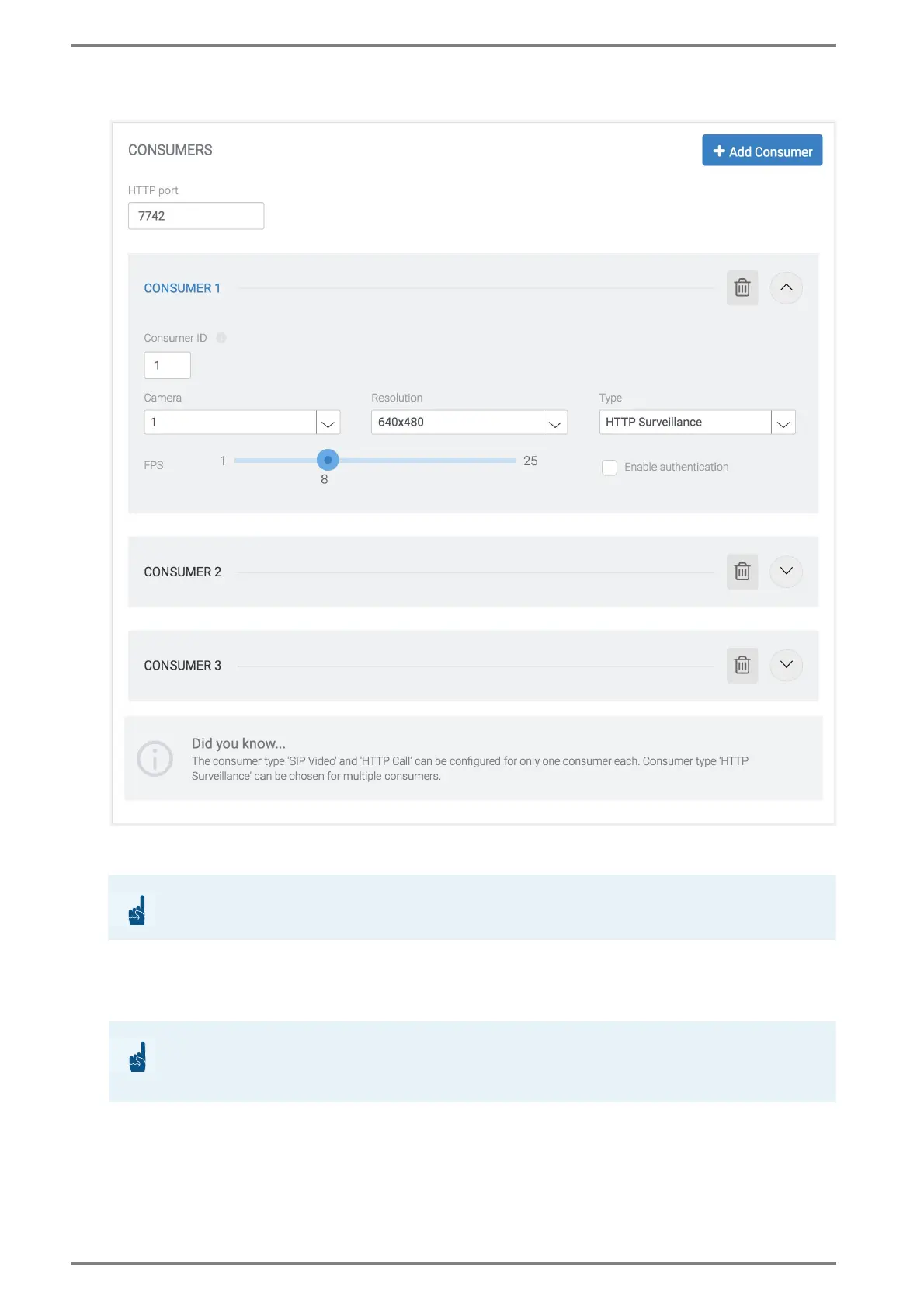
Consumers
HTTP port: In this field, the HTTP port of a camera server that can be accessed through a web
browser or third-party application can be changed. → By default: 7742
Consumer #: Shows the allocated profile number of the respective camera. This parameter is re-
quired to gain access to the desired video stream through a web browser or third-party application.
Camera: In this field, select the number of a configured camera to reference it with this profile.
Resolution: In this drop-down list, the resolution of the camera can be selected.
FPS: Move the slider to the desired frames-per-second value for the consumer.
Type: In this drop-down list, the type of the consumer can be selected. The following types are
available:
- HTTP Surveillance: The consumer can always be triggered by a web browser or third-party
application. The referenced camera stream cannot be muted during a conversation. The check
-
ATTENTION: Do not use well-known port numbers
Do not use any well-known port numbers for the HTTP port (e.g. “8080”)!
ATTENTION: Camera resolution
The resolution is limited to 640 x 480 pixels! In combination with the mute function, only 320 x 240 px
are supported.



 To Next Page