Web interface – Device Control Station Duetto
42 2.0/0518
Playback volume: In this drop-down list, the volume during playback of video streams can
be selected.
Handset
Output volume SIP: In this drop-down list, the output volume for the speaker of the connect-
ed handset during SIP calls can be selected.
Input volume: In this drop-down list, the sensitivity of the microphone of the connected hand-
set can be selected.
Headset
Output volume SIP: In this drop-down list, the output volume for the speaker of the connect-
ed headset during SIP calls can be selected.
Input volume: In this drop-down list, the sensitivity of the microphone of the connected head-
set can be selected.
Acoustic Echo Cancellation (AEC)
Audio post gain: In this drop-down list, the amplification of the microphone input of the DU-
ETTO device can be selected.
Sounds
Touch feedback sounds: Activate for a feedback sound when the display is tapped.
Click on the button Reset to default to reset the entire audio configuration to default settings.
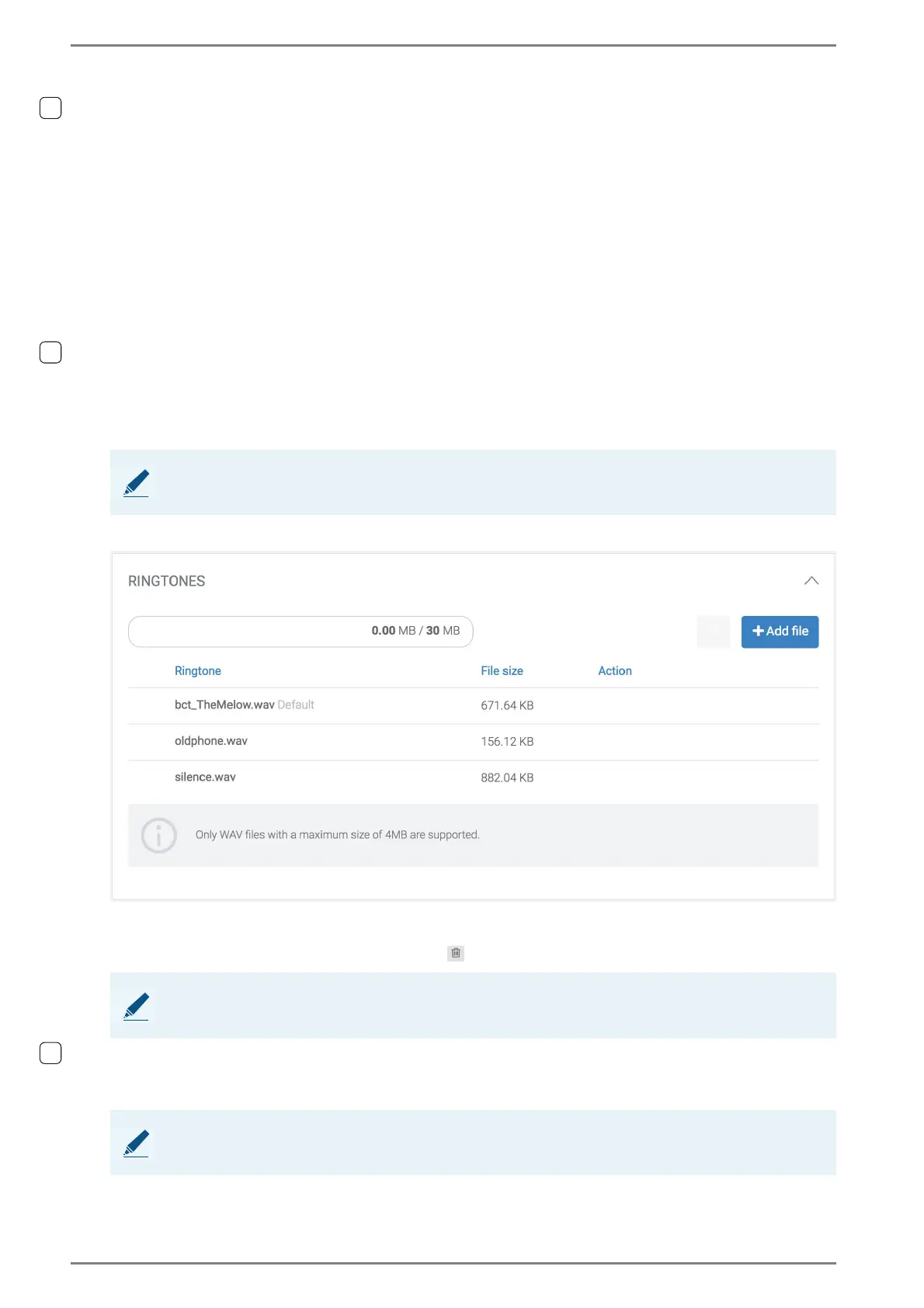
Ringtones
Set an audio file as ringtone: Click on the appearing button Set default next to the respec-
tive audio file to set this audio file as ringtone.
Delete an audio file: Click on the icon to delete the respective file.
Playback of audio file: Click on the Play icon in order to start the playback of the respective
audio file.
Upload new ringtone: Click on the button Add file and select the desired audio file.
➥ Click on the button Save to save the settings.
NOTE: Reset settings
This will also reset unsaved changes in the web interface.
NOTE: Pre-installed audio files cannot be deleted
It is only possible to delete uploaded audio files. Pre-installed audio files cannot be deleted.
NOTE: Supported formats
Only WAV files with a maximum file size of up to 4 MB are supported.



 To Next Page