Control Station Duetto Program interface
2.0/0518 123
Initiate All Call
Enter the code “01” followed by the group number via the keyboard or keypad (e.g. “018” for group
call to group “8”) and tap on the blue handset button
2 (in the classic Intercom user interface, the
announcement will triggered automatically). A double gong sounds and the following screen ap
-
pears:
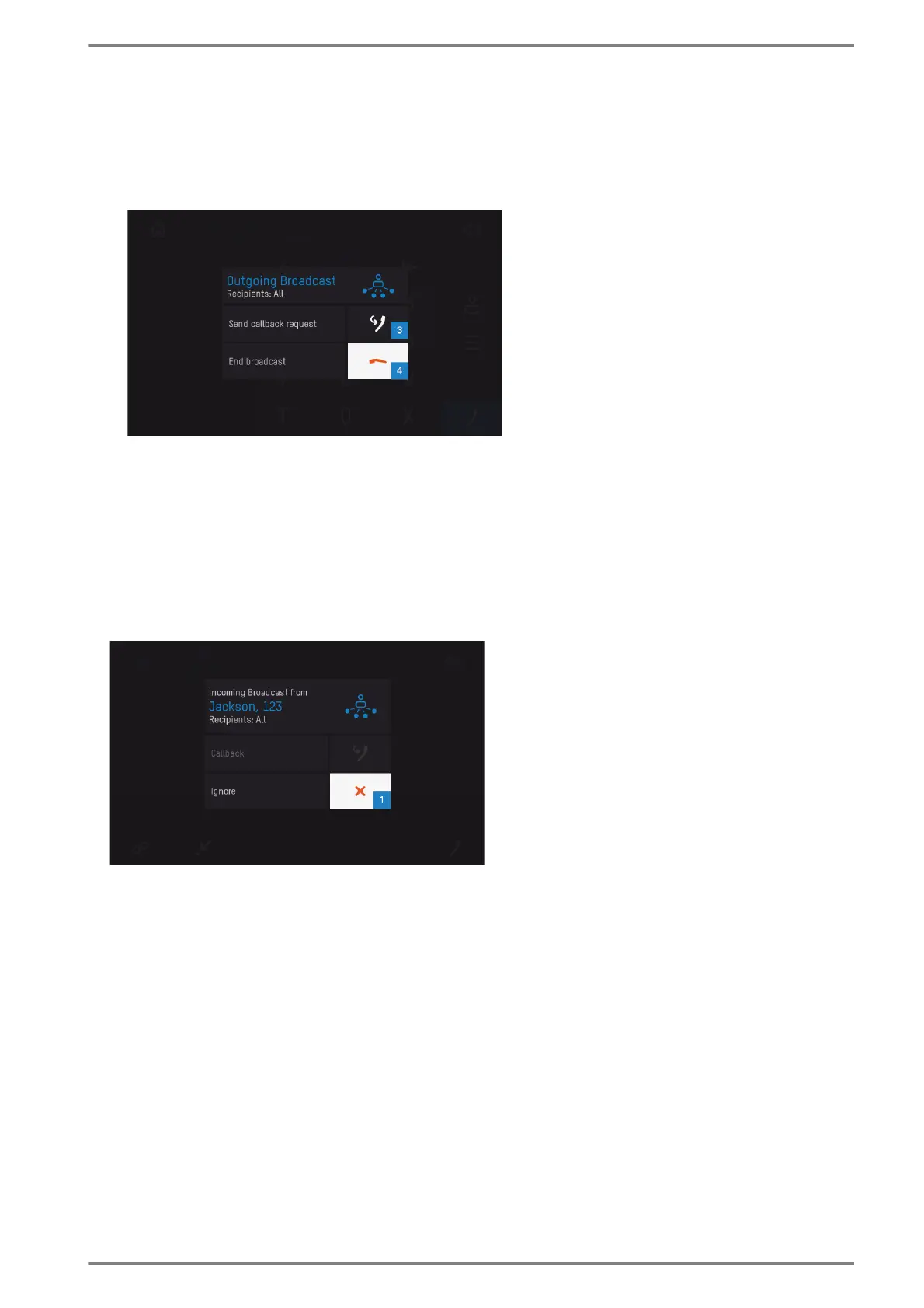
Active All Call
Trigger the announcement.
Tap on the button 3 in order to cancel the announcement and to enable an answer from the receiver
stations, or
Tap on the handset button 4 in order to cancel the announcement without an answer.
Callback to All Call or group call
During an active All Call or group call of another station, the following screen will be displayed on the
DUETTO device:
Active All Call or group call of another station
Tap on the white button 1 in order to cancel the active All Call or group call. An answer is not
possible.



 To Next Page