Program interface Control Station Duetto
122 2.0/0518
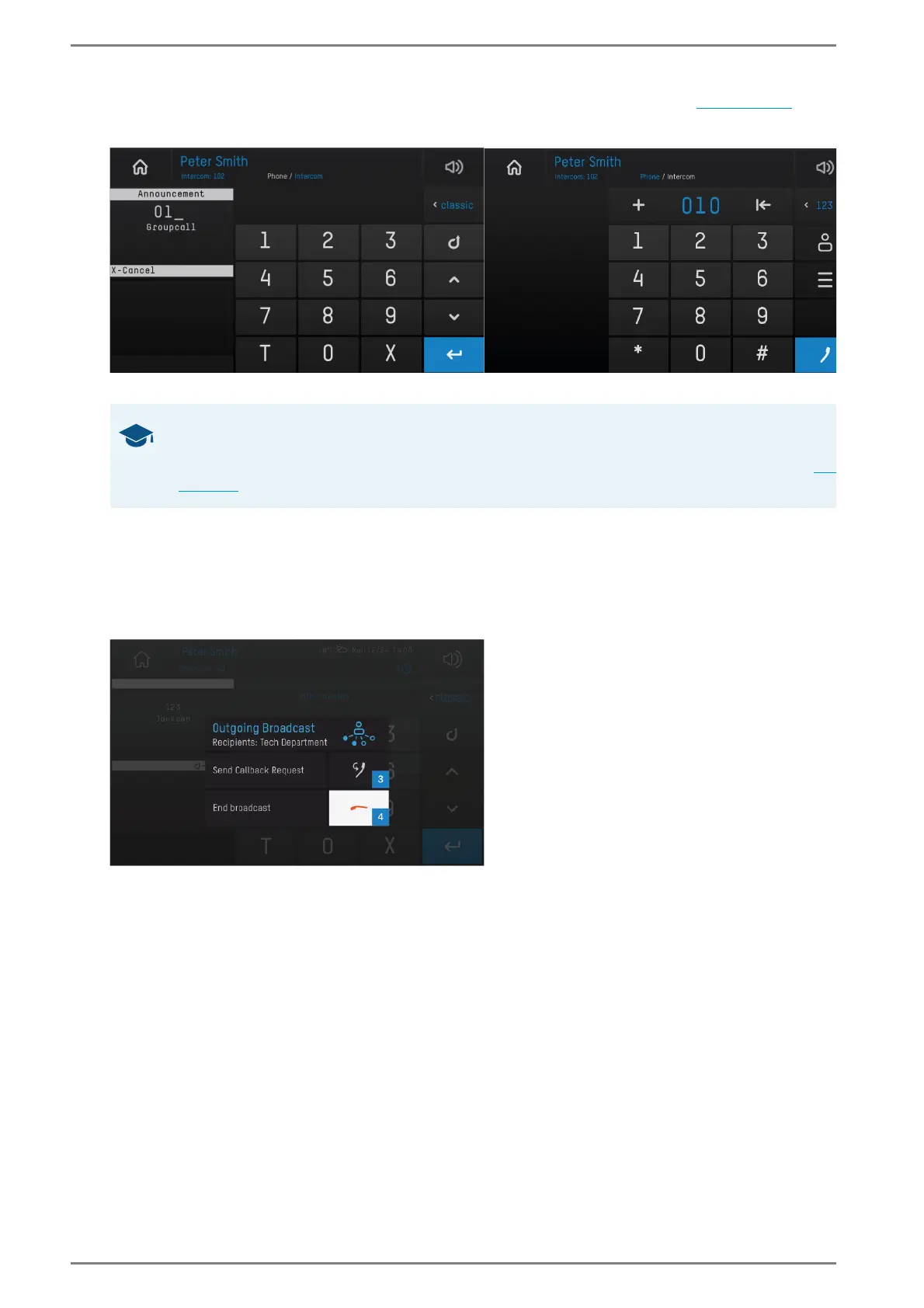
Tap on the handset button 1 in the main menu bar in order to open the call app (see page 104). The
following screen appears:
The All Call and group call can be triggered in each user interface
Initiate group call
Enter the code “01” followed by the group number via the keyboard or keypad (e.g. “018” for group
call to group “8”) and tap on the blue handset button
2 (in the classic Intercom user interface, the
announcement will triggered automatically). A double gong sounds and the following screen
appears:
Active group call
Perform the announcement.
Tap on the button 3 in order to cancel the announcement and to enable a callback from the receiver
stations, or
Tap on the handset button 4 in order to cancel the announcement without a callback.
GOOD TO KNOW: All Call and group call can be triggered in each user interface
An All Call and group call can be triggered in the call app with the keyboard, with the nu-
merical or alphanumerical keypad and with the classic Intercom user interface (
see
page 104).



 To Next Page