Web interface – Intercom Control Station Duetto
38 2.0/0518
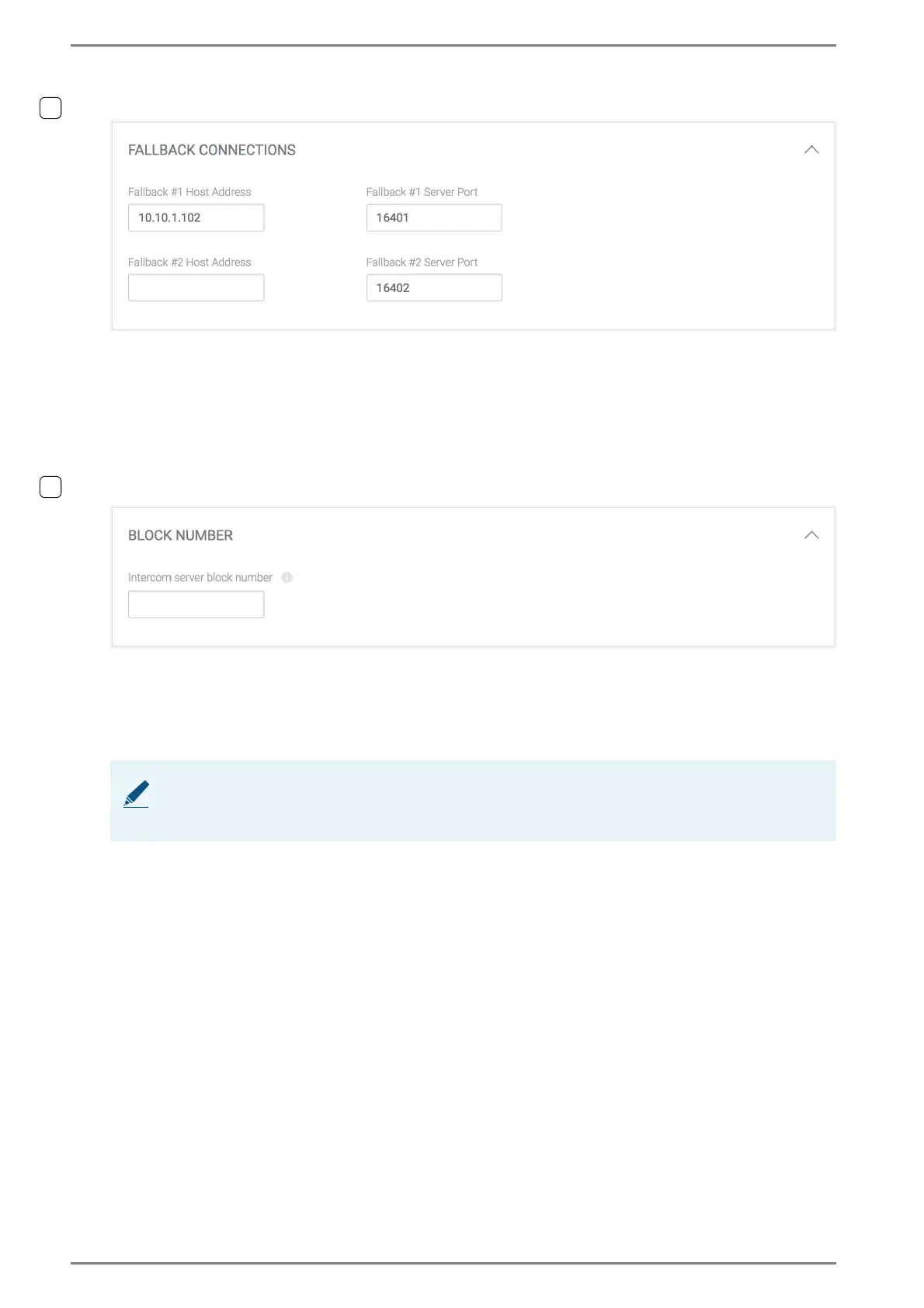
FALLBACK CONNECTIONS
Fallback #1 Host Address and Fallback #2 Host Address: In this field, enter the IP address
of the allocated IP subscriber card. This IP subscriber card establishes the standard/fallback
connection. For each connection (standard and fallback), a different IP subscriber card has to
be used.
Fallback #1 Server Port and Fallback #2 Server Port: In this field, the port number of the
respective fallback connection can be changed. For each connection of DUETTO/EE 980 (stand
-
ard and fallback), a different port number has to be used.
Block number
In this field, enter an Intercom Server block number. Using this block number, the DUETTO de-
vice is able to request the subscriber and camera directory of all Intercom Servers that are allocated
to this Intercom Server block. This is required if e.g. the subscriber information or video of cameras
will be shown at incoming calls from Intercom Servers that are located in the same Intercom Server
block, but registered at different Intercom Servers than the DUETTO device.
➥ Click on the button Save to save the settings.
NOTE: Configuration of block numbers
The block number can be configured with the program CCT 800. Further information about block
configuration can be found in the manual “Intercom Server Configuration”.



 To Next Page