Web interface – SIP Control Station Duetto
36 2.0/0518
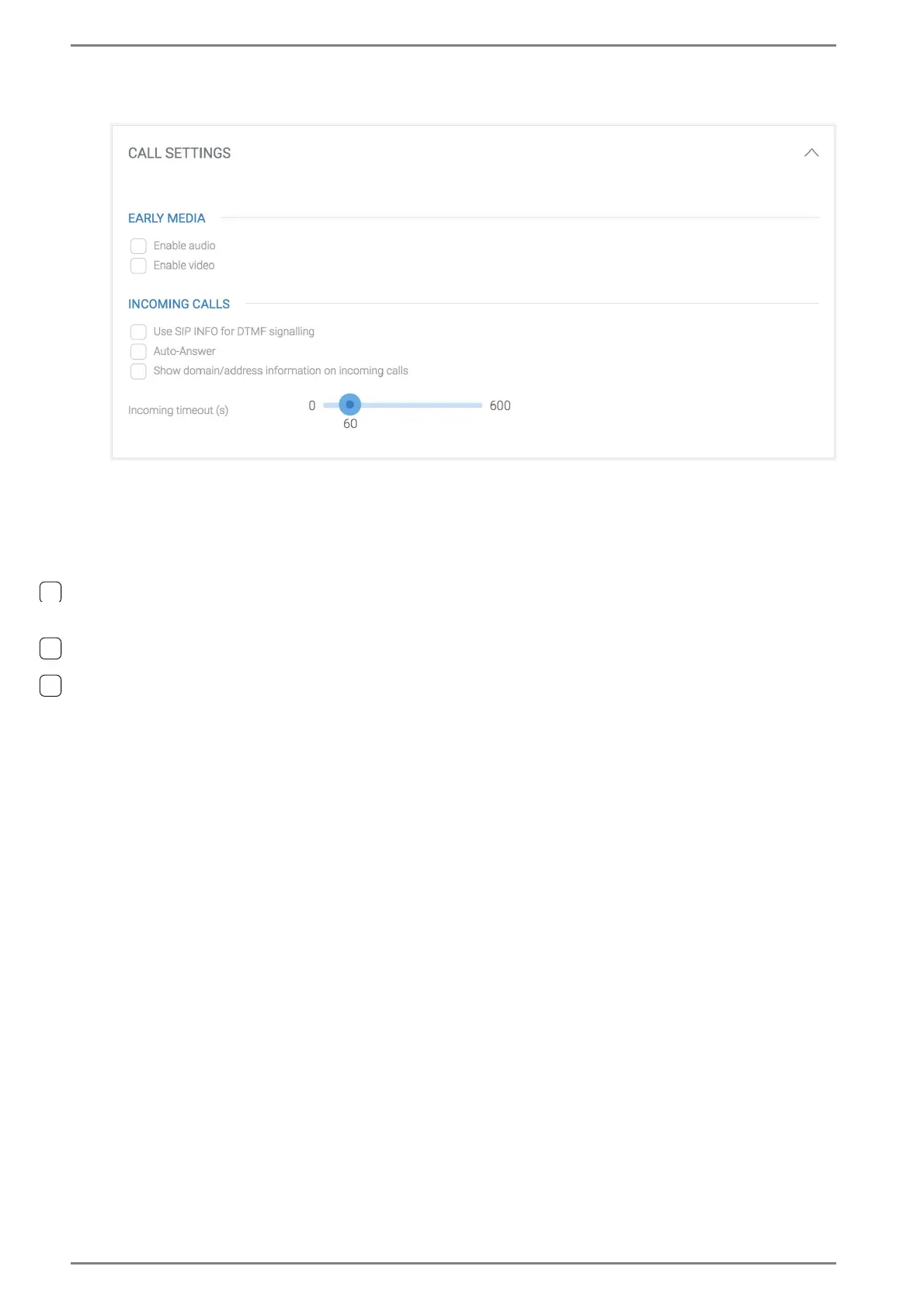
CALL SETTINGS
Early Media
Enable audio: Activate this checkbox to make the audio signal from the calling station audible
through DUETTO before the incoming call is accepted.
Enable video: Activate this checkbox to show the video image from the calling station on the
display of DUETTO before the incoming call is accepted.
Incoming Calls
Use SIP INFO for DTMF dialling: Activate this checkbox to send DTMF through SIP INFO
messages according to RFC 6086 (formerly RFC 2976) instead of through the RTP payload ac-
cording to RFC 4733 (formerly RFC 2833).
Auto-Answer: Activate this checkbox in order to accept an incoming SIP call automatically on
the DUETTO device (manual call accepting not required).
Show domain/address information on incoming calls: Activate this checkbox to show
the IP address or domain of the calling SIP station on the display of the DUETTO device
(e.g. “6002@192.158.10.1”).
Incoming timeout (s): Move the slider to a desired timeout after which DUETTO reports to
the calling station that the user is not available.
➥ Click on the button Save to save the changes.



 To Next Page