Control Station Duetto Setup guide
2.0/0518 19
Camera IP Address: Shows the IP address of the built-in video camera (equal to the IP address of
DUETTO).
Camera Port no.: In this field, the port number can be changed.
→ By default: 7742
(Optional) Videolink: In this field, the video stream URL can be changed.
→ By default: 3.mjpg
Add video connection of external IP camera
A video stream of an external IP camera can be allocated to the DUETTO device in CCT 800 (in addition
to the built-in video camera). This video stream can be shown e.g. permanently on the DUETTO display
via a background element.
Configuration CCT 800
Subscriber > Station Properties > Cameras > tab Camera
Right-click and select the Intercom Server to which the external camera will be assigned via the entry
“Add external camera”.
Camera no: In this field, enter a unique number for the video stream.
Camera description: In this field, an up to 14 characters long text can be entered, which will be
(Optional) used in CCT 800.
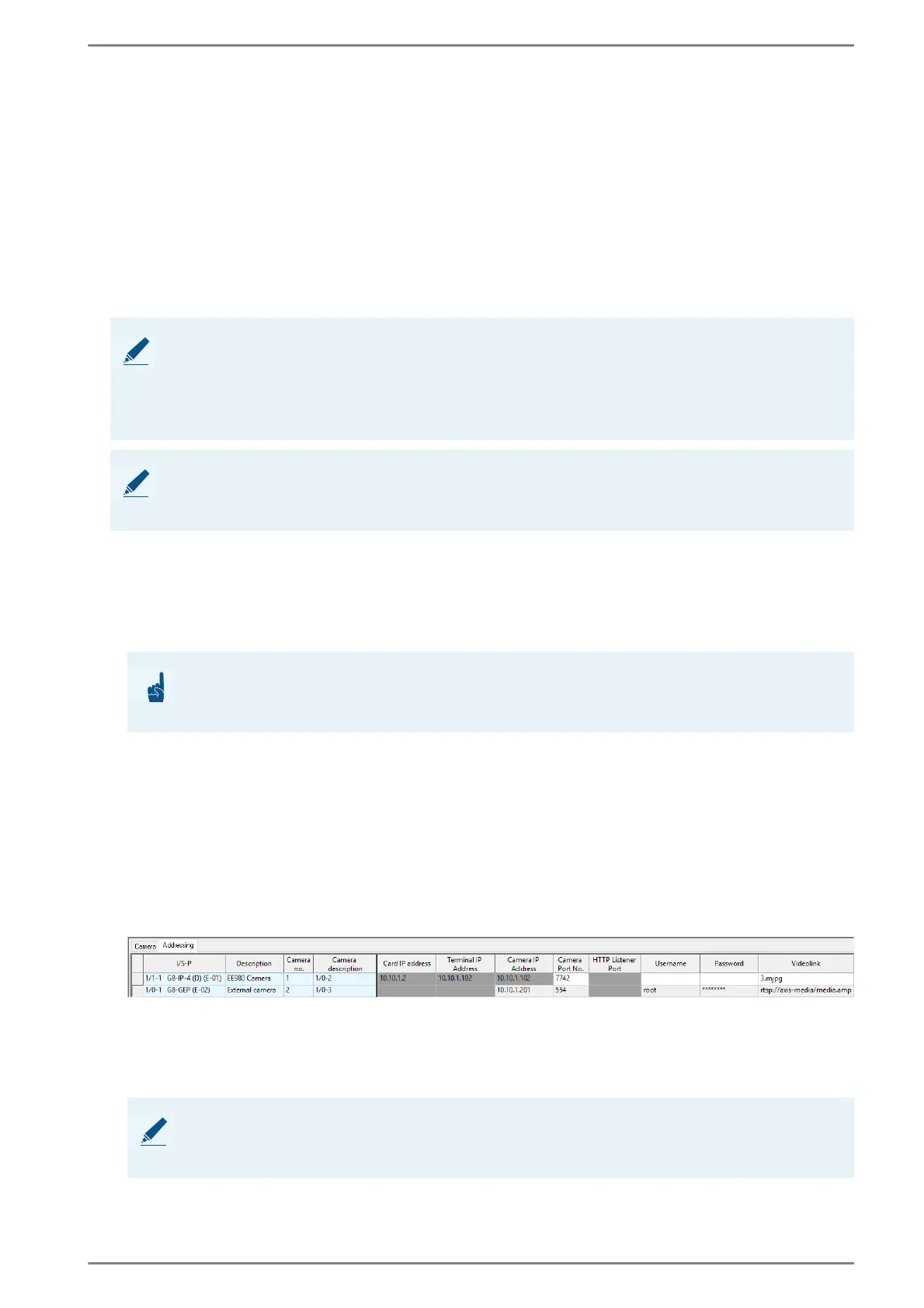
Subscriber > Station Properties > Cameras > tab Addressing
Camera IP Address: In this field, enter the IP address of the external IP camera.
Camera Port no.: In this field, enter the desired port number (RTSP = “554”, HTTP = “80”).
(Optional) Username and Password: In these fields, the data for authentication can be entered (if
required).
Videolink: In this field, enter the video stream URL with the syntax “rtsp://<video stream URL>” or
“http://<video stream URL>” through which the video stream of the external IP camera can be re
-
trieved. See the following example:
Video stream example
Subscriber > General > tab Naming
Camera No.: In this field, enter the camera number entered under Subscriber > Station Proper-
ties > Cameras > tab Camera for the external video stream.
NOTE: Supported transmission protocols and codecs
DUETTO supports the following transmission protocols and codecs:
Transmission protocol: HTTP, RTSP
Video codec: H.264 Constrained Baseline, MPEG-4
Audio codec: AAC, AC3 32kHz Mono
NOTE: Resolution for proper playback of video stream
In order to ensure a proper playback of the video stream, the resolution of the video file may not exceed
800 x 600 pixel.
ATTENTION: Camera number must not be “0”
The camera number must not be “0”. Otherwise, the video stream is not shown on the DUETTO
display!
NOTE: Further information
For further information about the configuration of external IP cameras via CCT 800, see manual “Video
WS”.



 To Next Page