Control Station Duetto Program interface
2.0/0518 97
Tap and move the slider of the audio source 5 to the desired volume level (left for lower, right for
higher) or tap on the respective icons to change the volume (
a for lower, b for higher).
The following audio sources are available in SIP mode:
Ringtone
Loudspeaker
Handset
Headset
Mode “General”
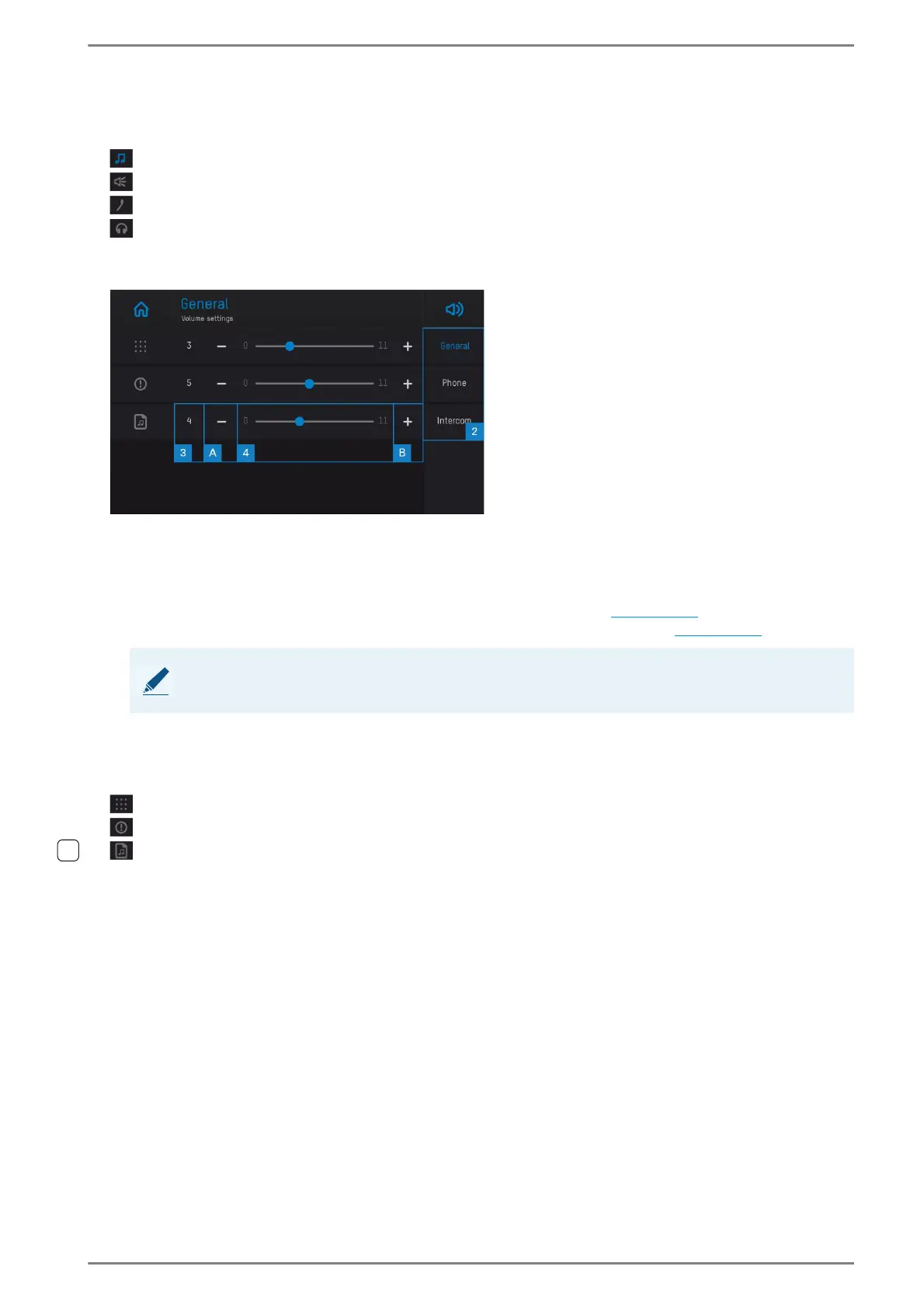
User interface “general volume settings”
Mode 2: Tap on the desired button to open the audio setting screen for the respective mode. The
following modes are available:
General: General audio settings of the DUETTO device.
Phone: Audio settings for the DUETTO device in SIP mode (see page 96).
Intercom: Audio settings for the DUETTO device in Intercom mode (see page 98).
3 Shows the current audio level of the respective audio source (0 – 11).
Tap and move the slider of the audio source 4 to the desired volume level (left for lower, right for
higher) or tap on the respective icons to change the volume (
a for lower, b for higher).
The following audio sources are available in general mode:
Keypad sound volume
Notifications and RTP multicast volume
Media playback volume
NOTE: Selected button is highlighted in blue
The button of the selected audio setting mode is highlighted in blue.



 To Next Page