Registering Multiple Machines in VPanel
109
4. Useful Functions
2.
Connect the second machine to the computer and set the ID.
A
Use a USB cable to connect the computer and the machine that is being newly connected.
Important
• Congure the connection settings one machine at a time. Be sure to only connect the machine that
is being set. Simultaneously connecting multiple machines before conguring the settings will
result in duplicate machine IDs, which may lead to the computer shutting down or it being
impossible to install the driver.
• Use the included USB cable.
• Do not use a USB hub. Connection may not be possible.
• Secure the USB cable with a cable clamp.
• Wire the USB cable so that it does not come into contact with the power cord or LAN cable. The
USB cable coming into contact with any other cables will result in communication malfunctions
due to electrical noise.
B
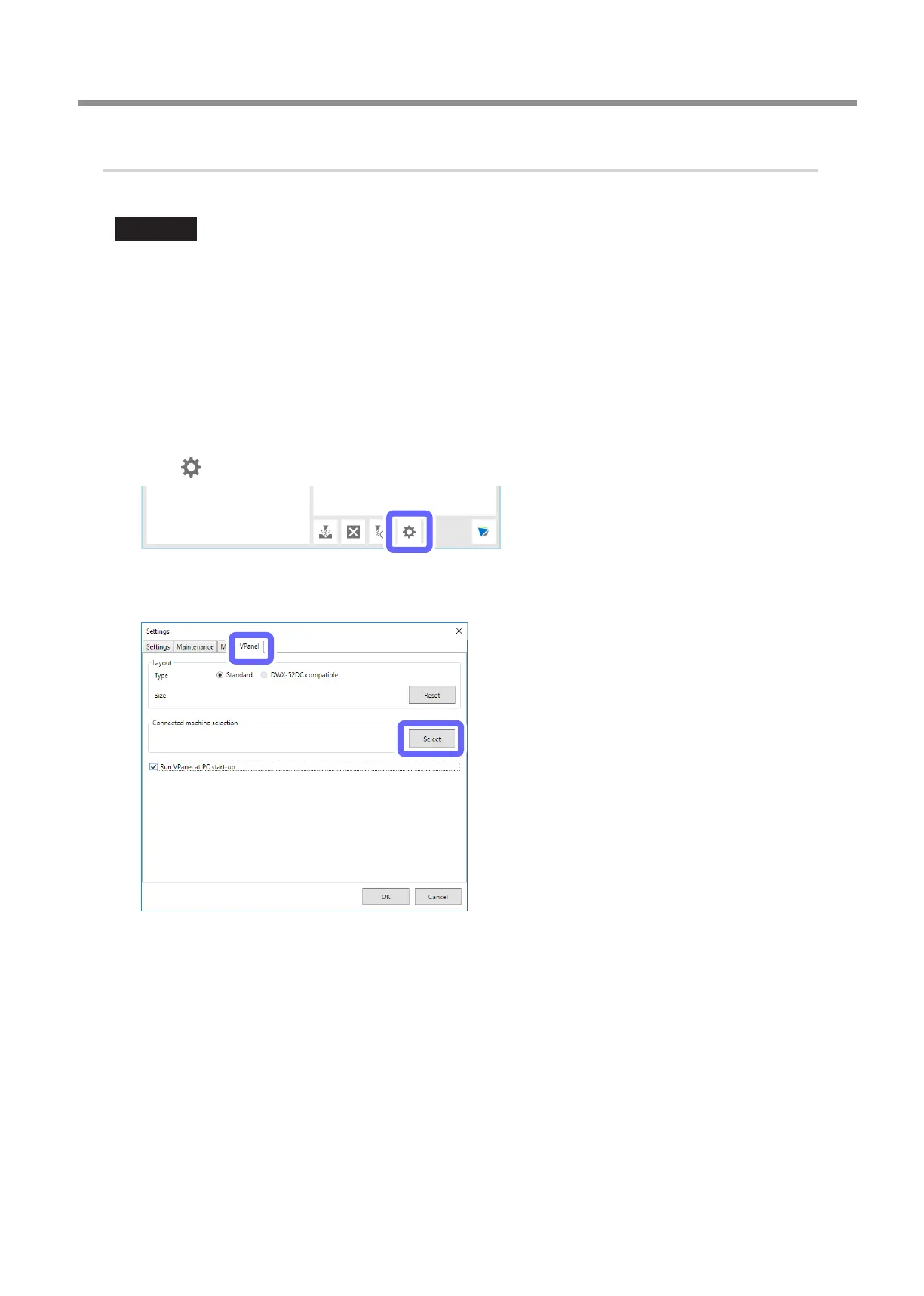
Click .
The [Settings] window is displayed.
C
On the [VPanel] tab, click [Select].



 To Next Page