Registering Milling Burs
17
2. Milling
B
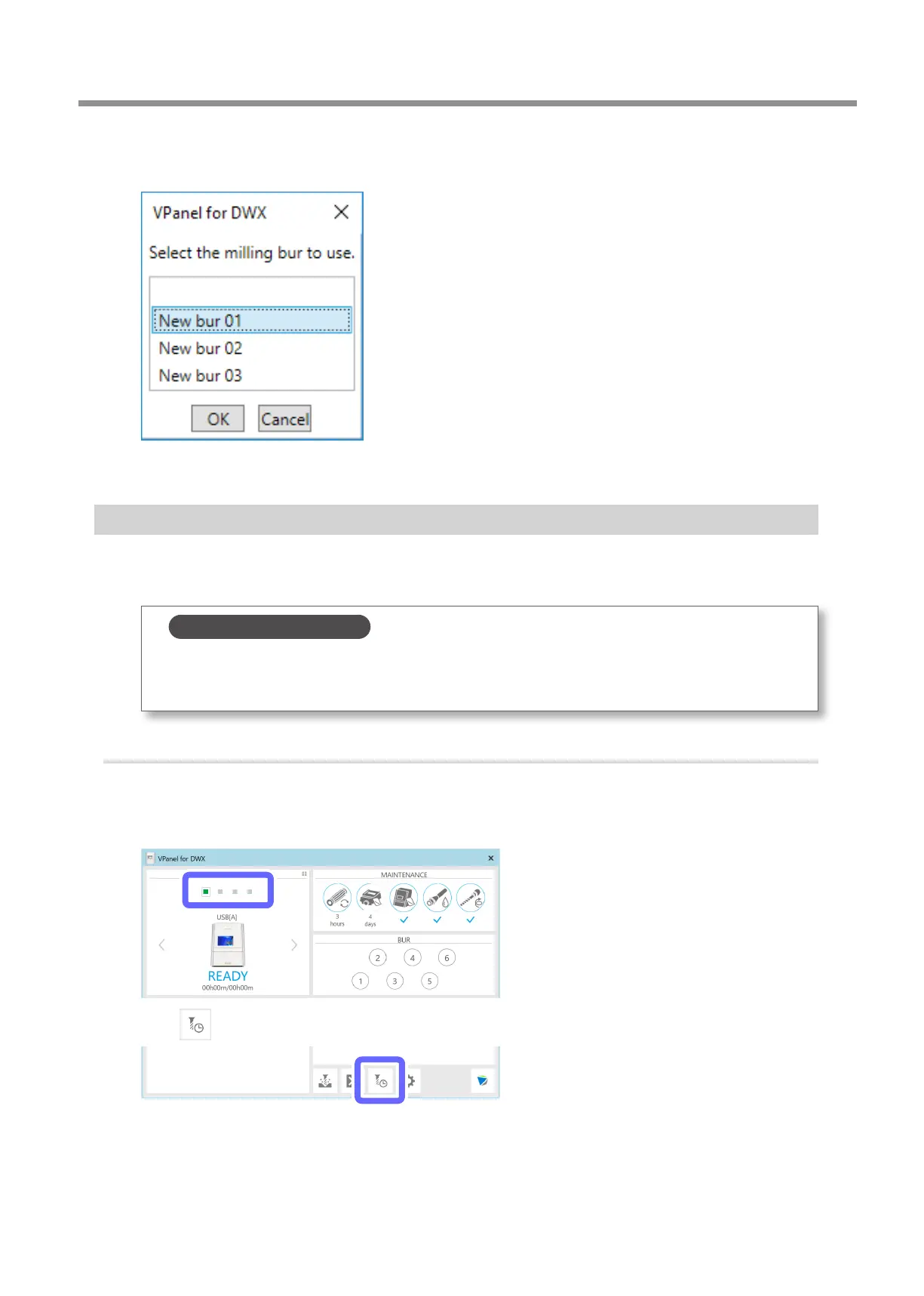
Click the milling bur to use, and then click [OK].
Select the appropriate milling bur at the location of the stocker number to use.
C
After you have selected all the milling burs, click [Close].
Enabling Automatic Switching of Milling Burs at the End of Their Service Lives
This machine can be set so that if the milling bur reaches its replacement time (the end of its service life) during milling, the
milling bur is switched automatically with one of the same type� This function is called Intelligent Tool Control (ITC)�
Up to three milling burs of the same type can be registered�
Intelligent Tool Control (ITC)
Intelligent Tool Control (ITC) is a function for switching a milling bur with a new one with the appropriate timing
(even during milling), which is enabled by setting the [Replacement time] of the milling bur� Using ITC enables
long-term continuous milling in which the milling quality is maintained�
1.
Register the rst milling bur.
A
Show VPanel.
" P. 6 "Displaying VPanel"
B
Select the machine to operate.
C
Click .
The [Milling bur management] window is displayed.



 To Next Page