Checking the Operation Status
37
2. Milling
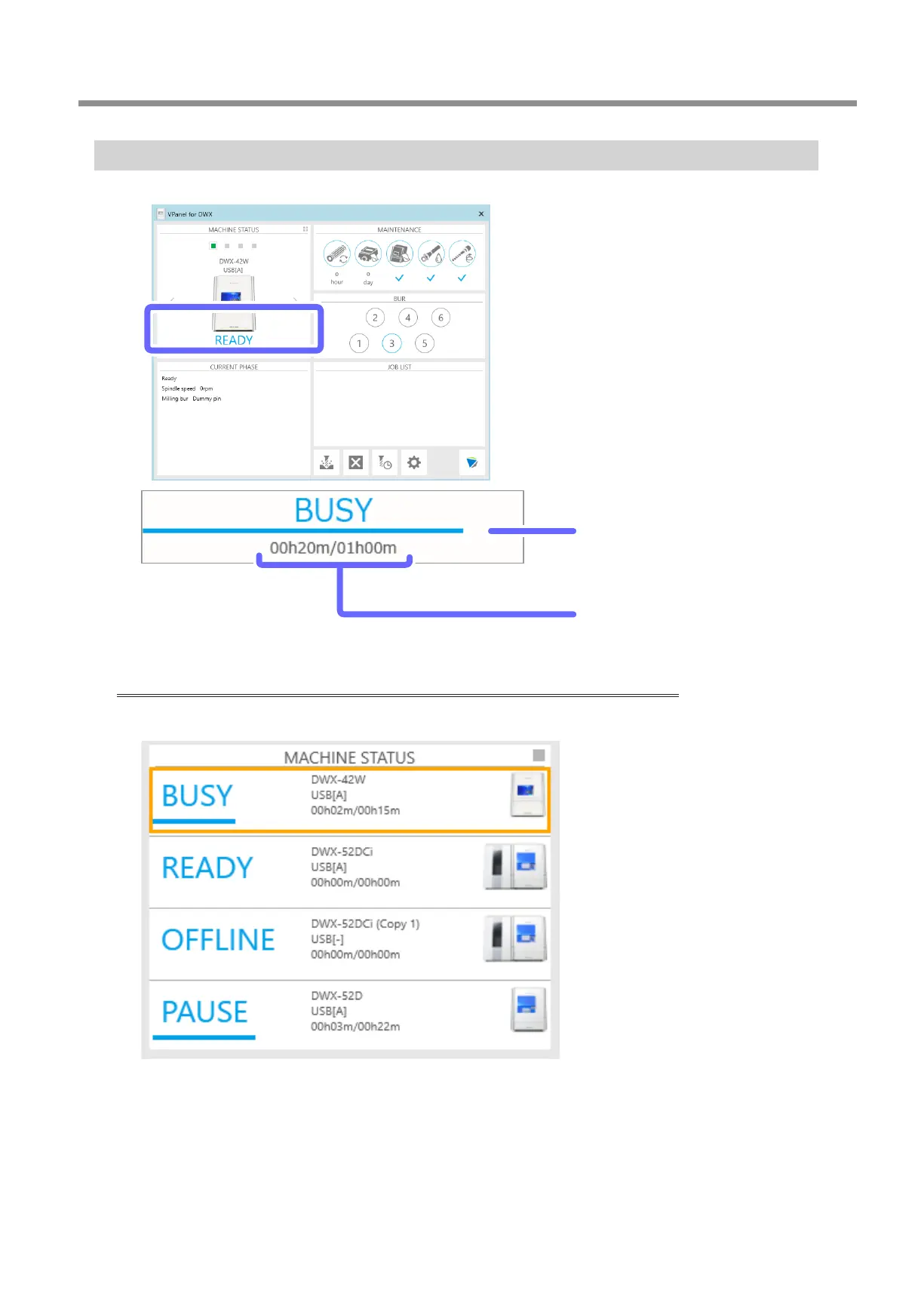
Checking the Estimated Milling Time
You can check the estimated milling time with the [MACHINE STATUS] area in VPanel�
Progress bar
Displays the milling progress� When the bar
reaches the right side, the progress is 100%�
Elapsed time and estimated milling time
The elapsed milling time is displayed on the left
and the estimated milling time on the right�
Checking the registered machines from a list (when multiple machines are registered)
When the list is displayed (P� 118 "Listing the Machines to Connect to and Selecting the Machine to Operate"), the elapsed time
and the estimated milling time are displayed as shown below�



 To Next Page