Operation When Multiple Machines are Registered in VPanel
121
4. Useful Functions
Changing the Display Order of the Machines
Procedure
A
Show VPanel.
"
B
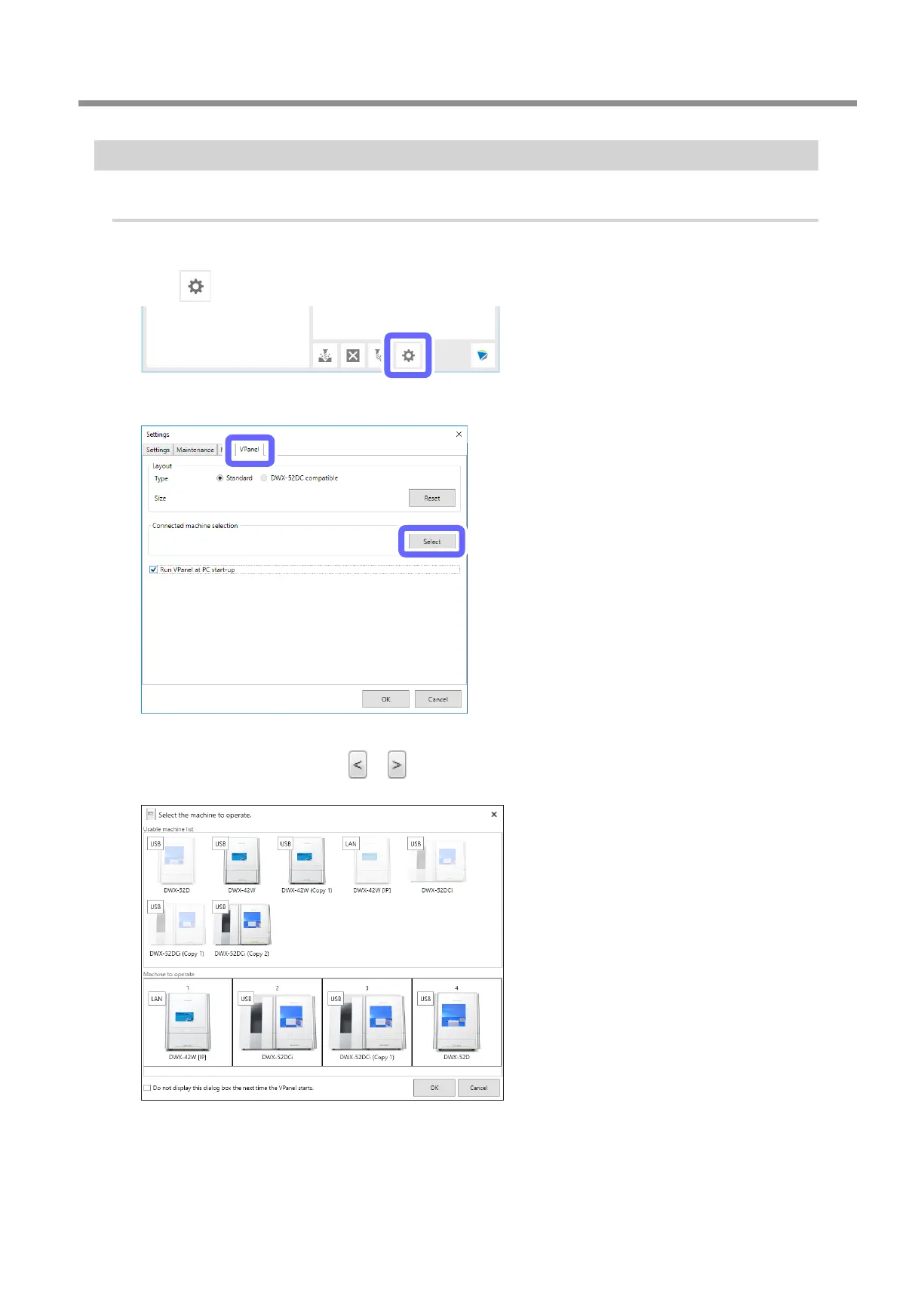
Click .
C
Click the [VPanel] tab, and then click [Select].
D
From the [Machine to operate], select the image of the machine of which you want to change the
display position, and then click
or .
You can also change the display order by dragging the images of the machines.
E
Click [OK].



 To Next Page