Pausing or Aborting Milling
43
2. Milling
Deleting Standby Milling Data
Procedure
A
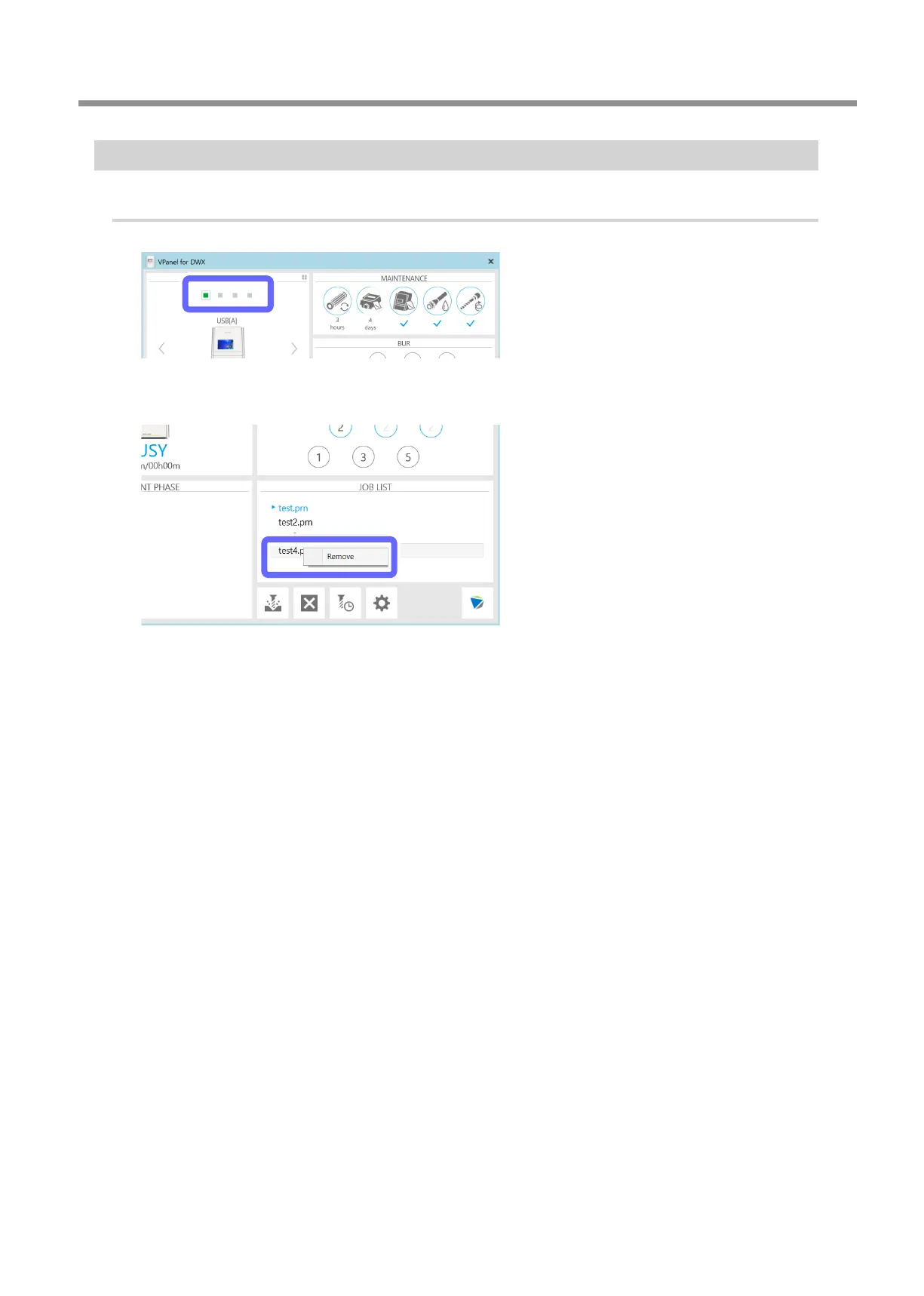
Select the machine to operate.
B
In the output list, right-click the milling data to delete, and then click [Remove].
You can only remove milling data that is in standby (milling data that is second from the top or lower in the JOB LIST).



 To Next Page