14
2. Milling
Registering Milling Burs
Registering Milling Burs in VPanel
Registering milling burs in VPanel has the following advantages�
• The milling bur work time can be managed�
• Intelligent Tool Control (ITC), which maintains milling quality and enables long-term continuous milling, can be used�
Intelligent Tool Control (ITC)
Intelligent Tool Control (ITC) is a function for switching a milling bur with a new one with the appropriate timing
(even during milling), which is enabled by setting the [Replacement time] of the milling bur� Using ITC enables
long-term continuous milling in which the milling quality is maintained�
" P. 17 "Enabling Automatic Switching of Milling Burs at the End of Their Service Lives"
1.
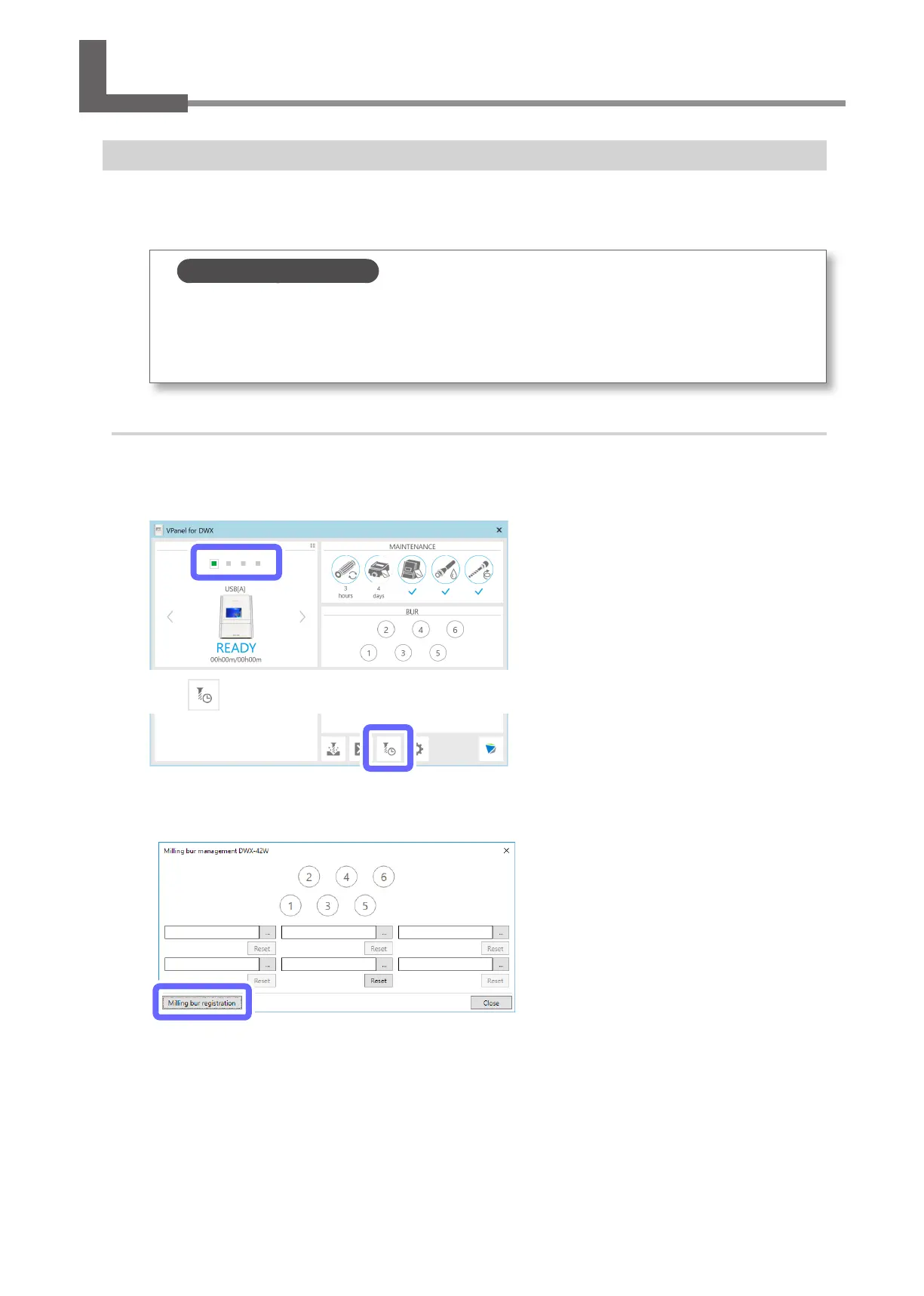
Register the milling burs to use.
A
Show VPanel.
" P. 6 "Displaying VPanel"
B
Select the machine to operate.
C
Click .
The [Milling bur management] window is displayed.
D
Click [Milling bur registration].
The [Milling bur registration] window is displayed.



 To Next Page