6
1. Basic Operation
VPanel Basic Operation
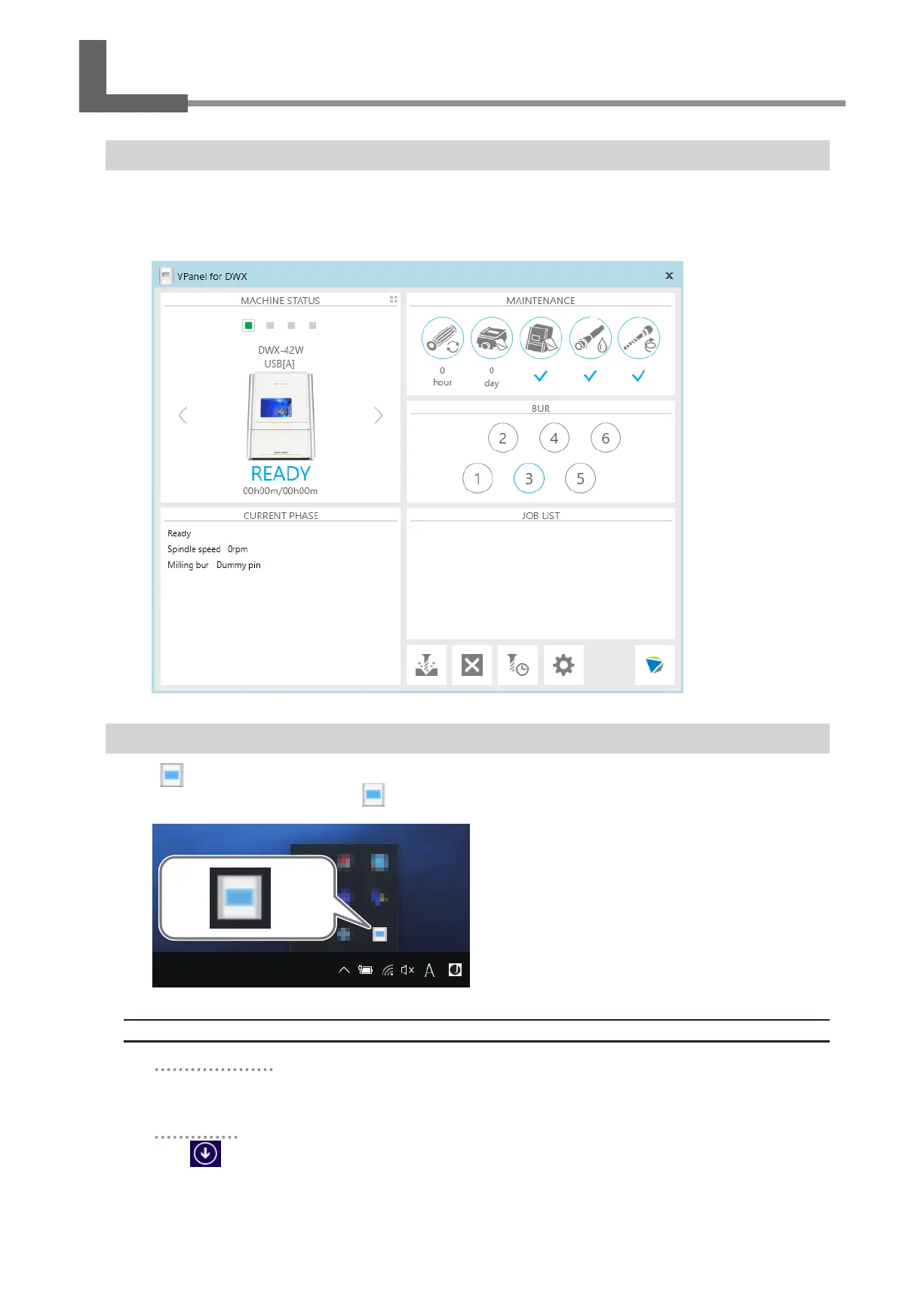
What Is VPanel?
VPanel is an application that allows milling machine operation on a computer screen� It has functions to output milling data,
perform maintenance, and make various corrections� It also displays milling machine error messages�
When more than one milling machine is connected, the machine to operate is the one displayed in the MACHINE STATUS area�
" "Setup Guide" ("Installing the Software")
Displaying VPanel
Click (the VPanel icon) in the task tray on the desktop�
VPanel will be displayed� If you cannot nd
in the task tray, start the program from the Windows [Start] screen (or the [Start]
menu)�
Starting from the Windows [Start] Screen (or [Start] Menu)
Windows 10 and 7
From the [Start] menu, click [All apps] (or [All Programs]), [VPanel for DWX], and then click [VPanel for
DWX].
Windows 8.1
Click on the [Start] screen. From the [Apps] screen, click the [VPanel for DWX] icon under [VPanel
for DWX].



 To Next Page