Operation When Multiple Machines are Registered in VPanel
120
4. Useful Functions
D
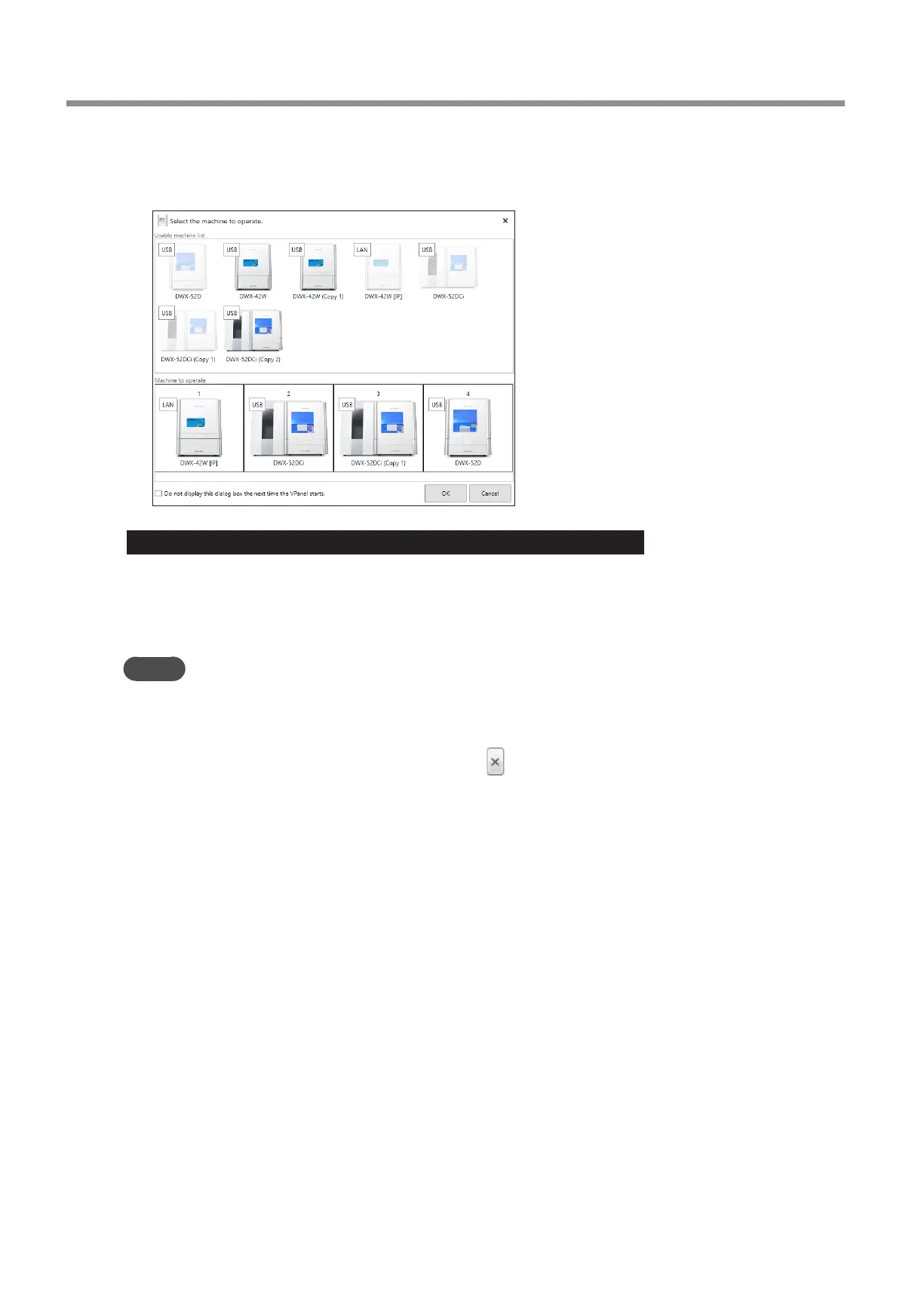
From the [Usable machine list], click the image of the machine that you want to operate.
The clicked machine is displayed under [Machine to operate] and is displayed dimly in the [Usable machine list]. If you
click the same machine again in the [Usable machine list], the machine disappears from the [Machine to operate] eld.
Important: When the machine is connected to multiple computers over a LAN
If the same machine is selected as the [Machine to operate] on multiple computers, communication may become unstable�
Before selecting the machine that was connected this time, check that it is not displayed as the [Machine to operate] in the
VPanel window on other computers�
MEMO
You can set up to four machines for operation� If four machines have already been selected, you have to delete one machine from
the list of machines to operate� To delete the machine, use one of the following methods�
• Click the machine to remove in the [Usable machine list]�
• Click the machine under [Machine to operate], and then click
�
E
Click [OK].



 To Next Page