Registering Milling Burs
16
2. Milling
H
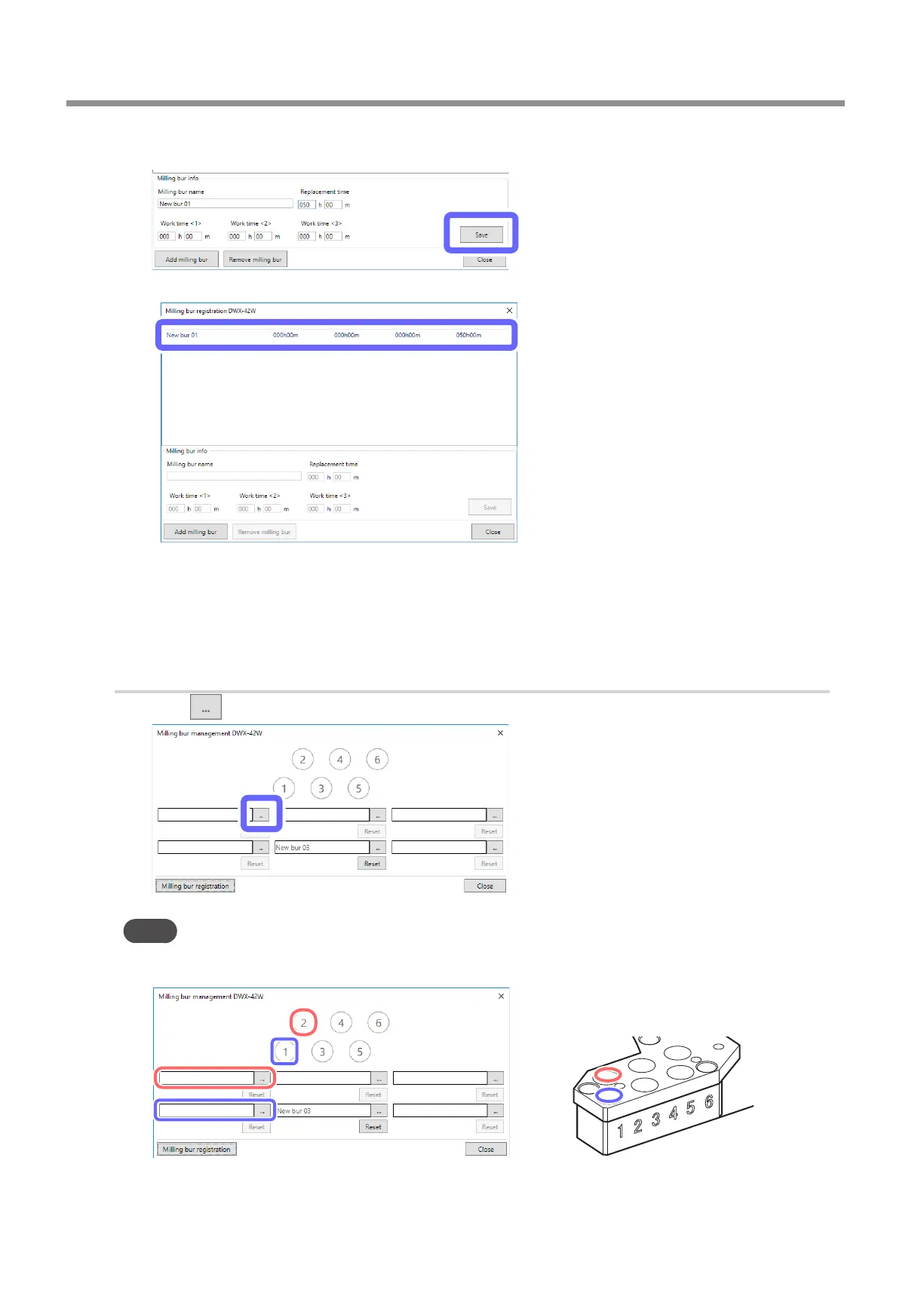
Click [Save].
The milling bur name and replacement time are applied to the milling bur list.
I
If you want to continue registering milling burs, repeat steps
E
to
H
.
J
Click [Close].
The [Milling bur registration] window closes.
2.
Assign the stocker numbers in which to set the milling burs.
A
Click .
Point
The numbers in the circles in the [Milling bur management] window match the stocker numbers of the milling
machine. Furthermore, the order of the numbers in the circles is applied to the milling bur selection area.



 To Next Page