Advanced Correction Function
126
4. Useful Functions
E
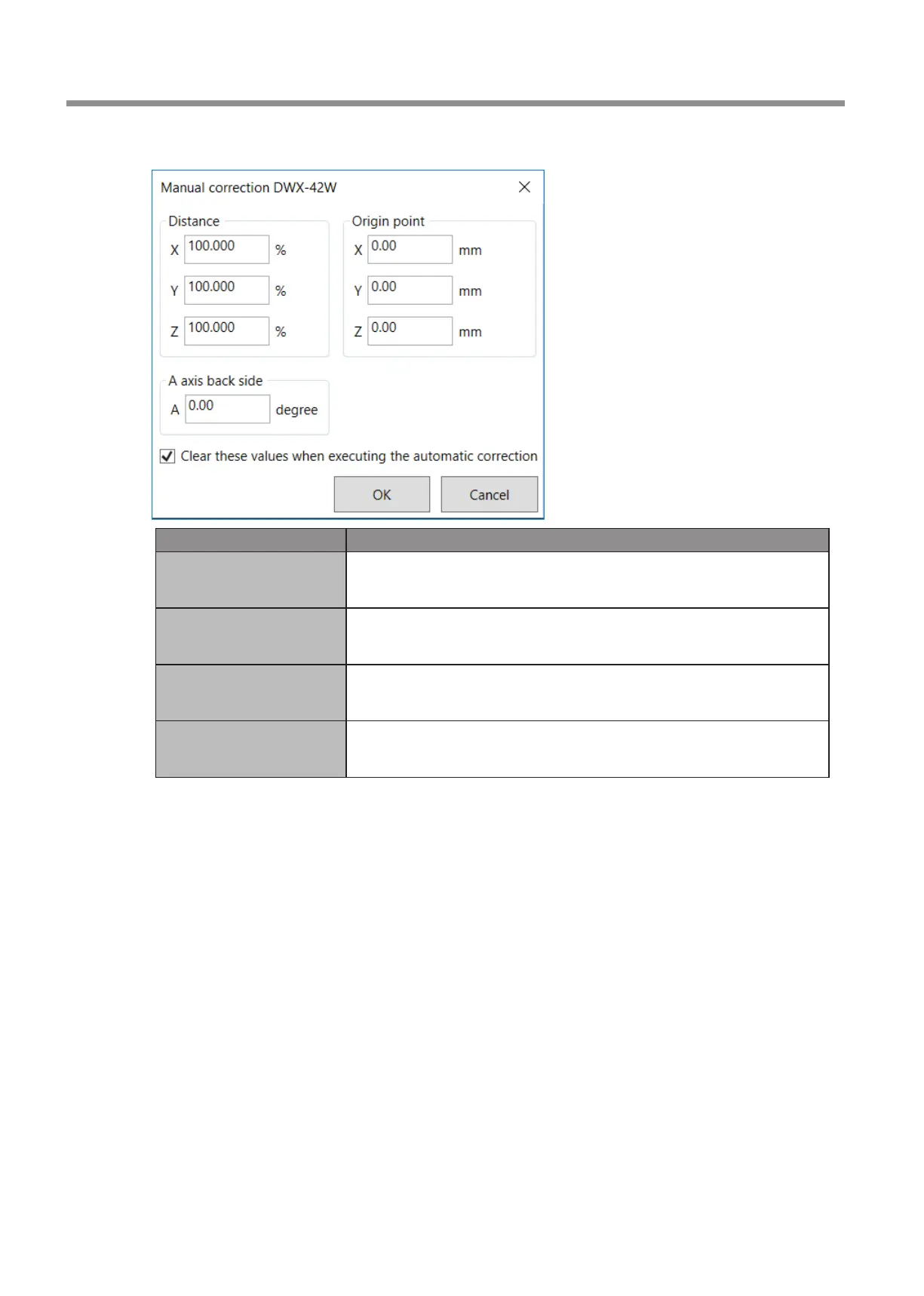
Enter the correction values for the items.
Item Setting details
Distance
Correct moving distances in the X, Y, and Z directions. Set the correction value while
considering the initial moving distance as 100.000%.
* Initial setting: 100.000%
A axis back side
Correct the angle when the A axis is rotated 180 degrees. Set the correction value while
considering the initial setting as 0.00 degrees.
* Initial setting: 0.00 degrees
Origin point
Correct the origins of the X, Y, and Z axes. Set the correction value while considering
the initial setting as 0.00 mm.
* Initial setting: 0.00 mm
Clear these values when
executing the automatic
correction
Select this check box to reset the values for [Distance], [Origin point], and [A axis back
side] when performing automatic correction.
* Initial setting: Selected
F
Click [OK].



 To Next Page