Responding to Error Messages
164
5. Troubleshooting
Procedure
A
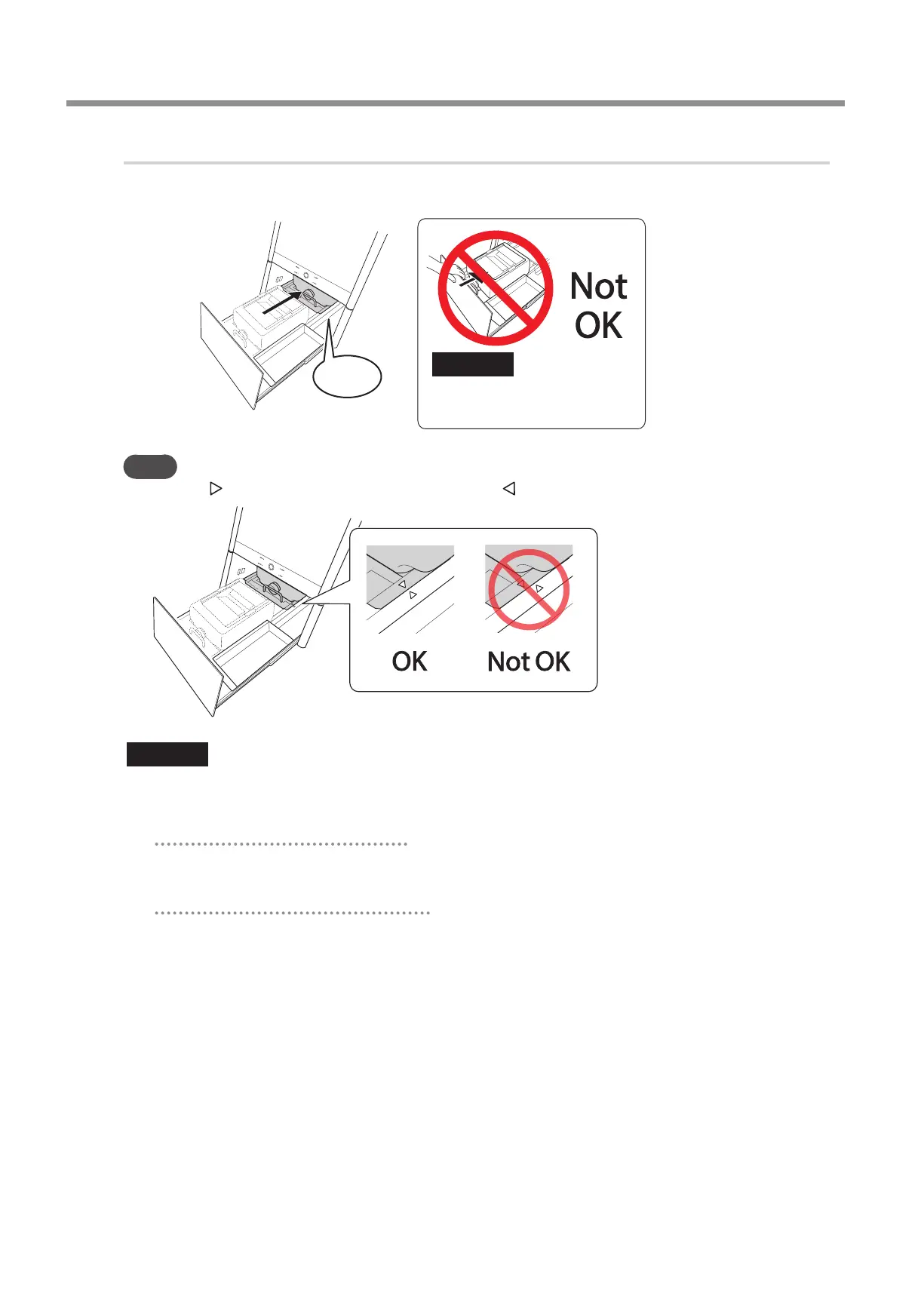
Install the coolant tank.
Push the coolant tank to the point where you feel a click.
Click
Important
Do not push the tank using the
bottom cover�
Point
Align the label axed to the right side of the tank with the label axed to the machine.
Important
Move the coolant tank slowly� Forcefully moving the coolant tank may cause the coolant to spray out�
B
According to the situation, perform the operations shown below.
When the error occurred during milling
Press the operation button on the built-in panel.
Milling will resume.
When the error occurred outside of milling
Hold down the operation button on the built-in panel.
This will clear the error.



 To Next Page