D
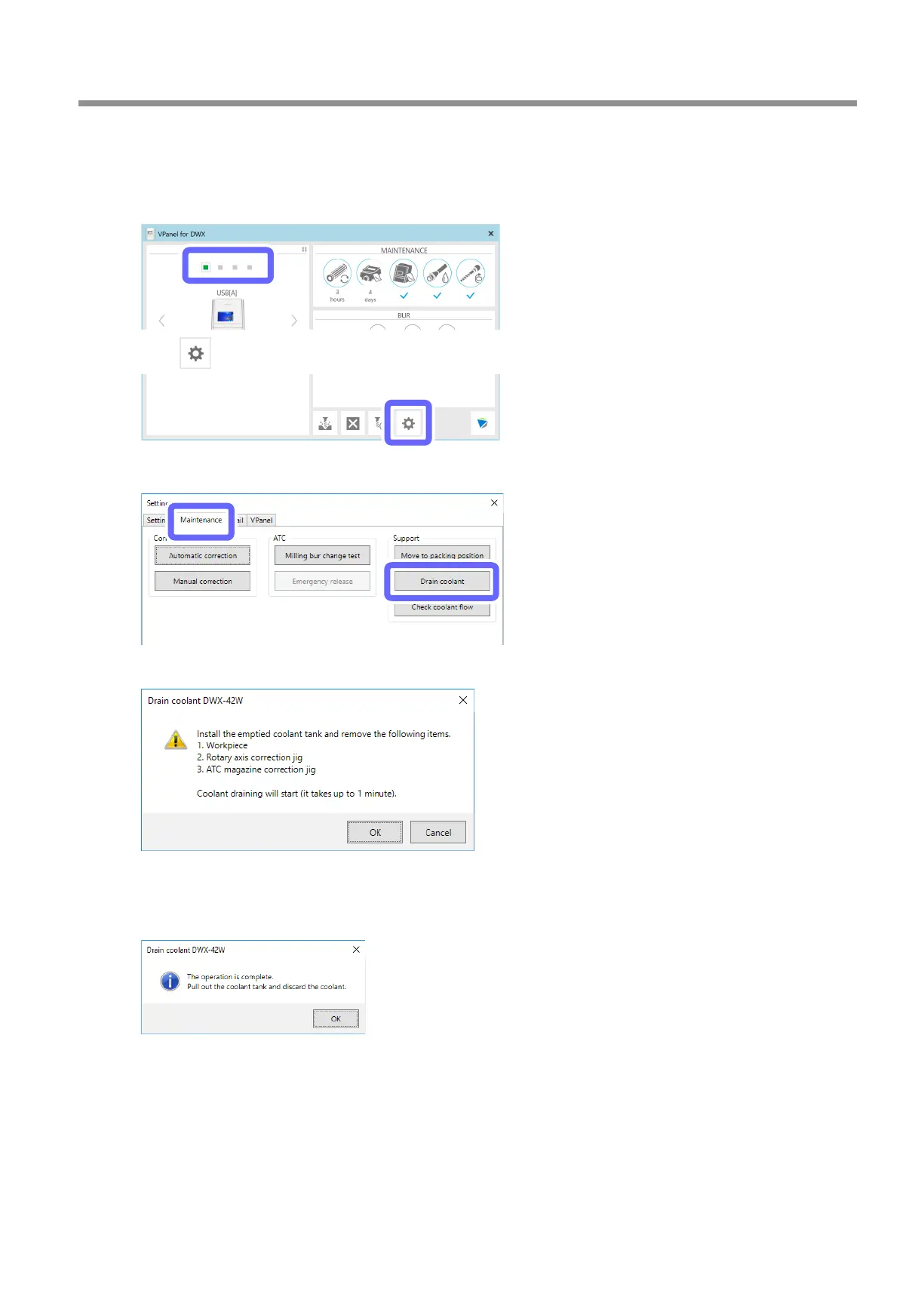
Show VPanel.
"
E
Select the machine to operate.
F
Click .
G
Click the [Maintenance] tab, and then click [Drain coolant].
H
Check that the work displayed on the screen is complete.
I
Click [OK].
The draining of the coolant starts.
Draining of the coolant lines is complete once the message in the gure is displayed.
J
Click [OK].
Extended Periods of Non-Use / Moving the Machine
91
3. Maintenance



 To Next Page