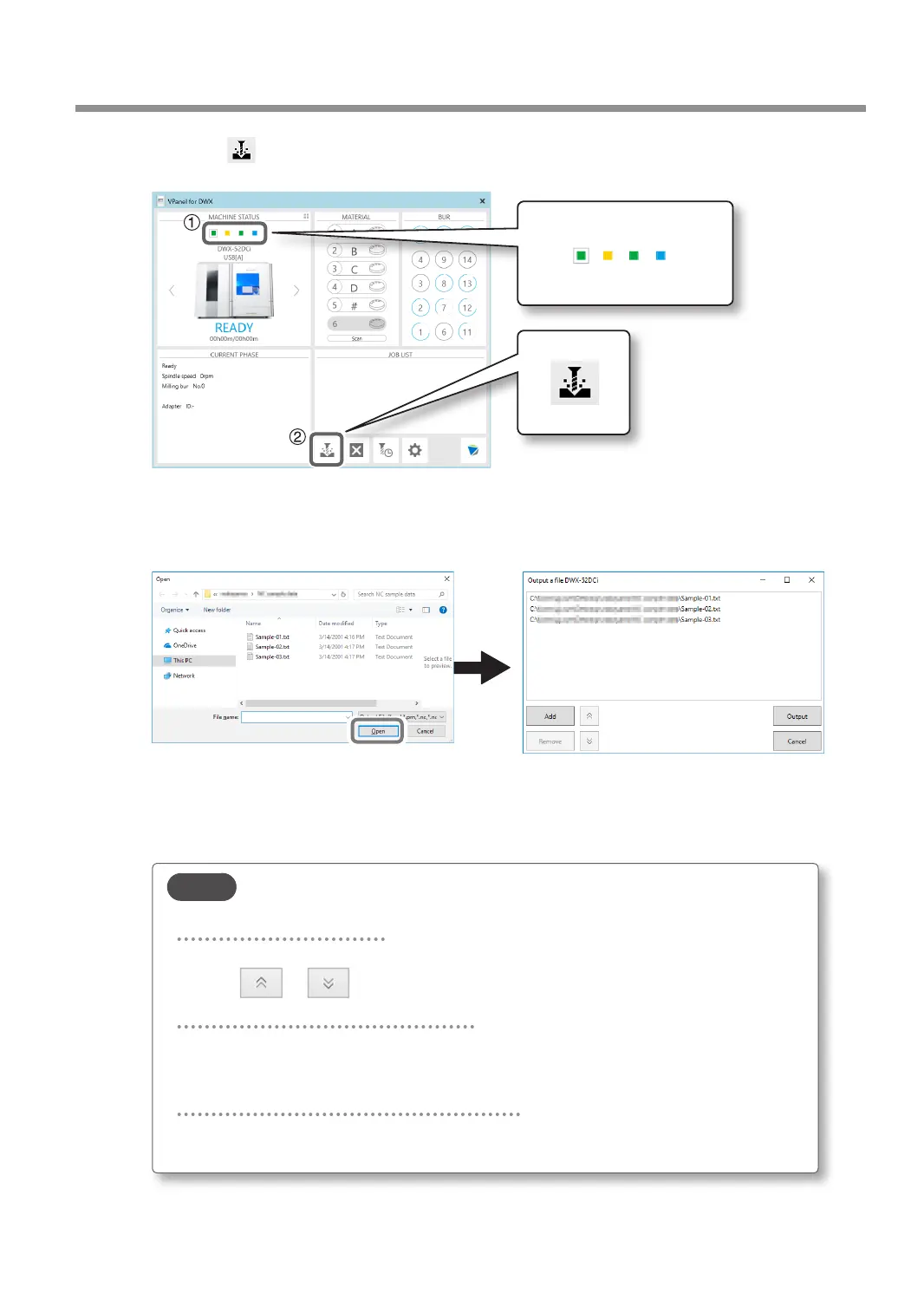
2 Click .
The "Open" window will appear.
C
Select the milling data, and then click [Open].
The selected milling data is displayed in the data list of the "Output a le" window.
Click [Add] in the "Output a le" window to add les when you want to output milling data continuously.
D
Verify that the workpiece and the milling bur are set in the milling machine.
" P.45 "Step 3: Setting the Milling Bur"
E
Click [Output].
MEMO
Changing the data list order
You can change the output order by selecting the milling data in the data list and
clicking
or . (The milling data is output from the top of the data list.)
Removing milling data from the data list
To remove milling data from the output list, select the milling data in the data list
and click [Remove].
Adding milling data by dragging and dropping
You can add milling data to the data list by dragging the data to the top window or the
"Output a le" window.
Starting Milling
51
Chapter 2 Milling



 To Next Page