76 Connecting hosts
If the default IP addresses are not compatible with your network, you must set an IP address for each
network port using the CLI embedded in each controller module. The CLI enables you to access the system
using the USB (Universal Serial Bus) communication interface and terminal emulation software.
NOTE: If you are using the mini USB CLI port and cable, see Appendix D - USB device connection:
• Windows customers should download and install the device driver as described in Obtaining the
software download on page 139.
• Linux customers should prepare the USB port as described in Setting parameters for the device driver on
page 140.
Use the CLI commands described in the steps below to set the IP address for the network port on each
controller module.
Once new IP addresses are set, you can change them as needed using the SMC or RAIDar. Be sure to
change the IP address via SMC or RAIDar before changing the network configuration. See Accessing the
SMC or RAIDar on page 80 for more information concerning the web-based storage management
application.
1. From your network administrator, obtain an IP address, subnet mask, and gateway address for
controller A and another for controller B.
Record these IP addresses so you can specify them whenever you manage the controllers using the
SMC, RAIDar, or the CLI.
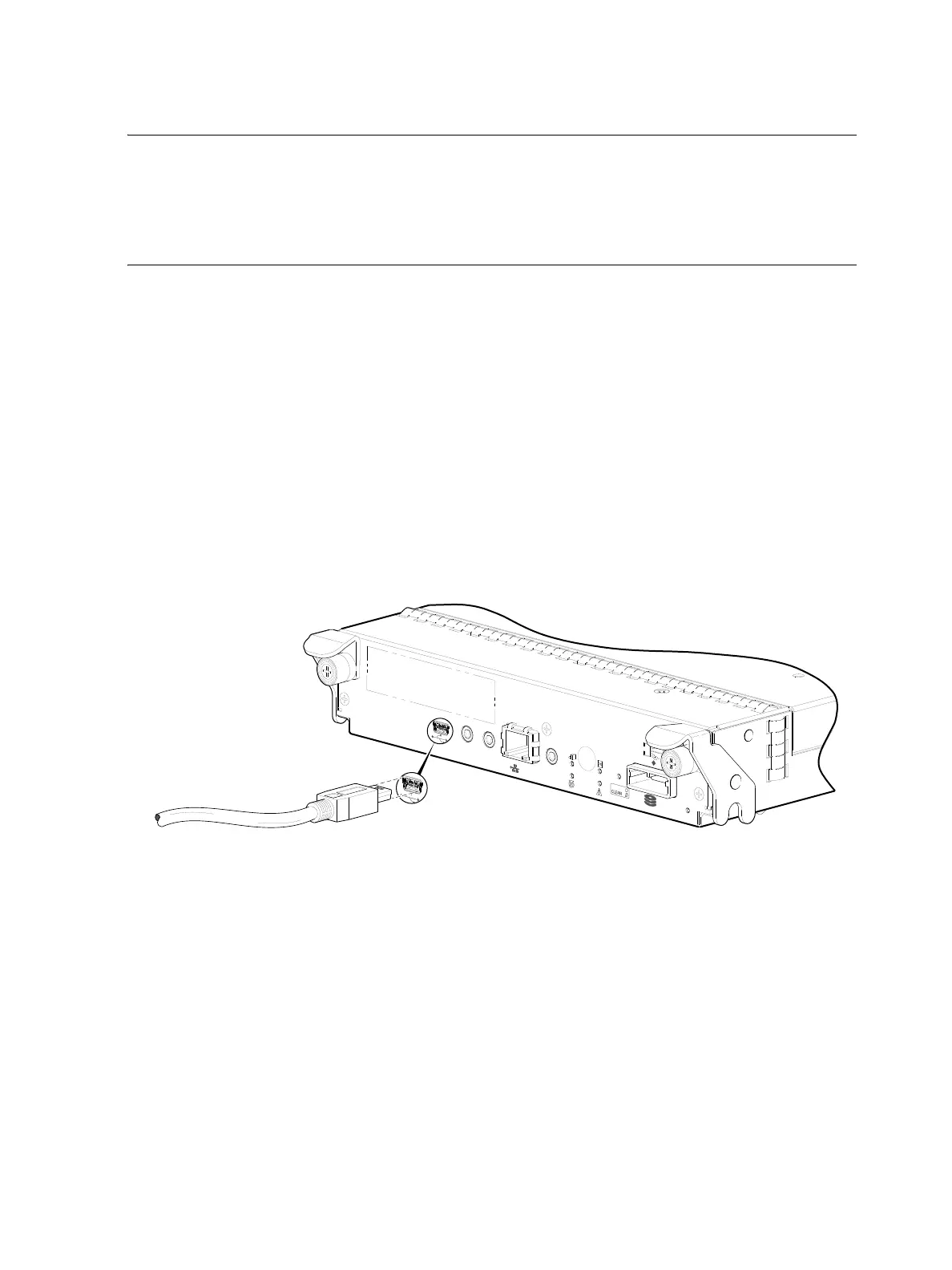
2. Use the provided USB cable to connect controller A to a USB port on a host computer. The USB mini 5
male connector plugs into the CLI port as shown in Figure 79 on page 76 (generic 4004 Series
controller module shown).
Figure 79 Connecting a USB cable to the CLI port
3. Enable the CLI port for subsequent communication:
• Linux customers should enter the command syntax provided in Setting parameters for the device
driver on page 140.
• Windows customers should locate the downloaded device driver described in Obtaining the
software download on page 139, and follow the instructions provided for proper installation.
4. Start and configure a terminal emulator, such as HyperTerminal or VT-100, using the display settings in
Table 6 and the connection settings in Table 7 (also, see the note following this procedure).
CACHE
LINK
DIRTY
LINK
ACT
CLI
CLI
Host Interface
Not Shown
SERVICE−2
SERVICE−1
6Gb/s
Connect USB cable to CLI
port on controller face plate



 To Next Page