Programming
Operating Instructions 581 - 01.0 - 05/2016 111
5. Remove the arresting pin (1) again.
6. Press the button.
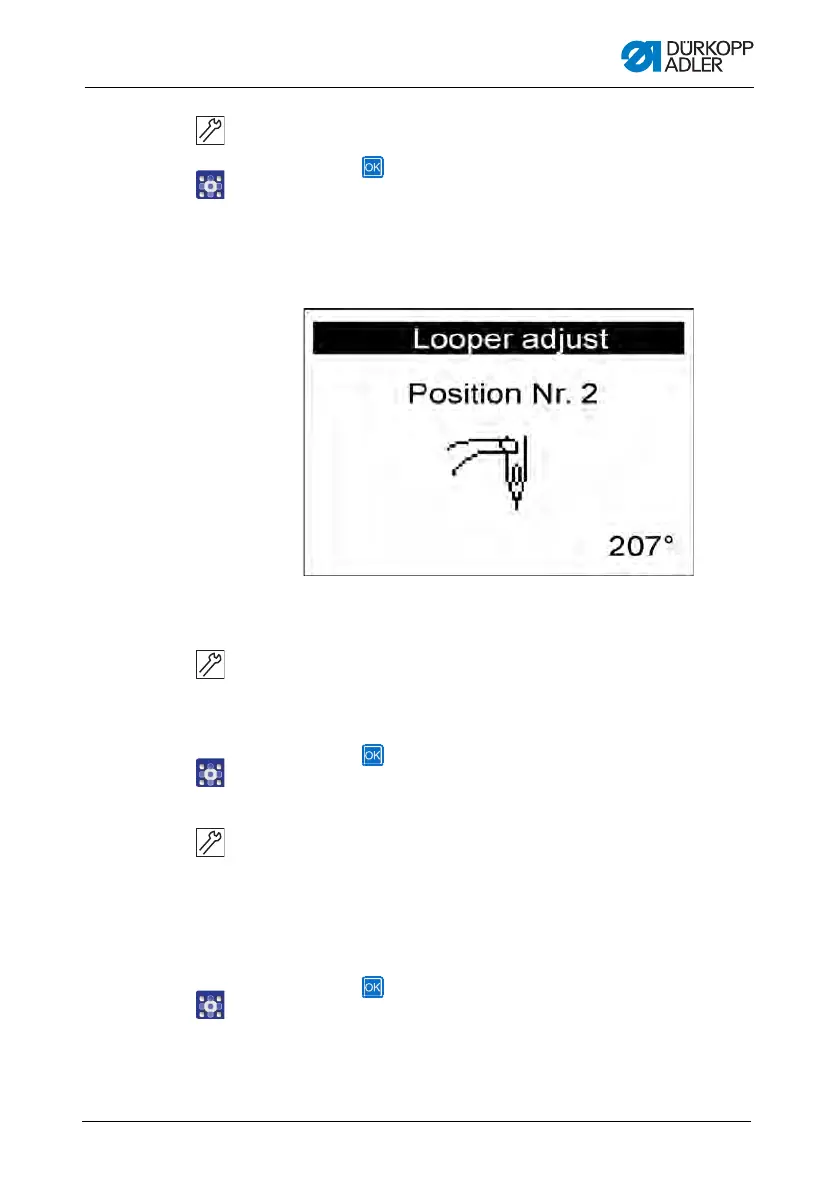
The sewing motor moves into the test position 2 (looping
stroke left).
The following appears on the display:
Fig. 66: Looper adjust. (4)
7. Check whether the tip of the left looper is at the center of the
needle.
If you have to change the looper setting, proceed as follows:
1. Press the button.
Th
e machine moves back into the position 0.
2. Swivel the machine up.
Th
e screws for the looper setting are now accessible.
3. Change the looper setting.
4
. Swivel the machine down.
5. Press the button.
Th
e sewing motor moves back into the test position 2 again.
6. Check the looper setting.











 To Next Page