E Operation Rho 1012/1030
10.1.2 Load ing a plate medium in semi-automatic mode
For mirror-inverted printing of the rear the front is first used with the right
stop, then the rear with the left stop.
✔ In the software Continuous Feeding is activated in the media channel
1. Remove the front stop, if necessary, or adjust it so that d rawing-in of the
plate medium is not impaired (→ P age 40 / Adjust ing the front stop).
2. Set the feed table at the operator panel to semi-automatic mode.
The pins at the front stop move upward.
3. Load the desired media channel in the software. Take the following into
consideration: If a plate medium is to be printed with left stop (e.g. for
back printing), this option has to be activated in the media channel.
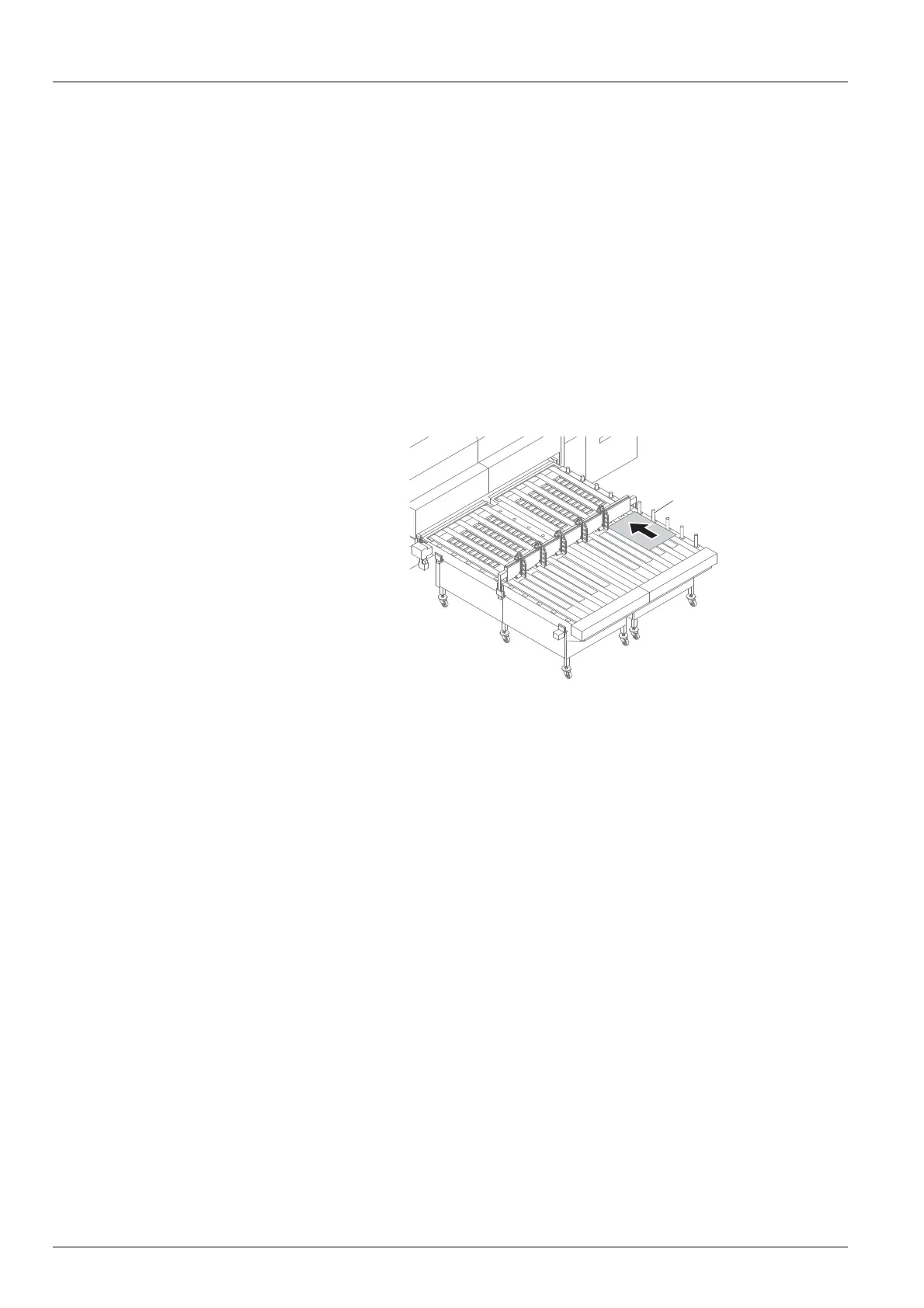
1
Fig. 38 Laying the medium against the guides and pins (here: right
stop)
4. Lay the plate medium as follows on the feed system:
– Lay the plate medium against the guides (1). By default the guides
(1) on the right-hand side are used, in case of left stop (for example
for back printing) the guides on the left-hand side.
– Lay the plate medium with the front end against the pin.
5. Start drawing-in at the corresponding operator panel.
The medium is transported
automatically to the printe r.
72 / 1 47 2004 – 2013 © Durst Phototechnik AG – www.durst-online.com , Rho 101 2/103 0, Issued 07/20 13



 To Next Page