120
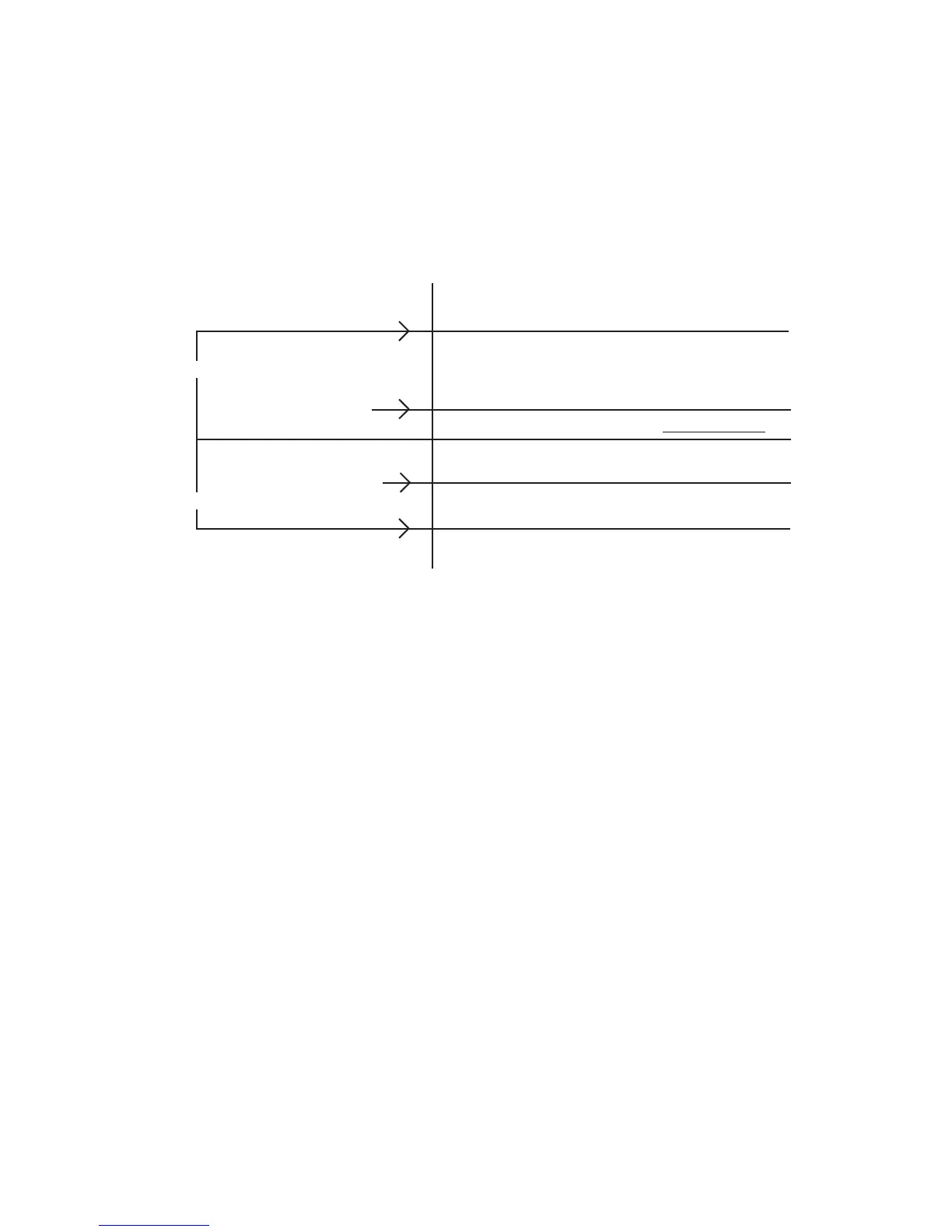
The relationship of these parameters can be seen in the sequencer control strategy diagram shown below.
Difference Above Setpoint
Stages added using the fast delay timer
Load Bandwidth
Stages added using the normal delay timer
Load Deadband
No stages added or removed
Control Setpoint
No stages added or removed
Unload Deadband
Unload Bandwidth
Stages added using the fast delay timer
Difference Below Setpoint
Sequencing Commands
The sequencer controls compressors by sending sequencing commands. These commands are transferred locally
to compressors on the master or via the communications link to remotes. The commands and their function are as
follows:
SEQUENCE STOP- The SEQUENCE STOP command is sent to cause a compressor to form an
automatic stop. The compressor remains on-line and available for the nextsequencer operation. If
the anti-recycle timer on the compressor has not expired, the compressor will continue running in
the Hot Standby state at zero percent capacity.
TRIM-The TRIM command is sent to the compressor that has been chosen to become the trim
machine. This compressor will make capacity adjustments to control the load using automatic
control. If the compressor is stopped and on-line, the TRIM command will perform a
sequenced start. Bandwidths and deadbands are sent to a compressor when the TRIM command
is sent. Also, all time proportional control parameters are transferred to recip compressors with
this command.
FULL LOAD - When FULL LOAD is received, a compressor will adjust to full
capacity and hold that condition. If a compressor is stopped and on-line, the
FULL LOAD command will perform a sequenced start.
Sequencer Control Strategy



 To Next Page