132
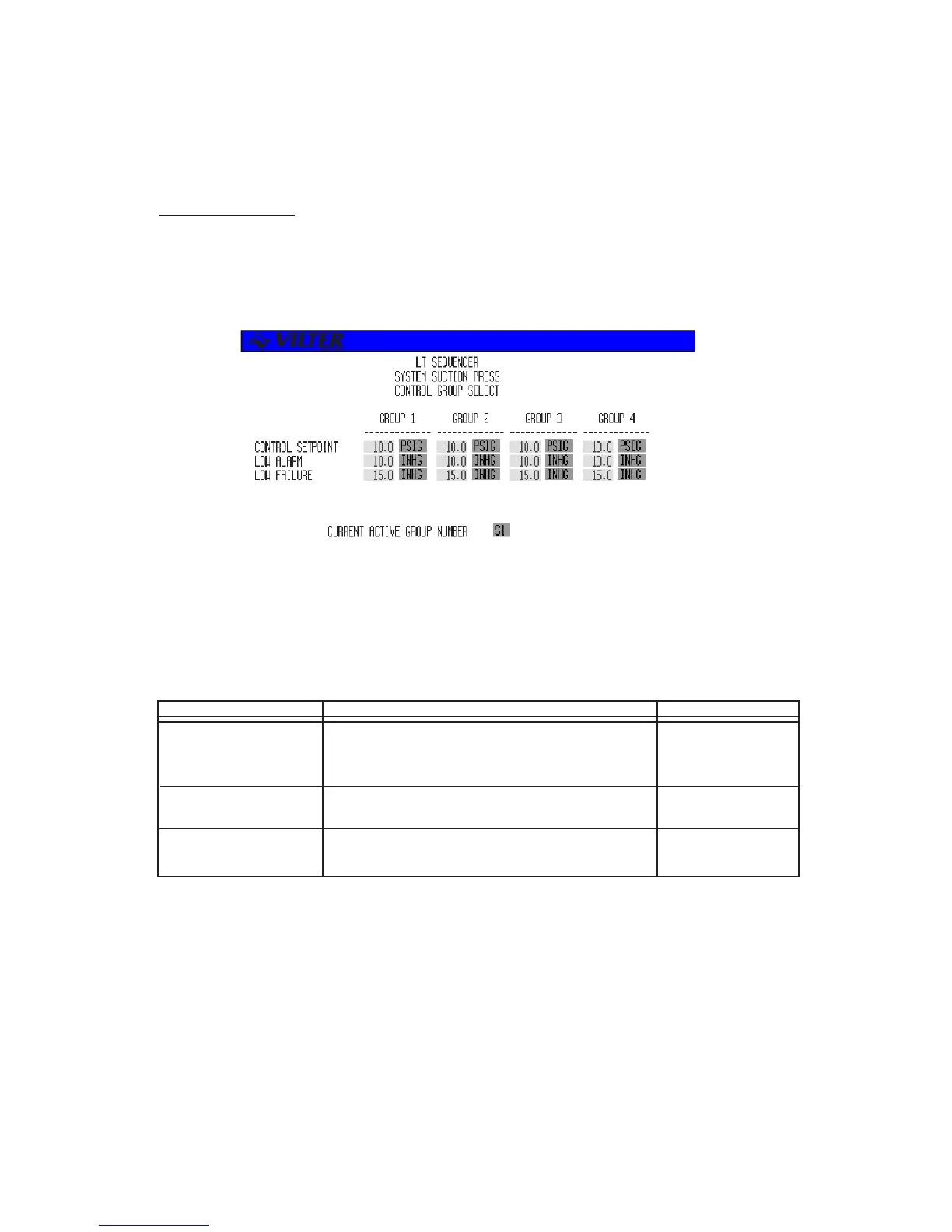
Control Group Select
The sequencer control group select screen permits the user to set the control, low alarm, and low
failure setpoints for the different control groups. Below is an example of a sequencer control group
select screen. If the sequencer contains multiple system control parameters, a menu will allow
selection of control groups for each parameter.
The following table lists the various parameters displayed on the sequencer suction pressure control group
select screen. The range of these parameters will vary depending on the type of system control parameter
used.
TERM DEFINITION RANGE
CONTROL SETPT The sequencer will add or remove compressors to 29.9 INHG-
maintain the system control parameter at this 185.3 PSIG
control setpoint.
LOW ALARM An alarm is activated when the system control 29.9 INHG-
parameter is below this value. 185.3 PSIG
LOW FAILURE A failure is activated when the system control 29.9 INHG-
parameter is below this value. 185.3 PSIG
Sequencer Control Group Select Definitions
Sequencer Control Group Select Screen



 To Next Page