57
Alarm & Failure Area
The right most highlighted status banner section displays the ALARM AND FAILURE
STATUS of the system. When a new alarm or failure occurs, this area will flash from
highlighted to non-highlighted to inform the operator. The area will stop flashing but
remain highlighted when the operator has used the CLEAR key to acknowledge the alarm or
failure. Once all alarm and failure conditions have be corrected the operator may again
press the CLEAR key to clear the alarm from the display. The following table lists the
various alarm/failure states and their meanings.
NOTE: If both an alarm and failure exist the failure state will be displayed as it has a
higher priority
ALARM SYSTEMS STATUS
MESSAGE
NORM No alarm or failure is active, the RECIP is operating normally.
ALARM An alarm is active on the RECIP.
FAIL A failure is active on the RECIP.
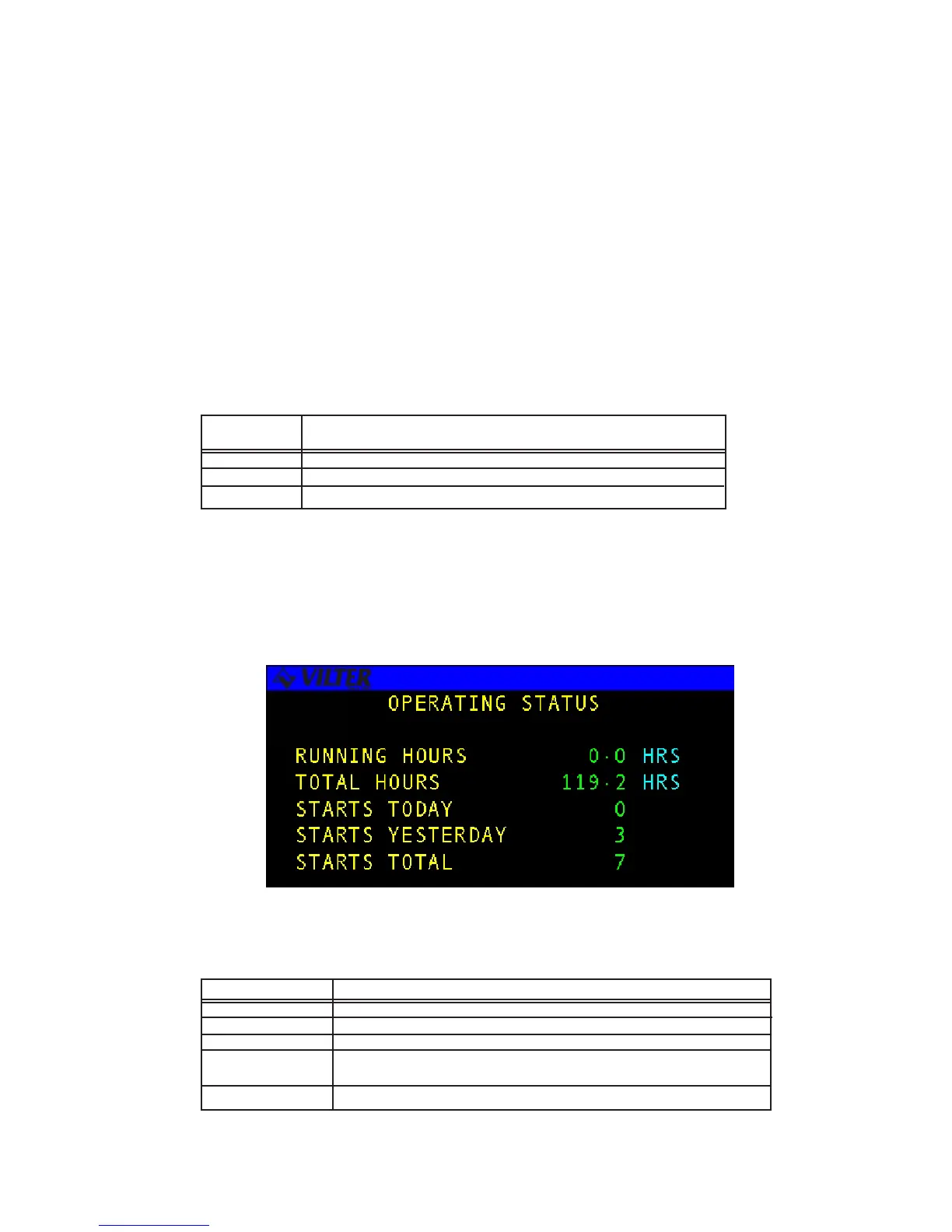
Operating Hours Screen
The OPERATING HOURS STATUS screen allows the operator to view the compressor’s
current running hours since its last start and the total number of hours the system has been
in operation since installation In addition, the number of compressor starts is accumulated
for today, yesterday, and the overall total.
The following table lists the various parameters displayed on the screen.
TERM DEFINITION
RUNNING HOURS The number of successive motor running hours since the last start up.
TOTAL HRS The motor’s total accumulated running hours.
STARTS TODAY The number of times the motor has been started since midnight.
STARTS The number of times the motor was started yesterday.
YESTERDAY
STARTS TOTAL The total number of times the motor has been started.
Alarm Status
Operating Hours Status Screen
Operating Hours Status Definitions



 To Next Page