30
Status Screens
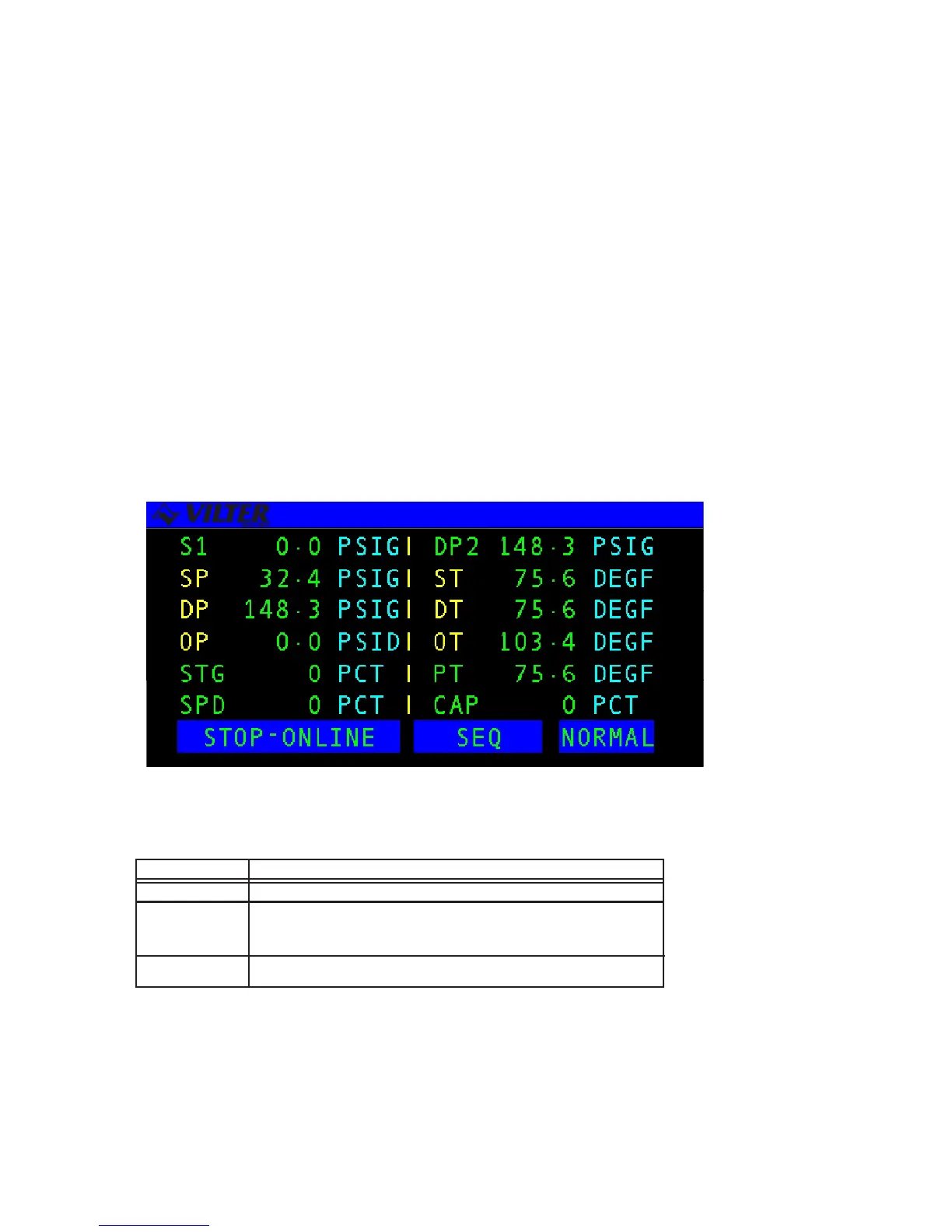
STATUS SCREENS are used to display a summary of significant system information. The
Main Status screen in a system is usually a large character text screen or graphics screen
and is the default screen displayed on the LCD. The Main Status screen will be replaced by
the Active Alarm and Failure screen when a new alarm or failure exists or by the Auto-Start
Warning screen if the compressor is online and ready to start.
The operator may view each of the system’s available status screens by scrolling through
using the ENTER, PG UP, PG DN, Right Arrow, or Left Arrow keys. The number of status
screens on a system will vary depending upon the individual system’s configuration.
Another feature of the system is that it will automatically return to the main status screen
after 10 minutes of no keyboard activity. Below is an example of a Status screen.
The following table contains a list of the active keys on a status screen and their function.
KEY FUNCTION
ENTER Scrolls through the set of available status screens.
PG UP/PG DN
RIGHT/LEFT Pages forward or back through the available status screens.
ARROWS
QUIT Returns the user to the main status screen.
Status Screen
Status Screen Keys



 To Next Page