126
Sequencer Operating Procedures
The sequencer function will use a SEQ hot key to allow the operator to adjust the controls for the various
sequencers contained in the system. The following sections describe the various procedures used in the
sequencer function.
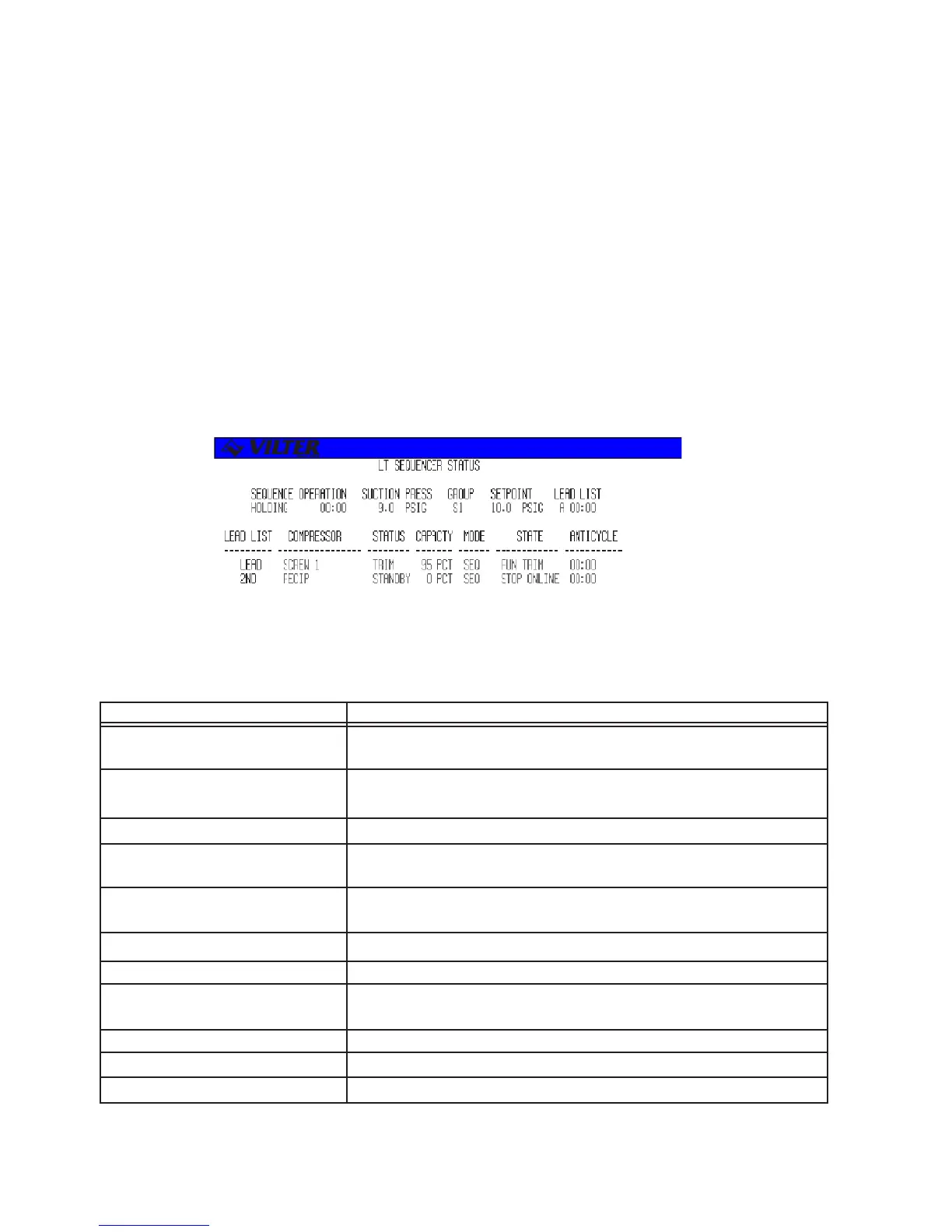
Sequencer Status Screen
The presence of a SEQ hot key will add at least one sequencer status screen to the list of status screens.
The extra status screen appears when the user scrolls through the system status screens. Below is an
example of a sequencer status screen. Multiple sequencer status screens may be present depending on
the systems configuration.
TERM DEFINITION
SEQUENCE OPERATION The state of the sequencer (DISABLED, DECREASING, INCREASING,
HOLDING). Also shows the value of the staging timer.
SUCTION PRESS The current value of the system suction pressure for system process
temperature.
GROUP Shows the current control group being used.
SETPOINT The current setpoint value utilized by the sequencer. Engineering units
will change to DEGF if Process Temperature is being used.
LEAD LIST (Status) Shows the currently selected lead list number and the value of the
standby monitor timer.
LEAD LIST (Heading) Shows the current order of compressors in the lead list.
COMPRESSOR Shows the names of the compressors in the lead list.
STATUS The current sequencer status of the compressors (UNAVAIL, STANDBY,
FULL LOAD, TRIM, HOTSTBY).
MODE The current mode of each compressor.
STATE The state of each compressor.
ANTICYCLE The time remaining on each compressor’s anti-cycle timer.
The following table lists the data entry and information fields on the screen and a description of their purpose.
Sequencer Status Screen Definitions
Sequencer Status Screen



 To Next Page