168
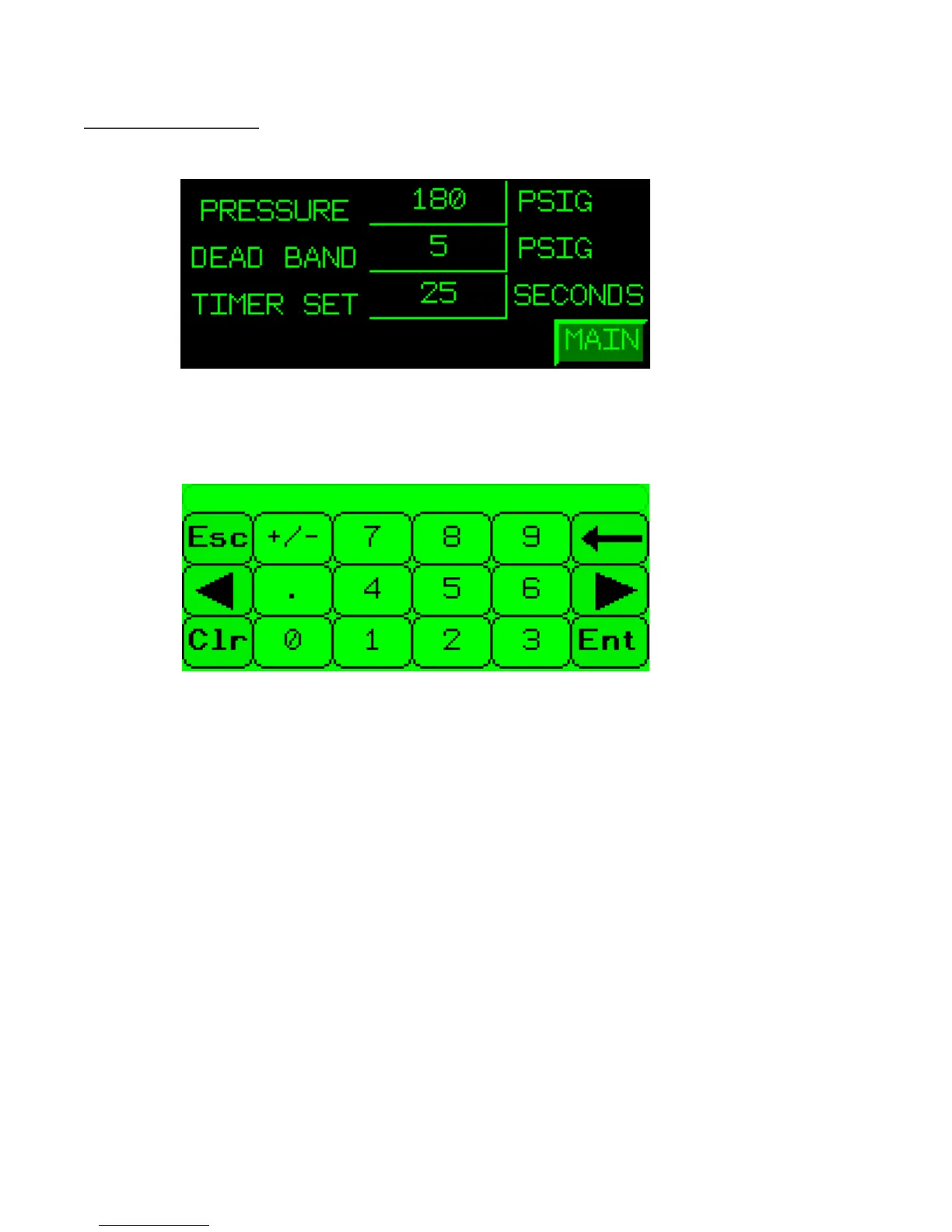
Auto Setup Screen
From the Main screen, touch the AUTO SETUP button.
To specify the setpoints for Pressure, Dead Band, or Timer touch the num-
ber inside the green rectangle to bring up a keypad, as shown below.
In this screen you can specify the appropriate value for the given parameter.
When finished touch the Ent button to return to the Auto Setup Screen.
Pressure value can not exceed three digits and should always stay within safe
operating conditions specified by the condenser manufacture.
Deadband value can not exceed three digits and should always stay within
safe operating conditions specified by the condenser manufacture.
Timer Set value can not exceed two digits and should stay within safe oper-
ating conditions specified by the condenser manufacture
To return to the Main Screen touch the MAIN button.



 To Next Page