19
PRELIMINARY HARDWARE SETTINGSPRELIMINARY HARDWARE SETTINGS
PRELIMINARY HARDWARE SETTINGSPRELIMINARY HARDWARE SETTINGS
PRELIMINARY HARDWARE SETTINGS
How to remove the instrument from its caseHow to remove the instrument from its case
How to remove the instrument from its caseHow to remove the instrument from its case
How to remove the instrument from its case
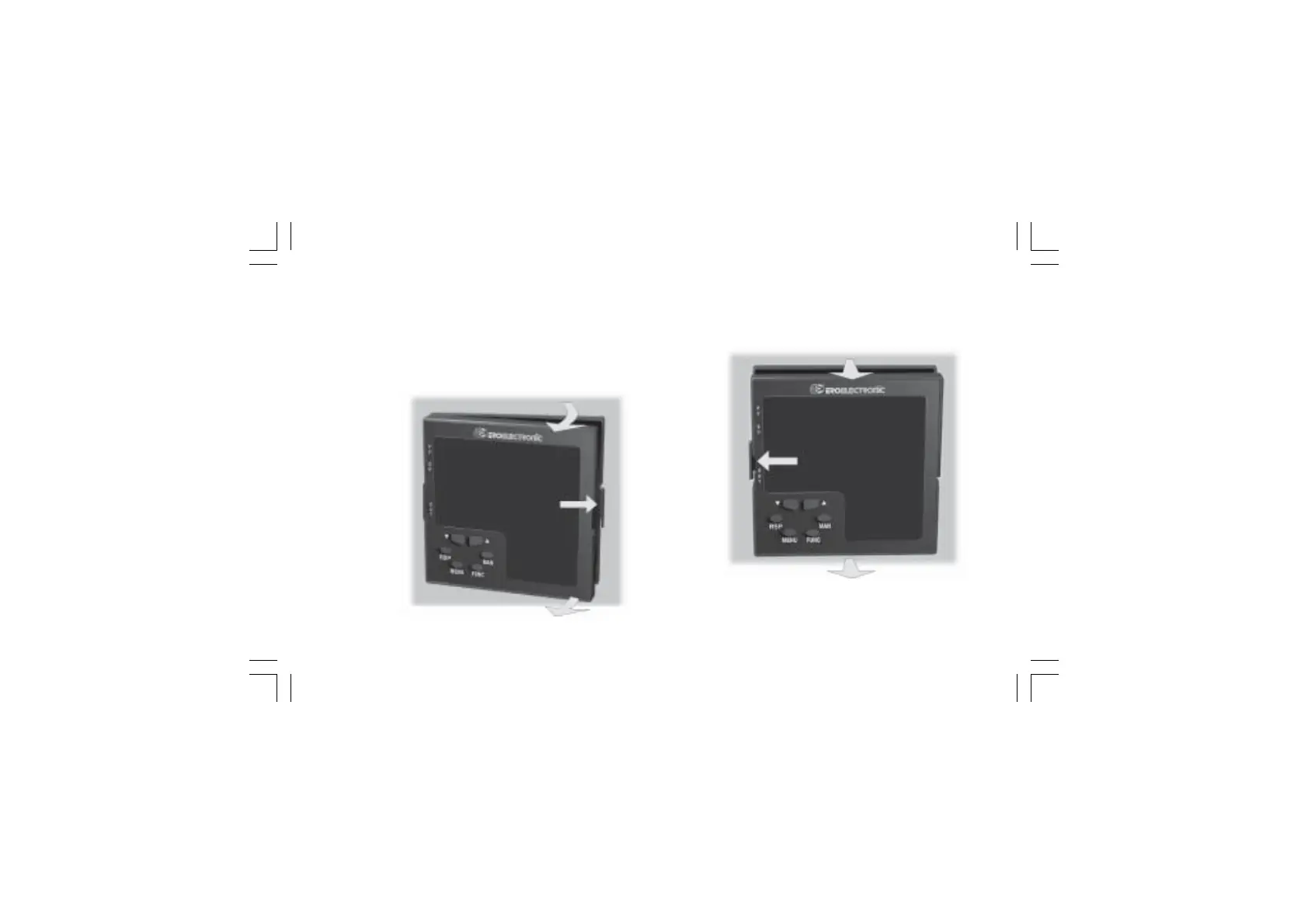
1) Switch off the instrument.
2) Push gently the lock A on the right.
3) While the lock A is maintained out, slide out the right side of
the instrument (see fig. 19.a)
4) Push gently the lock C on the left.
5) While the lock C is maintained out, slide out the instrument
(see fig. 19.b)
A
B
B
Fig. 19.a Fig. 19.b
D
C
D
XKP-1-D1.pmd 25/05/2006, 11.2819



 To Next Page