29
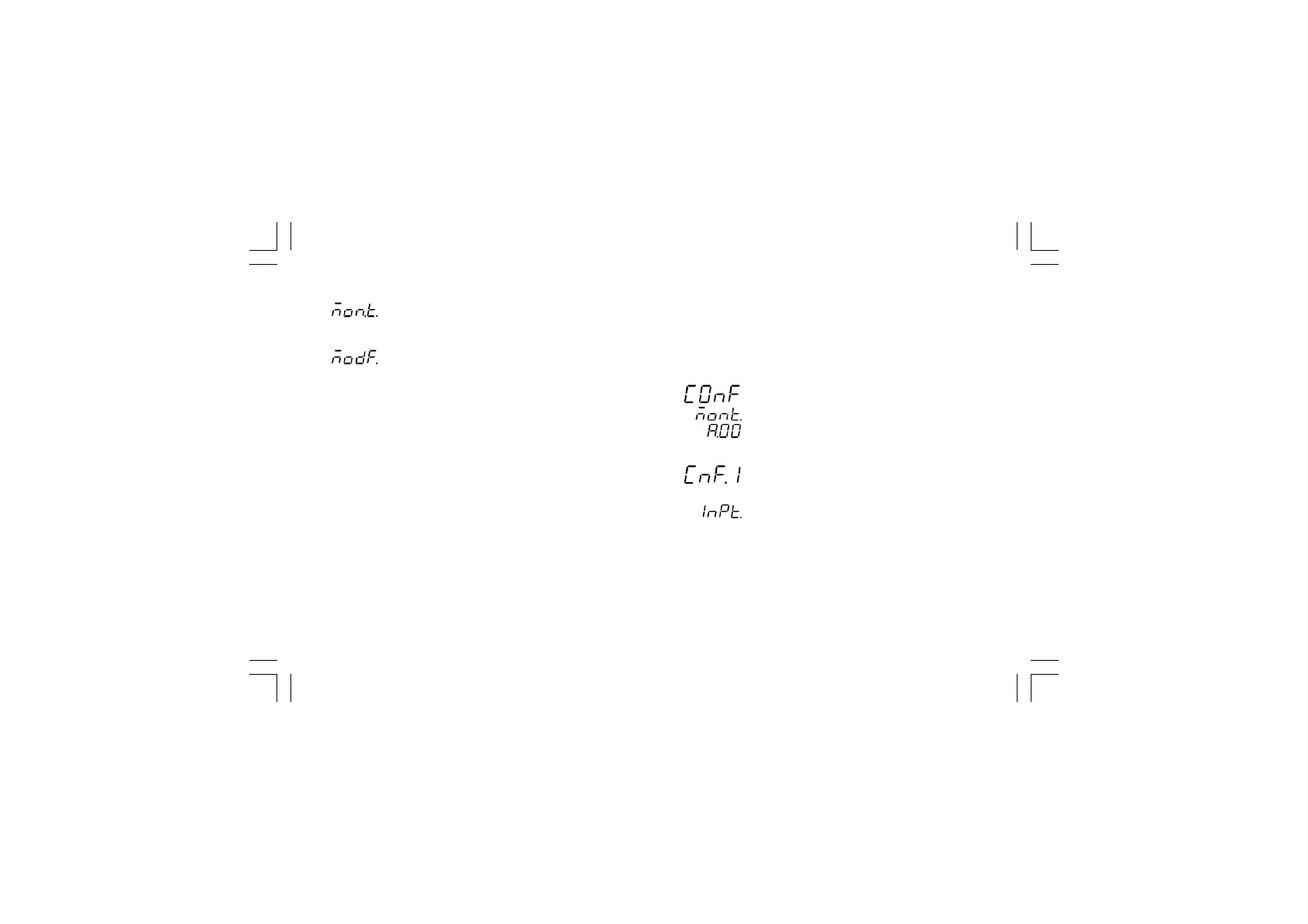
By or push-button it is possible to select between:
= (monitor) this selection allows you to monitor but
not to modify the value assigned to the
configuration parameters
= (modify) this selection allows you to monitor and
to modify the value assigned to the configuration
parameters.
NOTESNOTES
NOTESNOTES
NOTES:
1) During monitor mode, the instrument continues to operate as
in run time mode.
2) When modify mode is started, the instrument stops the
control and:
- sets to OFF the control outputs;
- turns to OFF the bargraph displays (MKP only);
- sets analog retransmissions to the retransmitted initial
scale value;
- sets alarms in no alarm condition;
- sets to OFF the events;
- disables the serial link;
- the time out will be removed.
3) When the modify mode is disabled by V101 (V101.3), the
or push-button pressure has no effect.
MONITOR MODEMONITOR MODE
MONITOR MODEMONITOR MODE
MONITOR MODE
During the run time mode, it is possible to monitor but not
modify all configuration parameters.
When it is desired to verify the instrument configuration,
proceed as follows:
1) Push the MENU push-button for more than 5 seconds: the
display will show:
.
2) Push the MENU push-button the display will show:
it shows that configuration group 1 is selected and it
encompasses all the input parameters.
The configuration parameter "Monitor mode" follows the
"Modify mode" sequence.
NOTESNOTES
NOTESNOTES
NOTES:
1) During monitor mode, the instrument continues to operate as
in run time mode.
XKP-1-D1.pmd 25/05/2006, 11.2829



 To Next Page