Chapter 5
I/O
Expansion Unit
Page 5-32
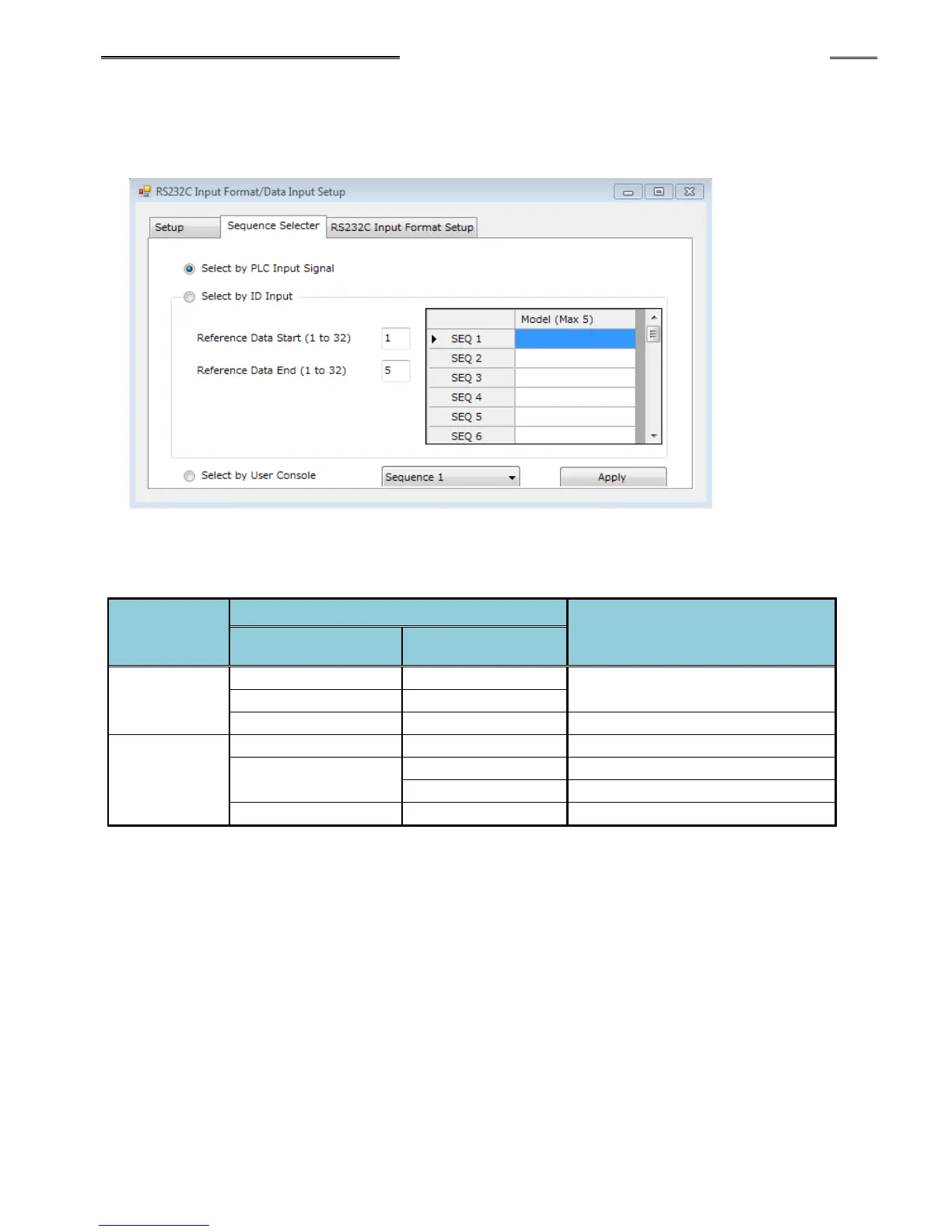
The standard method to select sequences, is using the PLC input siganls provided. An optional
method is avalible to select the sequences from the part ID data. To set the sequence selection method,
the AFC3000 User Console software must be used.
With the PLC IO input signal “ID SELECT ENABLE Signal” set “ON,” the “Select by Input ID”
sequence selection setting is enabled. When the signal is “OFF,” “Select by PLC” is enable (the
setting itself is not changed).
With “Select by ID Input,” a maximum of 5 ASCII letters can be set for each sequence No. (that would
match a model code as an example) If the ID data is not input or the ID data and the sequence select
setting do not match, the PLC IO input signal “ABNORMAL” is set to “ON” when the PLC IO input signal
“START” (or “REVERSE”) is turned “ON.” The ID data is not updated if the ID data and the sequence
select setting do not match. The ID data will be updated and stored only if the ID data and the sequence
select setting match. If “Select by PLC or User Console” is selected, the input ID data is always updated
and stored. (If “Select by User Console” is selected, you can manually select a sequence by selecting the
sequence number from the pull down menu and then hit “APPLY”)
To clear the ID data, turn the PLC IO input signal “ID DATA CLEAR” to “ON.” In the case of part ID data
being input by the PLC network (Fieldbus message), clear the ID data by sending from the PLC in
advance, (from the PLC side) and then set the PLC IO input signal “ID DATA CLEAR” to “ON.”



 To Next Page