Chapter 8 System Operation
PAGE 8- 7
8-3-1 RUN State Mode Selection
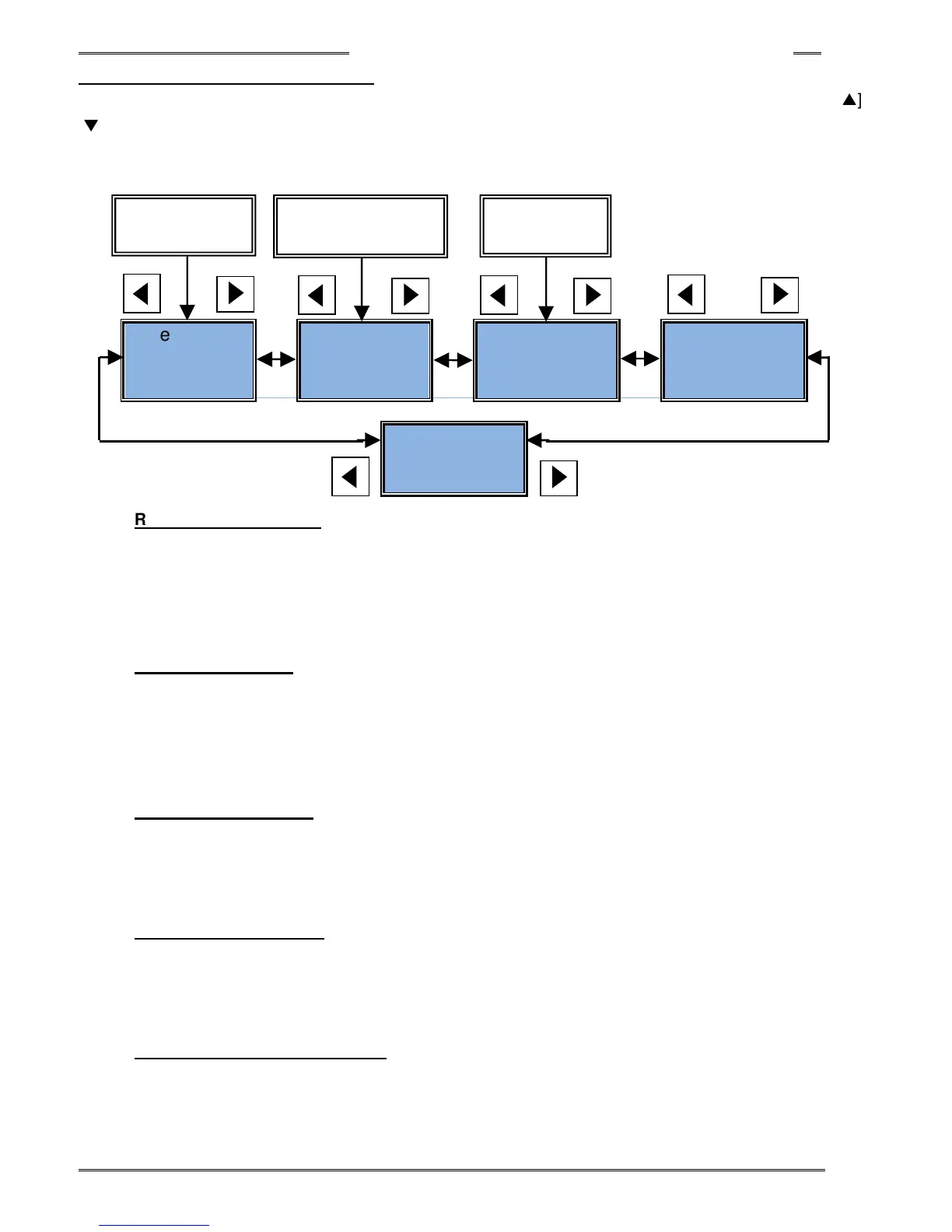
Five modes can be selected while in the RUN state by pressing the [◄] or [►] push-button. By using the [
▲
] or
[
▼
] push-button, the display content can be changed. “Status Display Mode” is automatically selected when
the fastening starts and “Fastening Result Mode” automatically appears when the fastening ends. The display
change or mode change cannot be done while fastening is in operation (while in Status Display Mode).
Real Time
Display Mode
(Sec 8-3-7)
Mode
(Sec 8-3-6)
Fastening
Result Mode
(Sec 8-3-3)
Parameter
Display Mode
(Sec 8-3-4)
System Setup
Mode
• Real Time Display Mode
When this mode is activated, the current executed values are displayed. (“non” appears in the PAR
No. display) The desired type of data can be chosen by pressing the [▲] or [▼] push-button.
This mode will be displayed when control power is turned on and also when the mode is switched from
BYPASS mode to RUN mode.
• Status Display Mode
The speed condition during the fastening operation is displayed. (“Sxx” or “Pxx” appears in the PAR
No. display) The fastening Status display is displayed during the time between the beginning and end
of the fastening operation. Also it’s displayed when the abnormal condition occurs or when the STOP
signal is turned OFF, the BYPASS signal is turned ON, etc.
• Fastening Result Mode
When this mode is activated, the fastening result is displayed. (“r.xx” appears in the PAR No. display)
The desired fastening result can be chosen by pressing the [▲] or [▼] push-button. The result is
displayed automatically when the fastening is completed but not during the fastening operation.
• Parameter Display Mode
When this mode is activated the fastening parameter data is displayed. (“P.xx” appears in the PAR No.
display – “.xx” being the parameter number being displayed 1-32)
The desired parameter can be chosen by pressing [▲] or [▼] push-button.
• System Parameter Display Mode
When this mode is activated the system parameter data is displayed. (“SYS” appears in the PAR No.
display) The desired parameter can be chosen by pressing [▲] or [▼] push-button.
After the control
Start of fastening
cycle or Abnormal
After fastening



 To Next Page