Chapter 10 Troubleshooting
PAGE 10-2
10-1 Abnormal Condition Display
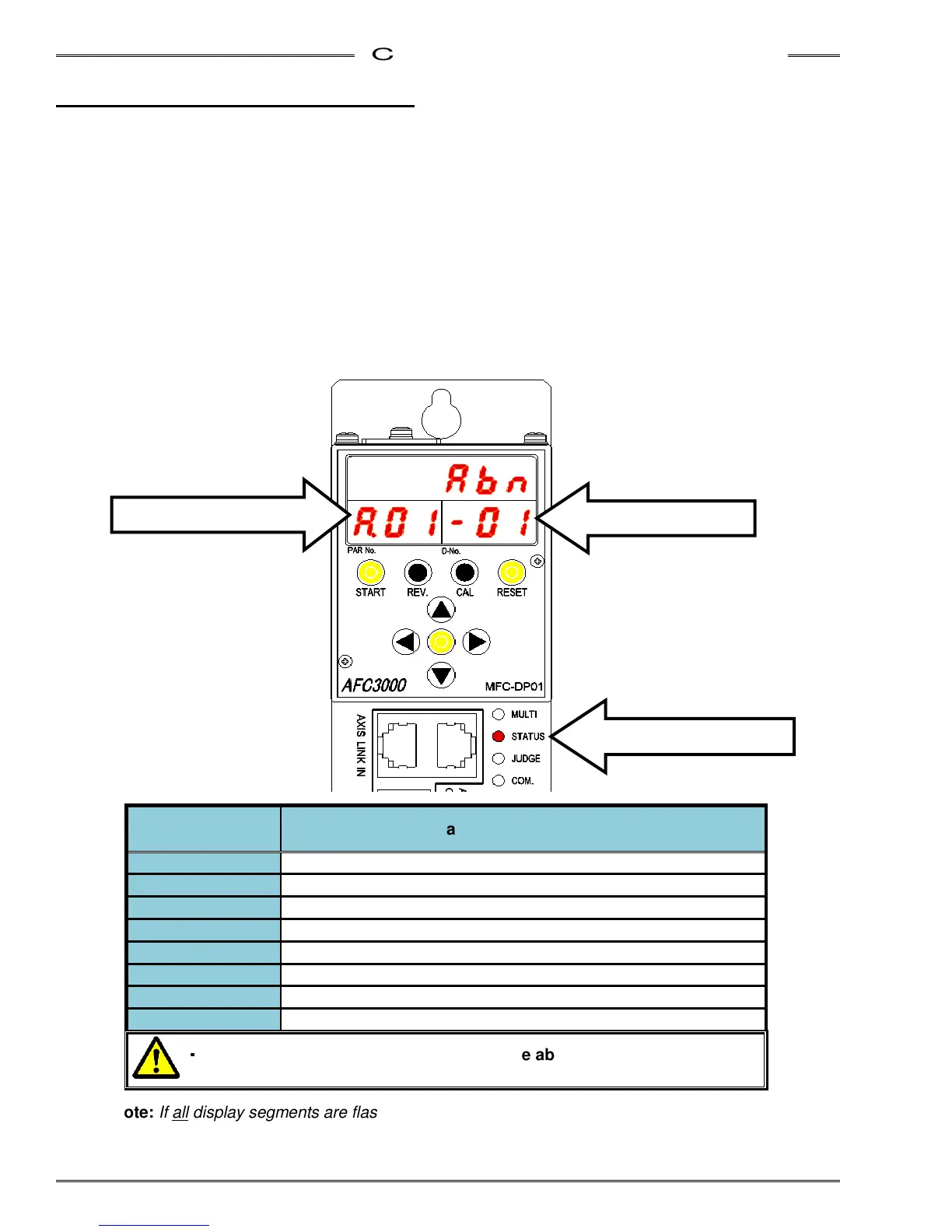
When an abnormal condition is detected by the system, the affected spindle stops and lights the STATUS
LED in Red. For ease of troubleshooting the nature of the abnormal, the system provides an abnormal code
in the [PAR NO] display and an abnormal sub-code in the [D-NO] display. When connected to the AFC3000
Userconsole software, the cause of the abnormal is also reported via the Fastening Data Monitor screen.
w
ww
w
Abnormal code display.
When an Abnormal condition occurs (STATUS LED is lit in Red), the display mode will automatically
change to the STATUS mode (If the display is not in the STATUS mode, depress the MODE button
until a blinking “A” appears in the [PAR NO] display area). A code number appears at the right side of
the blinking character. This code refers to some specific type of failure detailed in the tables shown in
the following sections.
w
Abnormal Sub-code display.
The number shown at the most right position in the [D-NO] display area is a sub-code that can be used
in conjunction with the Abnormal failure code to further narrow down the cause of the fault. See the
following sections.
Note: If all display segments are flashing, it indicates a CPU watchdog error. Power down
(for 5 sec) and then re-apply power to reset the error. If it continues, replace the controller.
Abnormal No.
PAR No. Display
Classification of Abnormal Condition
A.01 Torque Transducer Error
A.03 Preamplifier Error
A.04 System Memory Error
A.05 Servo Amplifier Reply Error
A.06 Servo Type Error
A.08 Servo Amplifier Error
A.09 Parameter Error
A.10 Multi Signal Error
・
・・
・
Ensure the cause of the problem
when the abnormal condition occurred
is corrected before restarting.
Status LED lit up in RED
Abnormal Code
Abnormal Sub-code



 To Next Page