Chapter 8 System Operation
PAGE 8- 5
8-2 RUN/BYPASS Switch
The AFC3000 System has two operational states that are controlled by the selection of the Run/Bypass switch
on the front of the controller or by the PLC Bypass input.
・
・・
・The function of RUN/BYPASS can be disabled by the Dip Switch SW2
bottom panel of the controller.
Refer to section 4-12-3 regarding the setting of Dip Switch SW2 on the bottom
panel of the controller
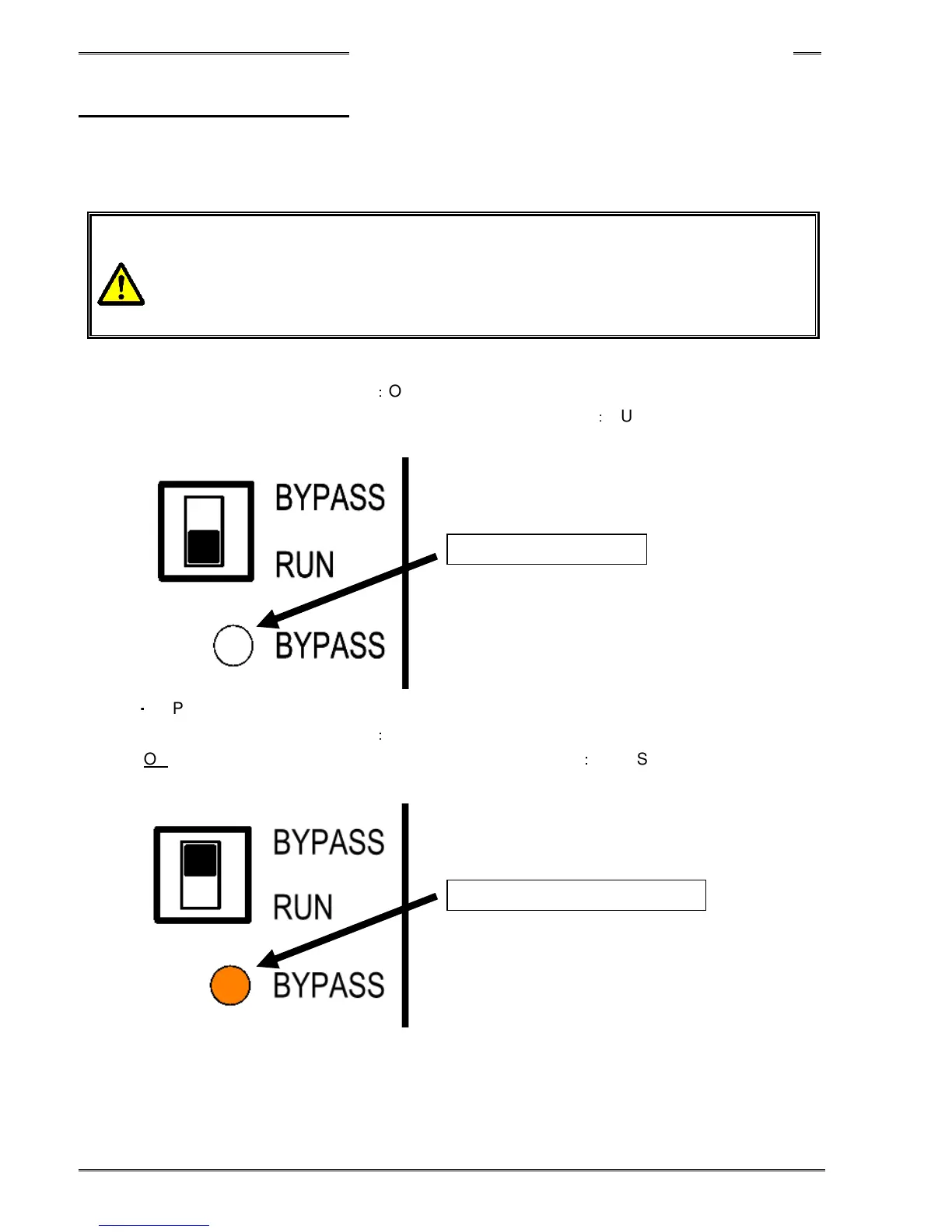
・RUN (operate) Mode
PLC I/O “BYPASS” Input Signal
:
OFF
AND, RUN/BYPASS Switch on the front panel of the controller
:
RUN position
BYPASS LED light is off when the system is in RUN (operate) mode.
・
BYPASS Mode
PLC I/O “BYPASS” Input Signal
:
ON
OR RUN/BYPASS Switch on the front panel of the controller
:
BYPASS position
BYPASS LED light is orange when the system is in BYPASS mode.
BYPASS LED lights up in orange
BYPASS LED light is off



 To Next Page