Chapter 3 System Description
PAGE 3-12
3-2-5 Front Display Unit
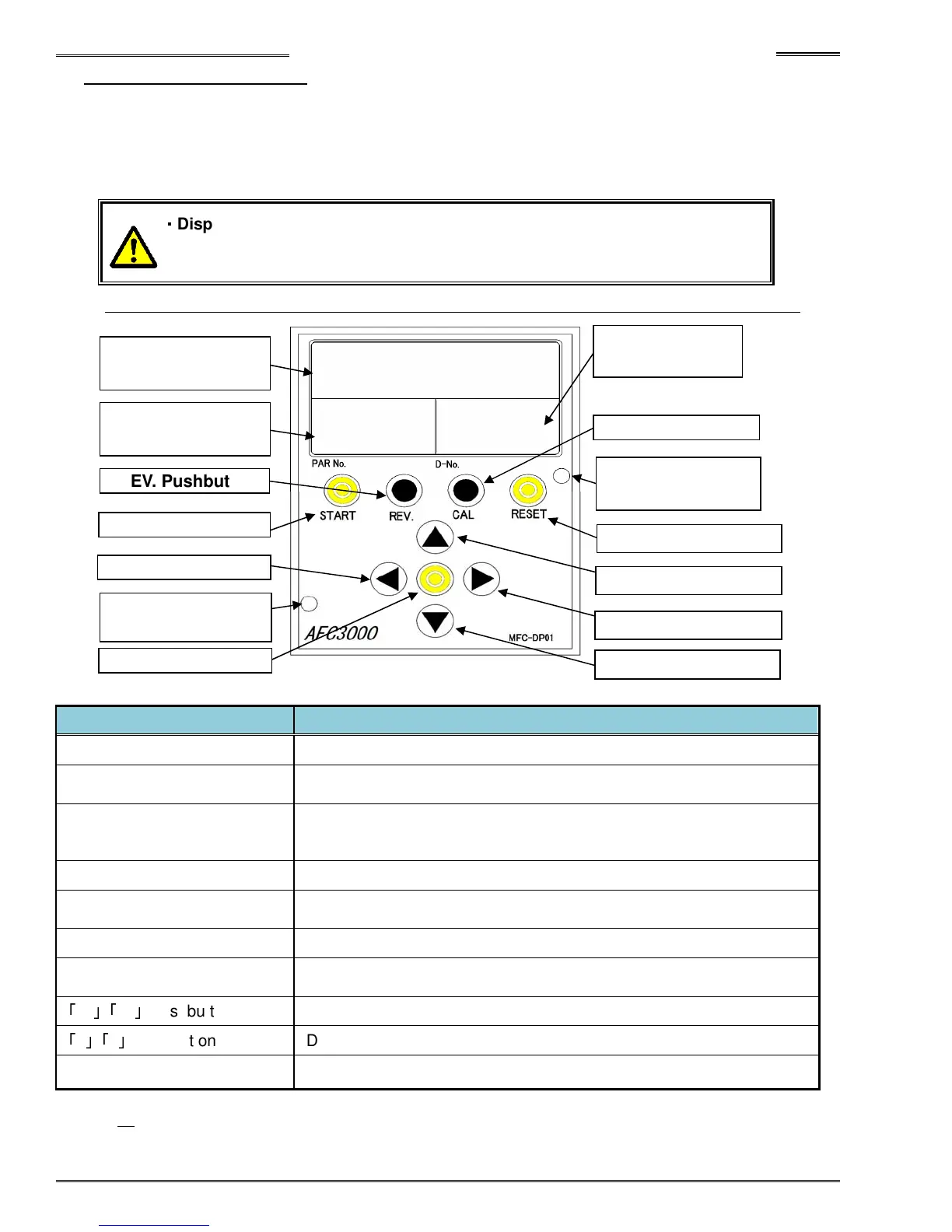
The MFC-DP01 display unit is a “hot-swappable” detachable display also incorporating programming
and monitor functions. It attaches directly to the front of the MFC unit through connector CON and can
be removed or attached at anytime as long as the control power is on. It is not required for the system to
operate. Programming of parameters can be accomplished using the programming keys if access to the
AFC3000 User Console Programming software is not available.
・
・・
・
Display unit must be installed firmly on the MFC unit by tightening attached
screws(2 locations) shown on the figure below.
Refer to the “Controller Display Device” (Section 8-1) for more detailed explanation of each item.
Item
DATA Display LED(6 digits) Operation result data and setting data is displayed here
PAR No. Display LED(3 digits)
Display mode and Parameter No. are displayed here.
Abnormal No. is displayed here when an abnormal occurs.
D-No. Display LED(3 digits)
The Parameter DATA number is displayed here.
Abnormal sub code is displayed when an abnormal occurs.
The speed mode during fastening is displayed here.
START Pushbutton The fastening starts after pushing this pushbutton.
REV Pushbutton
Tool rotates in the opposite direction of fastening while pushing this
pushbutton.
CAL Pushbutton Full Scale CAL torque value is checked while pushing this pushbutton.
RESET Pushbutton
Transducer zero level is checked while pushing this pushbutton.
System will reset when pushing this pushbutton.
「
→
」「
←
」
Pushbutton
Display Navigation pushbutton
「
↑
」「
↓
」
Pushbutton
Display Navigation pushbutton
SET Pushbutton Used to confirm data setting.
Note: If all display segments are flashing, it indicates a CPU watchdog error. Power down (for 5 sec) and
then re-apply power to reset the error. If it continues, replace the controller.
SET Pushbutton
◄ Pushbutton
(2 locations)
REV. Pushbutton
LED (6 digits)
LED (3 digits)
RESET Pushbutton
► Pushbutton
▲ Pushbutton
▼ Pushbutton
CAL Pushbutton
LED (3 digits)
(2 locations)



 To Next Page