Chapter 4 Installation and Wiring
PAGE 4-67
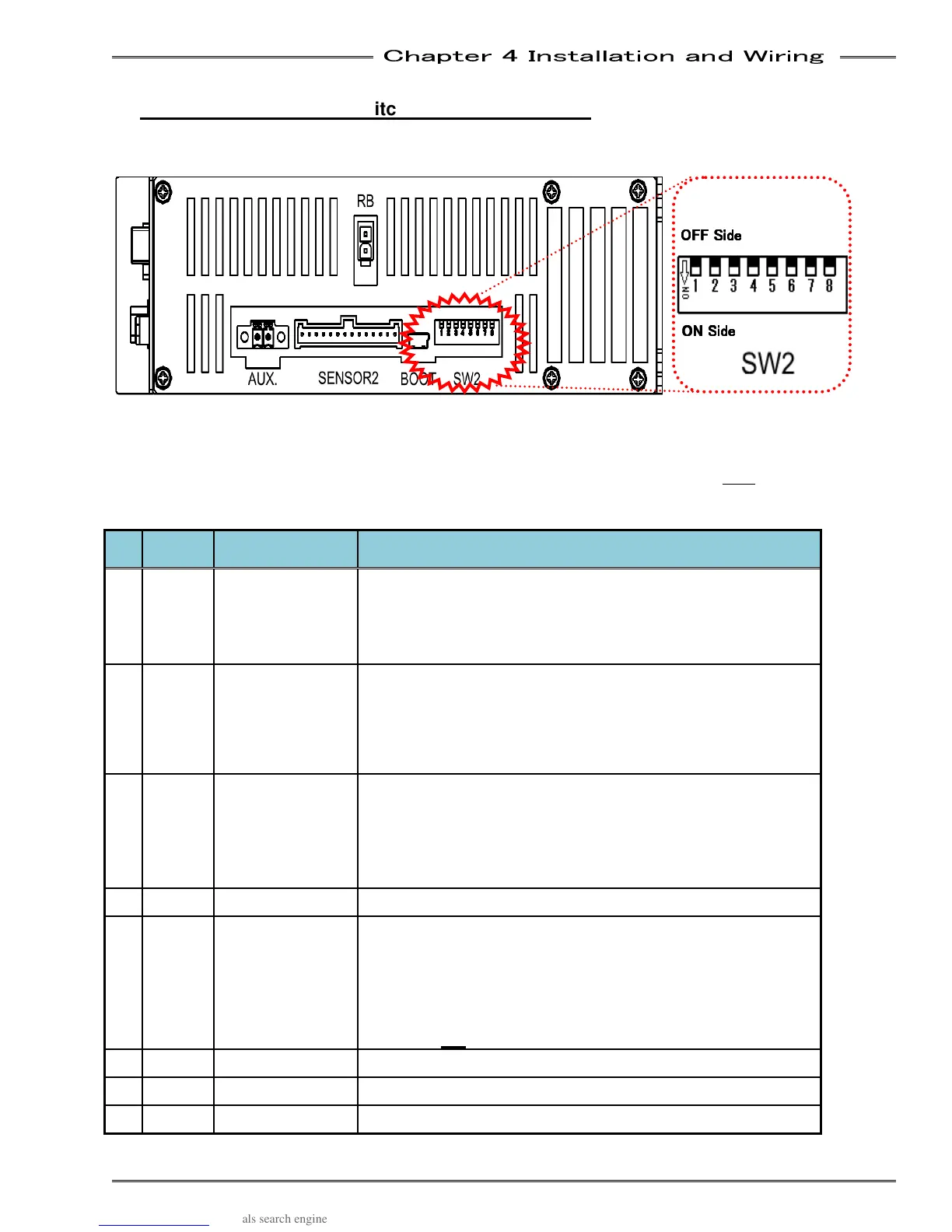
4-12-3 Setting of SW2 switch on the bottom panel
The SW2 switch on the controller bottom panel is used to change settings related to functions of the
controller.
*Only change the SW2 Dip Switch settings with the control power of the Unit OFF.
No.
Factory
Setting
Function
Setting Details
1 OFF
AUX. connector
STOP signal
enable
When this is set to ON, the fastening operation cannot be
started by the START signal unless the STOP signal
connected from the AUX. connector at the Unit bottom panel
is Activated “ON”. Please refer to “AUX. Interface” (Section
4-10) concerning the STOP signal.
2 OFF
Controller
RUN/BYPASS
switch disable
When this is set to ON, changing to the BYPASS mode
cannot be performed by the RUN/BYPASS switch on the
Unit front panel. Use of the PLC I/O input signal “BYPASS”
will be the only method for changing to the BYPASS mode
in this case.
3 OFF
STOP signal
always ON
(STOP signal
disable)
When this is set to ON, the PLC I/O input signal “STOP” will
always be ON. *This can be used to test the system without
I/O being connected or when a fieldbus interface is installed
and no PLC control is available
Be sure to set this function to OFF if this equipment is to be
put in full operation.
4 OFF
Not Used
5 OFF
Sequence Step
Check Function
(Firmware
and later only)
Function enabled when setup as a Master only.
OFF – Performs Sequence Step check between all
connected spindles to confirm each spindle is running
correct sequence step from Master. (see ABN 10_10)
ON – Disables Sequence Step Check
Must be ON for firmware versions earlier than 1.400
6 OFF Disabled Used for in-house adjustment
7 OFF Disabled Used for in-house adjustment
8 OFF Disabled Used for in-house adjustment
OFF Side
OFF SideOFF Side
OFF Side
ON Side
ON SideON Side
ON Side



 To Next Page