Chapter 4 Installation and Wiring
PAGE 4-57
4-9 ETHERNET Interface
The ETHERNET interface is a dedicated TCP/IP Ethernet port to communicate with the AFC3000
User Console software installed on a PC (Windows®).
The following TCP/IP settings are set as (default) in the Unit. The settings at the PC side must thus be
changed when first connecting to the controller. (to communicate on the same network) Please refer to
the “TCP/IP Setup Procedures” on the following page regarding the TCP/IP setting method.
IP address 192.168.11.10 (factory setting)
Subnet Mask 255.255.255.0 (factory setting)
Default Gateway 192.168.11.1 (factory setting)
Protocol
IEEE 802.3 compliant
ETHERNET Standard 100BASE-T
Communication Speed 100Mbps
Cable
Category 5 or higher (category 5 is
recommended)
Connector Shape RJ-45
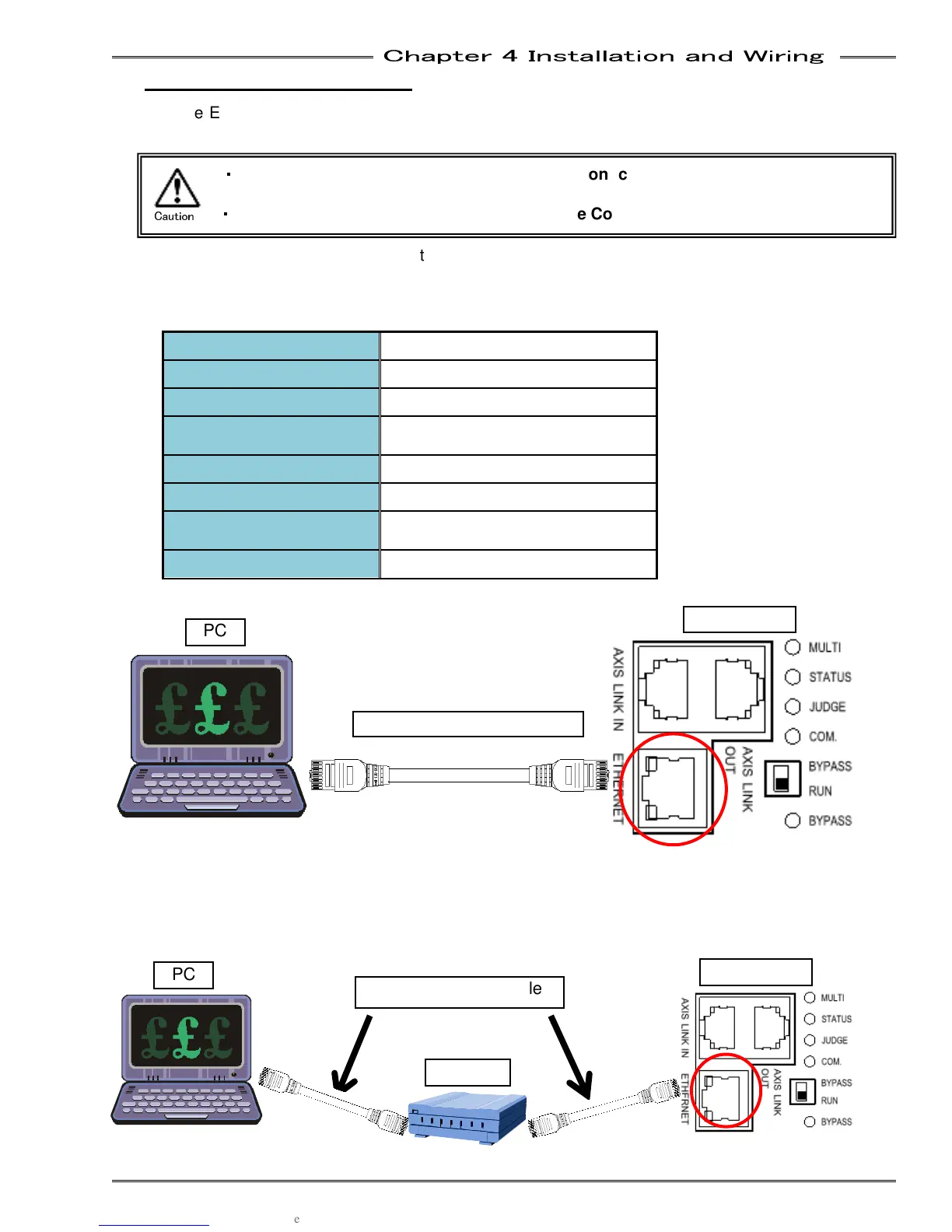
● 1-to-1 Direct Communication with the PC
*Newer PC’s have auto-detect Ethernet hardware for signal direction and may not require a “Crossover”
cable. A common Ethernet (Straight) cable would work if this is the case.
● Communication via an Ethernet Switch (Hub)
・
・・
・
Do not connect the Ethernet communication cable to the AXIS LINK IN/OUT
connectors or damage may occur.
・
・・
・
Connect the Ethernet Cable (for AFC Software Communication) to the MASTER Axis
Caution
Ethernet Crossover Cable*
Ethernet Straight Cable
PC
PC
Controller
Controller
Hub



 To Next Page