Chapter 8 System Operation
PAGE 8- 25
Ex.
:
Copy parameter 1 to parameter 2
~
32
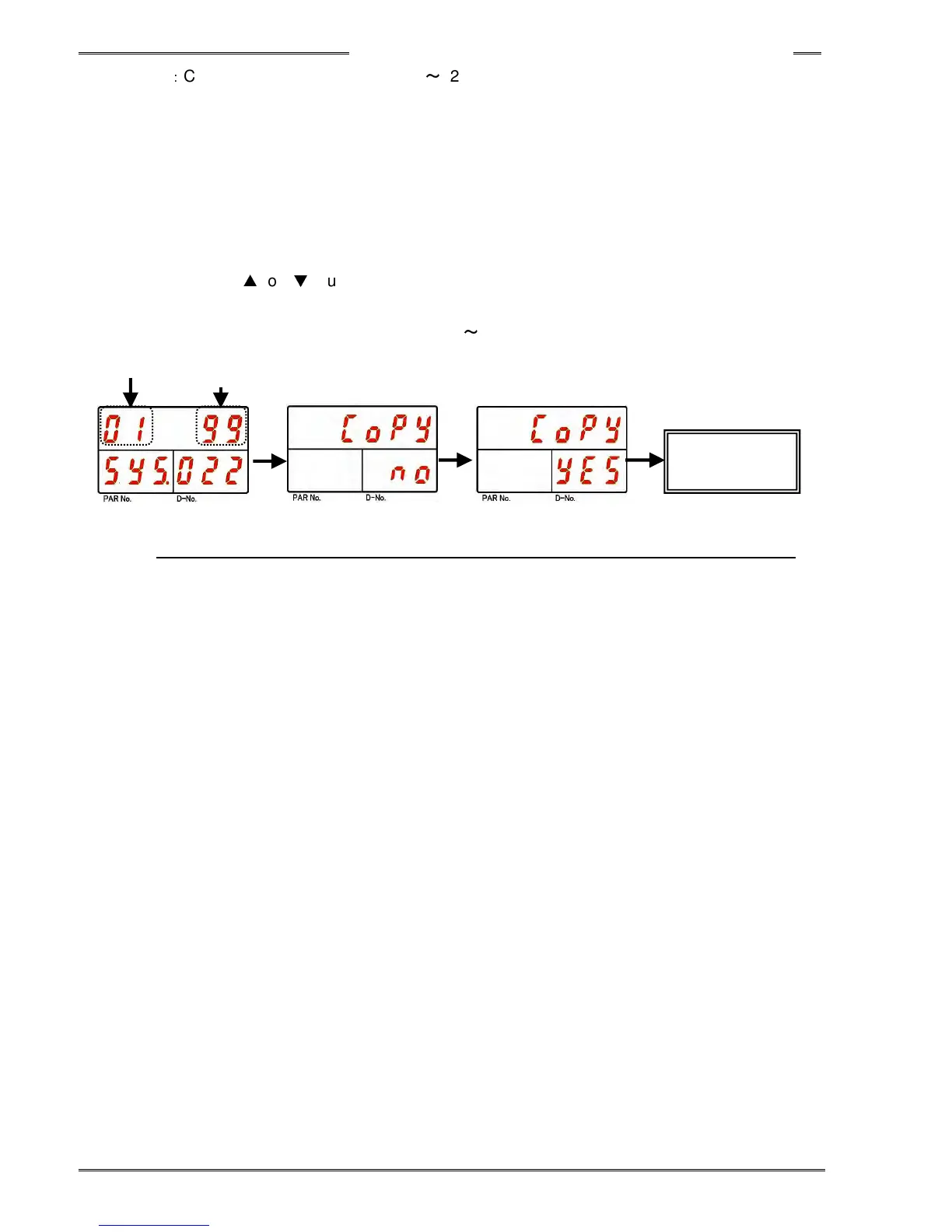
1. Operate the arrow pushbuttons to make “Copy,” with “SYS” indicated in the PAR No. display and
“022” indicated in the D-No. display.
2. Change the RUN/BYPASS switch of the Controller to the BYPASS position and then press the
[SET] pushbutton.
3. Select the copy source parameter No. in the first 2 digits of the upper area of the display (DATA).
4. Select “99” in the last 2 digits of the upper area of the display (DATA) and then press the [SET]
pushbutton.
5. Press the [
▲
] or [
▼
] pushbuttons to change the indication from “Copy NO” to “Copy YES” within 2
seconds, and then press the [SET] pushbutton within 2 seconds.
6. Parameter 1 will be copied to parameter 2
~
32.
SET
Parameter
copy in batch
SET
[
▲] or [▼]
99
*If neither YES or NO is selected within 2 seconds, the command will be cancelled.



 To Next Page