Chapter 10 Troubleshooting
PAGE 10-24
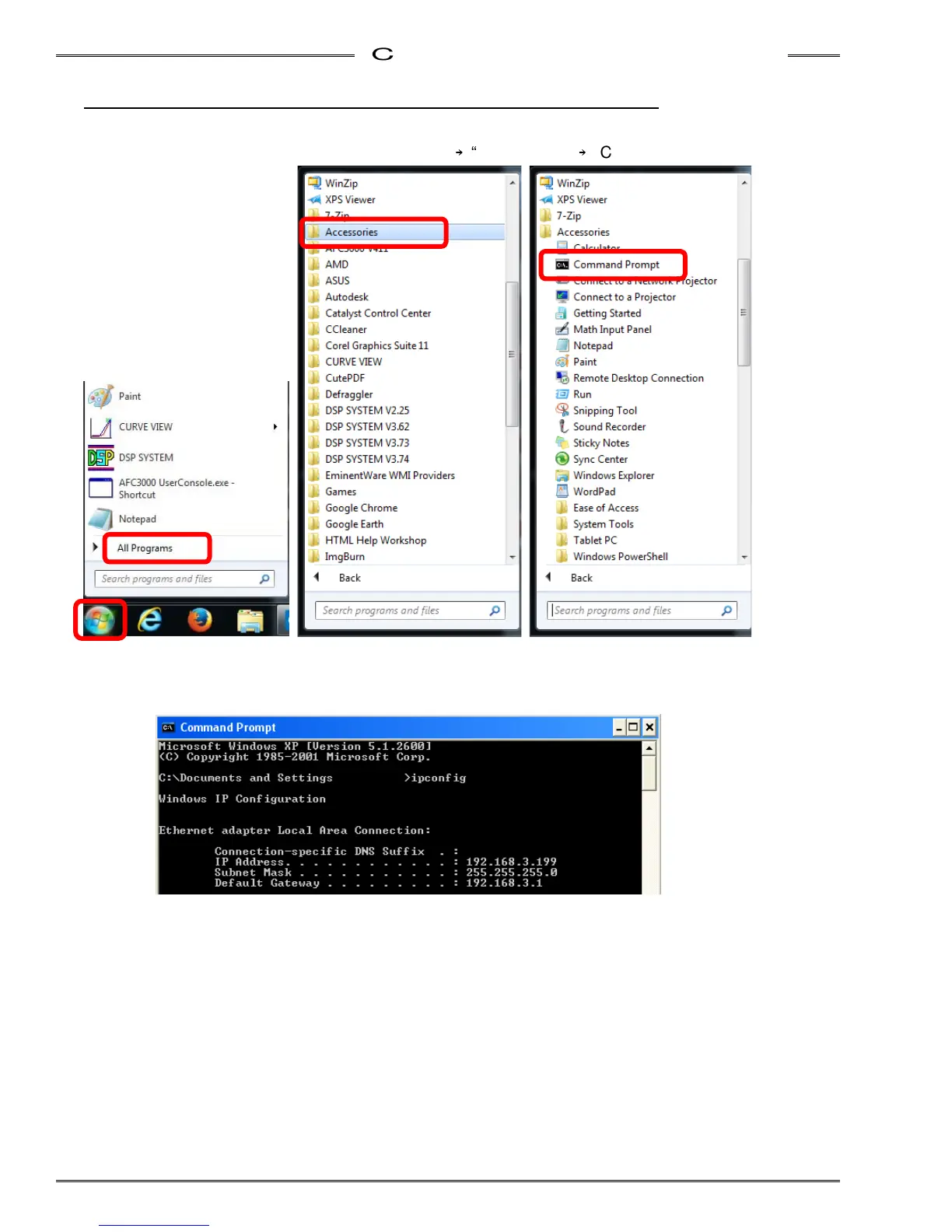
10-11-2 Confirming Connection by Using the Command Prompt
1. Connect the Unit and the PC with the PC communication cable.
2. In the Windows Start menu, click “All Programs”
→
“Accessories”
→
“Command Prompt.”
3. When the command prompt screen appears, enter “ipconfig” and then press the Enter key. The
current PC settings are displayed. If the displayed settings are not correct, set the PC’s setting
again.



 To Next Page