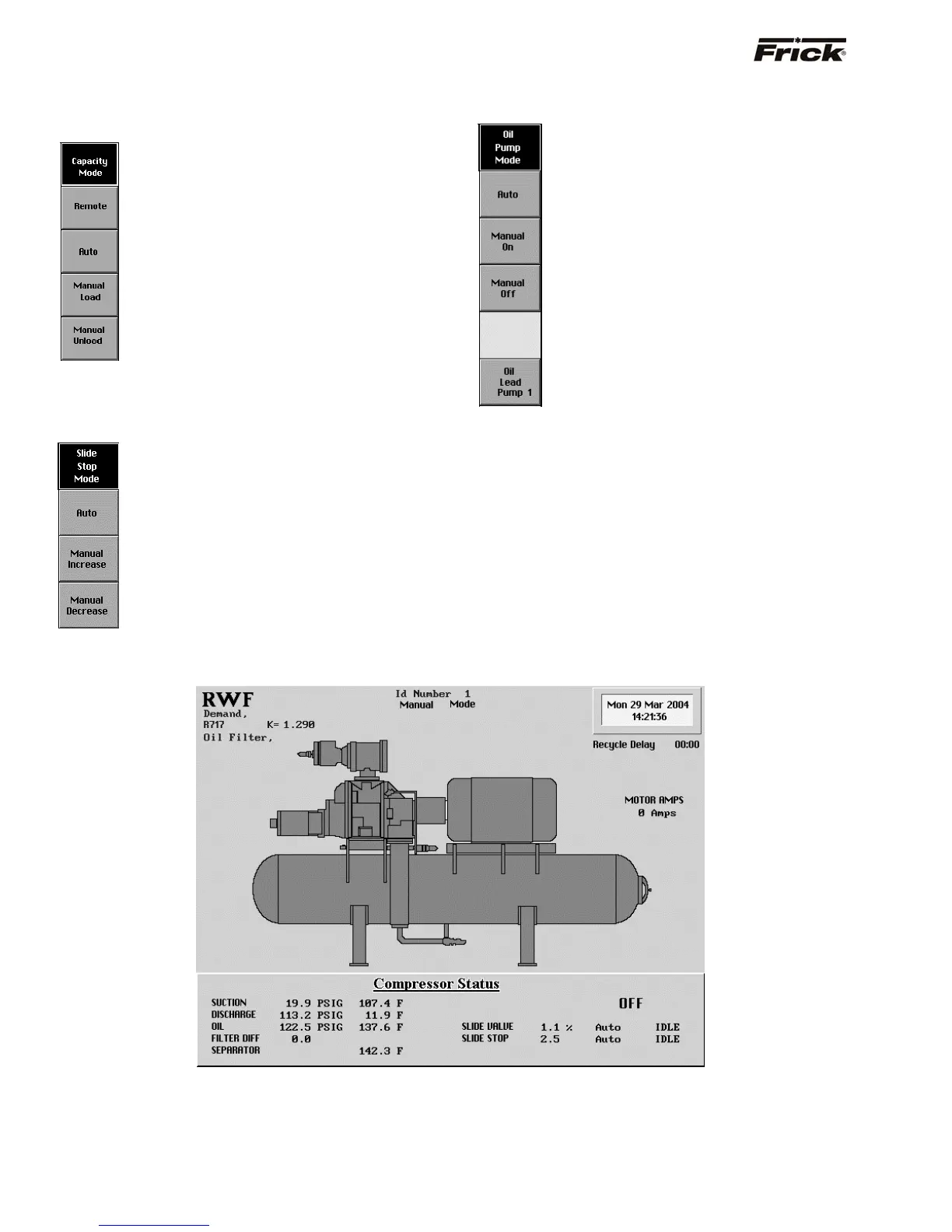
[Capacity Mode] - (If applicable, reference Compressor
Model Differences) The following are the Capacity Mode
screen command keys:
[Remote] - The capacity loading and
unloading is controlled by a remote device.
[Auto] - The loading and unloading is under
automatic Capacity Control settings.
[Manual Load] - Sends a load signal for the
duration the key is pressed.
[Manual Unload] - Sends an unload signal
for the duration the key is pressed.
[Slide Stop Mode] - (If applicable, reference Compressor
Model Differences) The following are the Slide Stop
mode screen command keys:
[Auto] - The Slide Stop increase and
decrease is under internal control that is
based on the differential of the
machines Suction Pressure and
Discharge Pressure.
[Manual Increase] - Sends an increase
signal for the duration the key is
depressed.
[Manual Decrease] - Sends a decrease
signal for the duration the key is
depressed.
[Oil Pump Mode] - (If applicable) The following are the
Oil Pump mode screen command keys:
[Auto] - The Oil Pump is started and
stopped under internal automatic control.
[Manual On] - Places the Oil Pump in the
run mode.
[Manual Off] - Places the Oil Pump in the
stop mode.
If dual pumps were enabled in Factory
Setup, then a toggle key is provided, that
changes which pump is the lead, or first
pump to be turned on.
[Oil Lead Pump 1] - Selects pump 1 to be
the lead Oil Pump.
[Oil Lead Pump 2] - Selects pump 2 to be
the lead Oil Pump
Compressor
This screen represents a pictorial of the compressor
configuration, and shows the most critical operational
readings. It additionally shows the alarm/shutdown status,
communications ID number, and basic factory information
pertaining to the unit.
S90-010 O FRICK
QUANTUM™ COMPRESSOR CONTROL PANEL
Page 12 OPERATION



 To Next Page