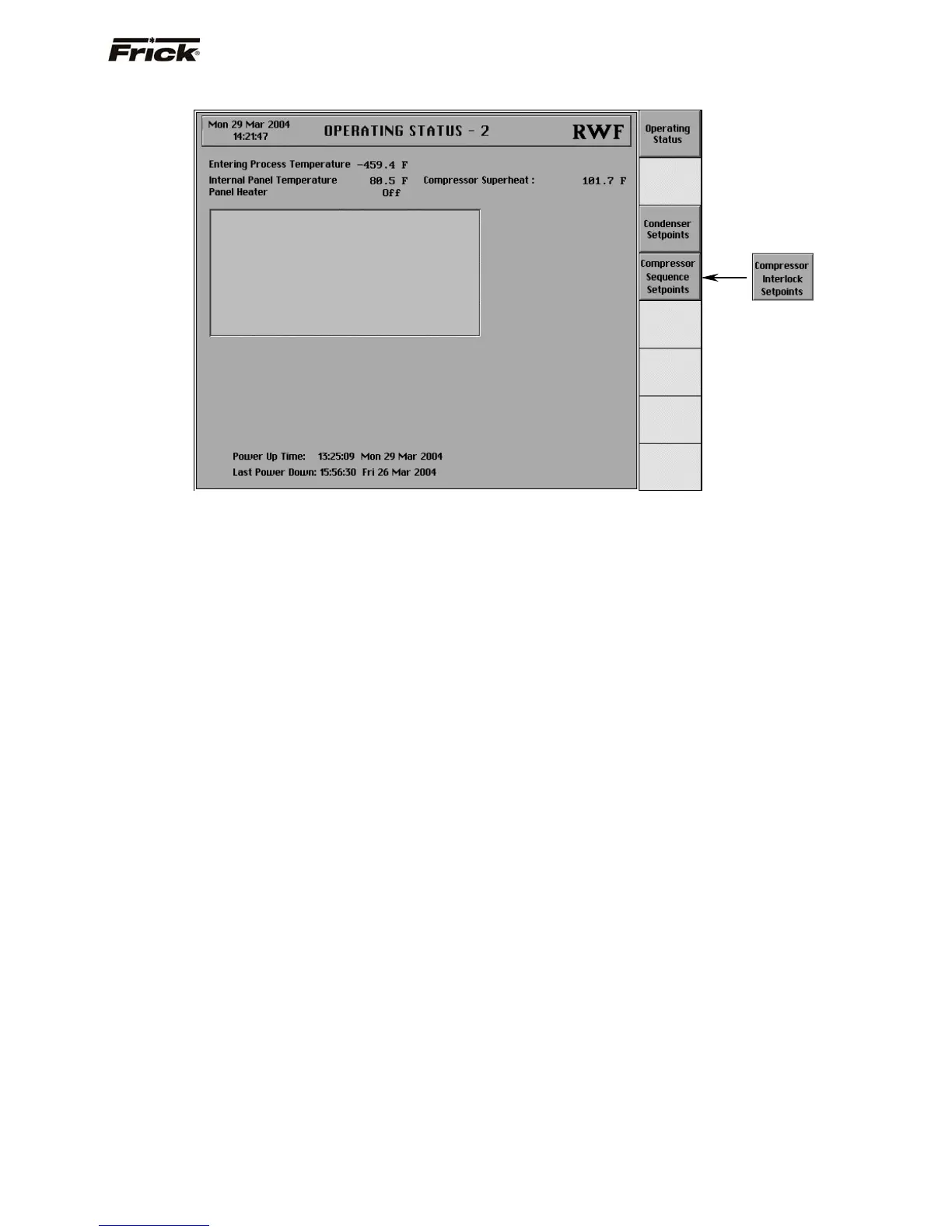
Operating Status - 2
The following information is shown on this screen:
Entering Process Temperature - If this temperature
was enabled for monitoring in Panel Setup, it will be
displayed along with the unit of measure. This reading
is used to monitor the temperature of what is being
processed.
Internal Panel Temperature - The main processor
board is equipped with a temperature sensor. The
panel has an operational temperature range that
should be maintained. The operational temperature
range is documented in the specifications document.
Panel Heater - The On or Off message is shown for
the status of the Panel Heater. If the temperature
sensor on the main processor board detects the
temperature is less than or equal to 12 degrees C, the
Panel Heater output is turned on. If the temperature is
detected to be greater than 13 degrees C, the Panel
Heater output is turned off. A temperature of 55
degrees F is attempted to be maintained.
Compressor Superheat - Superheat is the term used
to describe the difference between the vapor point (ie.
temperature at which the refrigerant evaporates at a
given pressure) and the actual temperature of the
refrigerant exiting the evaporator coil.
Power Up Time - The clock time when the
Quantum™ program was started.
Last Power Down - The clock time when the
Quantum™ program was last stopped.
Following are the screen key selections for the Operating
Status - 2 screen:
[Operating Status] - Shows the Operating Status
screen.
[Condenser Setpoints] - Shows the Condenser
Control screen. This key is shown if a type of
Condenser Control was selected in Panel Setup.
[Compressor Sequence Setpoints] - Shows the
Compressor Sequence Control screen. This key is
shown if Compressor Sequencing is enabled in Panel
Setup.
[Compressor Interlock Setpoints] - Shows the
Compressor Interlock screen. This key is shown if
Compressor Interlock is enabled from the
Compressor Sequencing option in Panel Setup.
FRICK
QUANTUM™ COMPRESSOR CONTROL PANEL S90-010 O
OPERATION Page 13



 To Next Page